



Social media managers hold the keys to some of the most valuable digital assets a business can have. Every day, you log into client accounts, handle sensitive information, and navigate platforms that collect enormous amounts of data. This puts you in a unique position when it comes to online privacy.
Unlike regular social media users who only need to worry about their own accounts, social media managers juggle multiple profiles, access business dashboards, and often work with confidential marketing strategies. A single privacy slip-up can affect not just you, but every client you serve.
Online privacy for social media managers isn’t just about personal protection. It’s about professional responsibility, client trust, and career longevity. When you understand the risks and know how to protect yourself, you become a more valuable professional and a safer partner for the businesses you work with.
This guide walks you through everything you need to know about staying private and secure while building your career in social media management.
Why Privacy Matters More for Social Media Managers
Regular social media users face privacy concerns, but social media managers deal with a completely different level of risk. You’re not just protecting one account—you’re often responsible for dozens of profiles across multiple platforms.
Think about what you have access to on any given day. You might log into a client’s Instagram business account, check their Facebook page insights, schedule tweets, and review analytics dashboards. Each of these touchpoints represents sensitive business information that competitors would love to see.
Beyond account access, you often handle confidential data like upcoming product launches, marketing budgets, customer engagement metrics, and internal communications. If any of this information leaks, it could damage your client’s business and destroy your professional reputation.
There’s also the legal side to consider. Many regions have strict rules about how businesses must handle customer data, and as someone who manages social accounts, you’re often part of that data chain. Understanding social media privacy laws helps you stay compliant and protect both yourself and your clients from potential legal issues.
Your position also makes you an attractive target for hackers. Bad actors know that compromising a social media manager’s credentials could give them access to multiple high-value accounts at once. This makes you a bigger target than the average person scrolling through their personal feed.
Common Privacy Risks Social Media Managers Face
Understanding the threats you face is the first step toward protecting yourself. Social media managers encounter several specific privacy risks that require attention and preparation.
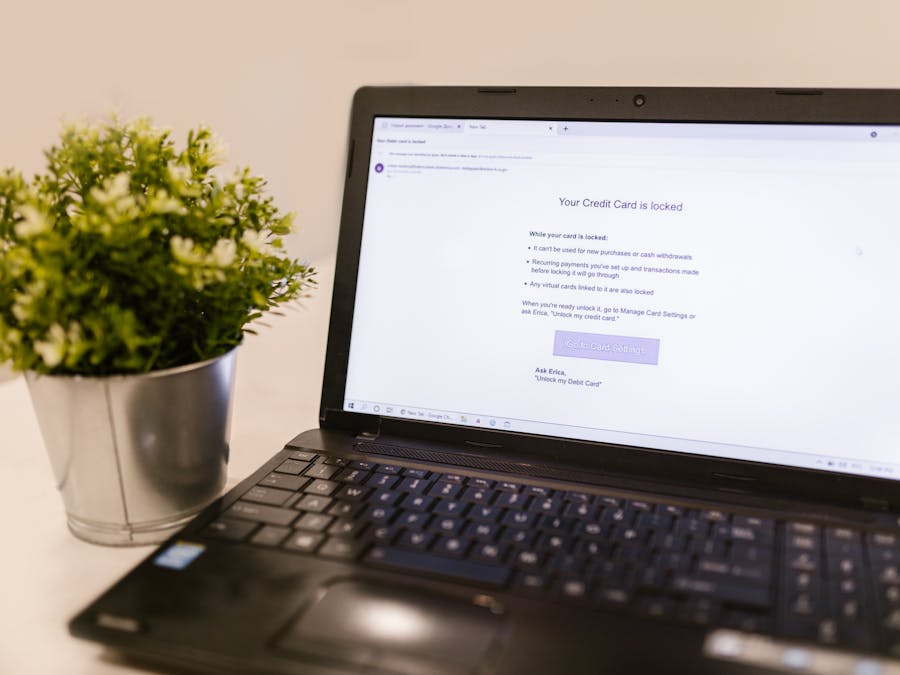
Phishing attacks are among the most common threats. Hackers send emails or messages that look like they come from legitimate platforms, asking you to verify your account or update your password. One wrong click can hand over your login credentials to criminals who then have access to every account you manage.
Account takeovers happen when someone gains unauthorized access to a social media account. For managers, this is especially dangerous because losing control of a client’s account can mean reputational damage, lost followers, and even financial harm if the attacker posts inappropriate content or runs unauthorized ads.
Data breaches at the platforms themselves can expose your information. When a social network experiences a security incident, any data you’ve shared—including login patterns, connected accounts, and personal details—might end up in the wrong hands.
Personal information exposure is another concern. As a social media professional, you likely have a public presence. This visibility can make it easier for bad actors to gather information about you, which they can use for social engineering attacks or identity theft.
The good news is that protecting your privacy on social media is achievable with the right knowledge and habits. Most successful attacks rely on human error rather than sophisticated hacking, which means awareness and good practices go a long way.
Unsecured networks pose risks too. Working from coffee shops, airports, or other public spaces means your data might travel over networks that aren’t secure. Without proper precautions, someone on the same network could potentially intercept your login credentials or other sensitive information.
Protecting Client Accounts and Data
Your clients trust you with their digital presence, and that trust comes with responsibility. Implementing strong security practices for client accounts should be a non-negotiable part of your workflow.
Password management is foundational. Never use the same password across multiple accounts, and make sure each password is long and complex. A dedicated password manager can generate and store unique passwords for every account you manage, eliminating the temptation to reuse credentials.
Two-factor authentication adds an essential layer of protection. Even if someone obtains a password, they won’t be able to access the account without the second verification step. Enable this feature on every account that offers it, and encourage your clients to do the same for any accounts they access directly.
Access controls help limit exposure. When working with teams, make sure each person only has access to what they need. Most platforms offer different permission levels, so take advantage of these features rather than sharing full admin access with everyone.
For managing client business accounts on Meta platforms, tools like Commerce Manager provide secure ways to handle multiple accounts without sharing login credentials directly. These official business tools offer better security than passing around passwords.
Some social media managers find that managing multiple accounts with proxies helps them maintain separation between different client accounts and adds another layer of security to their workflow.
Regular security audits should become part of your routine. Check which apps have access to your clients’ accounts, review who has admin permissions, and remove any access that’s no longer needed. Old connections to third-party tools or former team members can become security vulnerabilities if left unchecked.
Separating Personal and Professional Online Presence
One of the smartest things you can do for your privacy is maintain clear boundaries between your personal life and your work as a social media manager. Mixing the two creates unnecessary risks and complications.
Start by using separate email addresses for personal and professional purposes. Your work email should be the one connected to client accounts and business tools, while your personal email stays reserved for friends, family, and non-work activities. This separation makes it harder for attackers to connect your professional access to your personal identity.
Consider what you share on your personal social media profiles. Even if your accounts are private, information can spread in unexpected ways. Details about your work, your clients, or your daily routine could be useful to someone trying to target you or your clients.
It’s worth knowing that social media background checks are increasingly common. Potential clients and employers might review your personal profiles before deciding to work with you. Keeping your personal content separate from your professional identity gives you more control over what different audiences see.
Device separation can also help. If possible, use different devices or at least different browser profiles for personal and work activities. This prevents accidental cross-contamination, like accidentally posting to a client’s account when you meant to share something personal.
When you need to be reachable for work, consider using a separate phone number or communication app rather than giving clients your personal cell phone. This boundary protects your personal time and keeps your private contact information from spreading too widely.
Tools and Practices for Better Online Privacy
Beyond good habits, several tools can significantly improve your online privacy as a social media manager. Investing in the right technology makes staying secure much easier.
Virtual Private Networks (VPNs) encrypt your internet connection, making it much harder for anyone to intercept your data. This is especially important when you work from public networks or travel frequently. A good VPN hides your browsing activity and can help protect login credentials from being captured on unsecured networks. If you’re considering options, you might research is Surfshark worth it or compare other reputable VPN services to find one that fits your needs.
Secure browsers offer more privacy than standard options. Browsers focused on privacy block trackers, prevent fingerprinting, and give you more control over what data websites can collect about you. Using a privacy-focused browser for work can reduce your digital footprint.
Password managers deserve another mention because they’re so important. Beyond just storing passwords, good password managers can alert you if any of your credentials appear in known data breaches, helping you respond quickly to potential compromises.
Encrypted messaging apps provide secure communication channels for discussing sensitive client information. When you need to share login credentials or confidential strategies, using an encrypted platform is much safer than regular email or text messages.
When it comes to managing large media files for clients, choose secure cloud storage solutions with strong encryption and access controls. Client assets like unreleased product photos or campaign materials need protection just like account credentials.
Regular software updates might seem basic, but they’re crucial for security. Updates often patch vulnerabilities that hackers could exploit. Keep your operating system, browsers, and all work-related apps current to minimize these risks.
Privacy Considerations for Freelance and Small Business Managers

Freelancers and those working with small clients face unique privacy challenges that deserve special attention. Without the backing of a larger organization’s IT department, you’re responsible for your own security infrastructure.
Many social media managers work with what’s classified as a micro-business—small operations with limited resources and often informal processes. These clients may not have established security protocols, which means you might need to guide them toward better practices while protecting yourself.
Contracts and agreements become especially important for freelancers. Your contracts should clearly outline how you’ll handle client data, what security measures you’ll implement, and what happens to access credentials when the working relationship ends. This protects both you and your clients.
Consider what happens if a client relationship ends badly. Having clear documentation about account ownership and access helps prevent disputes. Always ensure clients maintain their own admin access to accounts, even while you’re managing them, so there’s never a question about who owns what.
Insurance is worth considering for freelance social media managers. Cyber liability insurance can help cover costs if a security incident affects your clients. While no one wants to think about worst-case scenarios, having protection in place provides peace of mind.
Data handling policies should be part of your freelance practice. Decide how long you’ll keep client information after a project ends, where you’ll store sensitive data, and how you’ll securely delete information when it’s no longer needed. Having these policies in place shows professionalism and protects everyone involved.
Small business clients often appreciate when you bring security awareness to the relationship. Offering guidance on basic security practices can differentiate you from other freelancers and build stronger, more trusting client relationships.
Building a Professional Reputation While Staying Private
Social media managers face an interesting challenge: you need to be visible enough to attract clients and demonstrate your skills, but you also need to protect your personal information. Finding this balance is possible with thoughtful planning.
One approach is to create a professional persona that’s separate from your personal identity. This might mean using a professional name or brand for your work, maintaining dedicated professional social accounts, and being selective about what personal details you share publicly.
When showcasing your work, consider the tradeoffs between different platforms. Understanding the online portfolio versus social media presence debate can help you decide where to focus your professional visibility. Each option offers different levels of control over your information.
An online portfolio gives you a dedicated space to display your work on your own terms. Unlike social media profiles, a portfolio website lets you control exactly what information is visible and doesn’t require you to engage with the same platforms where you might want personal privacy.
When applying for positions or pitching to clients, having polished materials helps you present professionally without oversharing. Good social media manager resume tips can help you highlight your skills and experience in ways that impress potential employers without revealing unnecessary personal details.
Testimonials and case studies let your work speak for itself. With client permission, sharing results and success stories demonstrates your capabilities without requiring you to be personally visible. Focus on outcomes and strategies rather than personal anecdotes.
Professional networking can happen strategically. You don’t need to share everything about yourself to build valuable connections. Focus conversations on industry topics, share useful insights, and let your expertise establish your reputation rather than personal details.
How Privacy Awareness Helps Your Career
Being privacy-conscious isn’t just about avoiding problems—it’s actually a career advantage. As data protection becomes more important to businesses, social media managers who understand privacy become more valuable.
Clients increasingly want to work with professionals who take security seriously. When you can demonstrate strong privacy practices, you differentiate yourself from competitors who might be more casual about these concerns. This is especially true for clients in regulated industries or those who have experienced security incidents in the past.
Privacy knowledge also opens doors to more sophisticated roles. Enterprise clients and larger organizations often have strict security requirements for anyone who accesses their systems. Meeting these requirements positions you for higher-paying opportunities that less security-aware managers can’t pursue.
When you’re focused on getting a social media job, being able to speak knowledgeably about privacy and security can set you apart in interviews. Employers want to know their social media presence will be in safe hands, and demonstrating privacy awareness builds that confidence.
Your privacy practices also protect your career longevity. A single security incident can damage your professional reputation significantly. By maintaining strong privacy habits throughout your career, you avoid the setbacks that can derail less careful professionals.
Finally, understanding privacy helps you serve clients better. You can advise them on their own privacy practices, help them navigate platform changes that affect data handling, and position yourself as a trusted advisor rather than just someone who posts content. This deeper relationship leads to longer client engagements and more referrals.
Online privacy for social media managers is ultimately about professionalism, responsibility, and smart career management. The habits and tools you develop to protect privacy today will serve you throughout your career, making you a more trusted and valuable professional in an industry where trust matters enormously.


