




Running a small business means wearing many hats. You handle customer service, manage inventory, create content, and somehow find time to post on social media. It can feel overwhelming, especially when you’re trying to stay consistent with your online presence while juggling everything else.
That’s where scheduling tools for small businesses come in. These tools let you plan your social media posts ahead of time, so you’re not scrambling to create content every single day. Instead of logging into multiple platforms throughout the week, you can batch your work and schedule everything in one sitting.
The right scheduling tool can free up hours of your time each week. It helps you stay organized, maintain a consistent posting schedule, and focus on what you do best—running your business. In this guide, we’ll explore six of the best scheduling tools for small businesses and help you figure out which one fits your needs.
Why Small Businesses Need Scheduling Tools
Time is one of the most valuable resources for any small business owner. When you’re managing operations, serving customers, and handling finances, social media can easily fall to the bottom of your priority list. But staying active on social platforms is essential for building brand awareness and connecting with your audience.
Using social media scheduling tools allows you to plan content in advance and publish it automatically. This means you can dedicate a few hours each week to creating and scheduling posts, then let the tool handle the rest. You won’t have to interrupt your workday to post something or worry about forgetting to share important updates.
Scheduling tools also help you maintain consistency. Posting regularly keeps your business visible to followers and helps build trust with potential customers. When people see that you’re active and engaged, they’re more likely to remember your brand when they need your products or services.
Even if you’re running a micro-business with just yourself or a small team, scheduling tools can make a big difference. They level the playing field by giving you access to the same planning capabilities that larger companies use. You don’t need a dedicated marketing team to have a professional social media presence.
Beyond saving time, these tools often provide insights into when your audience is most active. This helps you post at optimal times for better engagement. Some tools also offer analytics so you can see which posts perform well and adjust your strategy accordingly.
Key Features to Look for in a Scheduling Tool

Not all scheduling tools are created equal. Before choosing one, it’s helpful to understand which features matter most for your business. Here are the key things to consider when evaluating your options.
Multi-platform support: Most businesses use more than one social media platform. Look for a tool that lets you schedule posts to all your accounts from a single dashboard. This saves time and keeps everything organized in one place.
Calendar view: A visual calendar makes it easy to see your upcoming posts at a glance. You can spot gaps in your schedule, avoid posting too much on one day, and plan content around important dates or promotions.
Ease of use: The best scheduling tool is one you’ll actually use. Look for an intuitive interface that doesn’t require hours of training. If a tool feels complicated or frustrating, you’re less likely to stick with it.
Analytics and reporting: Understanding how your posts perform helps you improve over time. Good scheduling tools provide basic analytics like engagement rates, reach, and follower growth so you can see what’s working.
Integration capabilities: Consider whether the tool integrates with other software you use. For example, social media and booking software integration can streamline your workflow if you run a service-based business.
Appointment scheduling: Some tools go beyond social media and help small businesses schedule appointments as well. If you need both features, look for a platform that combines them or integrates smoothly with your existing booking system.
Pricing: Budget matters for small businesses. Many tools offer free plans with limited features, which can be a great starting point. As your needs grow, you can upgrade to paid plans with more capabilities.
Tool 1: Buffer
Buffer is one of the most popular scheduling tools for small businesses, and for good reason. It’s known for being simple, clean, and easy to use—even if you’ve never used a scheduling tool before.
The platform lets you connect multiple social media accounts and schedule posts from a single dashboard. You can write your content, add images or links, and choose when you want each post to go live. Buffer handles the rest, publishing your content automatically at the scheduled times.
One of Buffer’s standout features is its queue system. You can set up a posting schedule for each platform, and Buffer will automatically fill in the times when you add new content. This makes it easy to maintain a consistent posting rhythm without manually selecting times for every post.
Buffer also provides a social media content calendar view that helps you visualize your upcoming posts. You can see what’s scheduled for the week or month ahead and make adjustments as needed. This is especially helpful when planning content around holidays, product launches, or special promotions.
The analytics features give you insights into how your posts are performing. You can see engagement metrics and identify which types of content resonate most with your audience. This data helps you refine your strategy over time.
Buffer offers a free plan that supports up to three social channels, making it accessible for businesses just getting started. Paid plans unlock additional features like more connected accounts, advanced analytics, and team collaboration tools.
Tool 2: Later
Later started as an Instagram-focused scheduling tool and has grown into a comprehensive platform for visual content planning. If your business relies heavily on Instagram or other image-driven platforms, Later is worth considering.
The visual content calendar is Later’s signature feature. You can drag and drop images to plan your feed and see exactly how your Instagram grid will look before you post. This helps you create a cohesive aesthetic that strengthens your brand identity.
Later supports scheduling for Instagram, Facebook, Twitter, Pinterest, TikTok, and LinkedIn. You can manage all your visual content from one place and maintain a consistent look across platforms.
For businesses that work with User-Generated Content, Later makes it easy to collect, organize, and schedule posts from your community. You can save content to your media library and plan when to share it, giving proper credit to the original creators.
The platform also offers a Linkin.bio feature, which creates a clickable landing page for your Instagram bio link. This is helpful for driving traffic to specific products, blog posts, or promotions since Instagram doesn’t allow clickable links in regular posts.
Later’s hashtag suggestions help you discover relevant hashtags to increase your reach. You can save hashtag groups and add them to posts with a single click, saving time on repetitive tasks.
If you’re focused on building strong Instagram strategies for small businesses, Later provides the visual planning tools you need. The free plan allows limited posts per month, while paid plans offer more scheduling capacity and advanced features.
Tool 3: Hootsuite
Hootsuite is one of the most established names in social media management. It’s a comprehensive platform designed for businesses that need to manage multiple social accounts and want robust features in one place.
The dashboard gives you a bird’s-eye view of all your social media activity. You can see scheduled posts, monitor mentions, and track engagement across platforms without switching between apps. This centralized approach saves time and helps you stay on top of conversations.
Hootsuite supports a wide range of platforms, including Facebook, Instagram, Twitter, LinkedIn, Pinterest, and YouTube. You can schedule posts, respond to comments, and analyze performance all from the same interface.
The scheduling features are flexible and powerful. You can create posts, set specific publishing times, or let Hootsuite’s AutoSchedule feature choose optimal times based on when your audience is most active. Bulk scheduling is also available, which is helpful if you’re planning content for an entire month at once.
For businesses looking to implement Instagram growth strategies for small businesses, Hootsuite provides tools to schedule Instagram posts, Stories, and Reels. You can plan your Instagram content alongside your other platforms for a unified approach.
Hootsuite’s analytics go beyond basic metrics. You can create custom reports, track competitor performance, and measure the ROI of your social media efforts. These insights help you make data-driven decisions about your content strategy.
The platform offers a free plan with limited features, but most small businesses will benefit from the paid plans that unlock additional accounts, team members, and advanced analytics.
Tool 4: Planoly
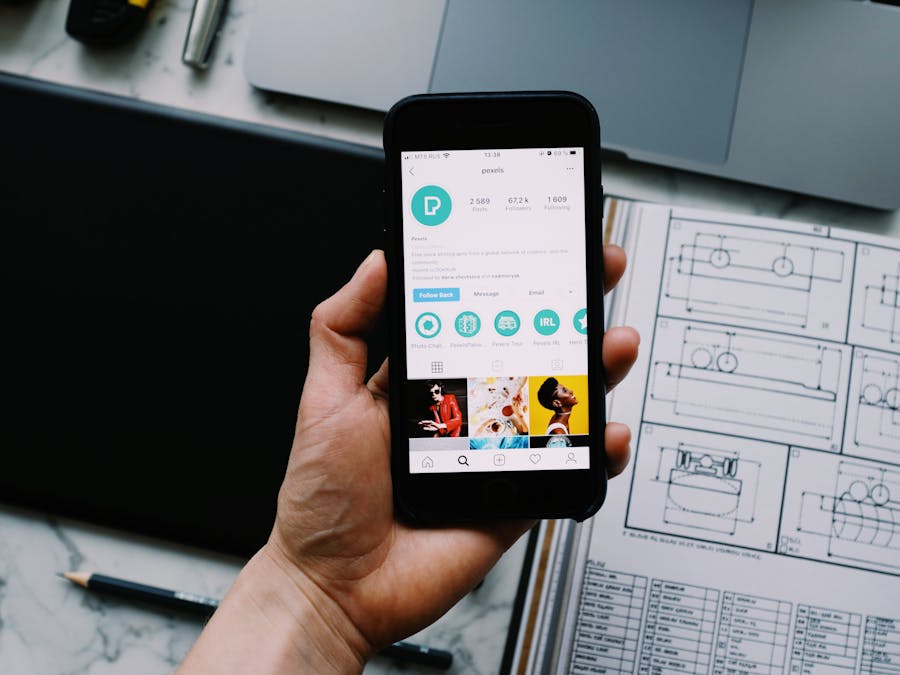
Planoly is a visual-first scheduling tool that’s perfect for creative businesses and brands with strong visual identities. If aesthetics matter to your business, Planoly helps you plan beautiful, cohesive feeds.
The visual planner lets you see exactly how your Instagram grid will look before you post. You can rearrange images, test different layouts, and ensure your feed tells a consistent visual story. This is especially valuable for businesses in fashion, food, beauty, or design where visual appeal drives engagement.
Planoly supports Instagram, Pinterest, Facebook, and Twitter. The platform makes it easy to repurpose content across channels while maintaining the visual quality your audience expects.
For businesses creating short-form video content, Planoly offers tools to plan and schedule Reels and TikTok videos. You can organize your video content alongside your static posts and maintain a balanced content mix.
The platform includes a media library where you can store and organize your images and videos. This makes it easy to find content when you’re ready to schedule and keeps your creative assets in one accessible place.
Planoly also offers a Sellit feature that turns your Instagram posts into shoppable content. If you sell products, you can link posts directly to your online store and make it easy for followers to purchase what they see.
The analytics dashboard shows you which posts perform best and when your audience is most engaged. You can use these insights to refine your visual strategy and post at times that maximize reach.
Planoly offers a free plan with limited uploads, making it accessible for businesses just starting out. Paid plans provide more uploads, additional features, and team collaboration tools.
Tool 5: Sprout Social

Sprout Social is a powerful scheduling and social media management platform built for growing businesses. It combines scheduling, analytics, and team collaboration features in one comprehensive tool.
The publishing calendar gives you a clear view of all scheduled content across your social accounts. You can plan posts, see what’s coming up, and ensure your content is balanced across platforms. The drag-and-drop interface makes rescheduling easy when plans change.
Sprout Social supports major platforms including Facebook, Instagram, Twitter, LinkedIn, Pinterest, and YouTube. You can manage all your accounts from a unified inbox, making it simple to respond to comments and messages without switching between apps.
One of Sprout Social’s strengths is its analytics and reporting capabilities. The platform provides detailed insights into your social media performance, audience demographics, and content engagement. You can generate professional reports to share with stakeholders or use the data to refine your strategy.
For businesses that use AI tools for social media videos, Sprout Social can complement your content creation workflow by handling the scheduling and distribution side. You can focus on creating great content while Sprout Social ensures it reaches your audience at the right times.
If your business sells products on social platforms, scheduling tools like Sprout Social can work alongside Commerce Manager to streamline your social commerce efforts. You can plan promotional content and product posts while managing your shop through Meta’s tools.
Sprout Social also offers team collaboration features, making it suitable for businesses with multiple people managing social media. You can assign tasks, approve content, and maintain brand consistency across team members.
The platform is positioned at a higher price point than some alternatives, but the robust features and analytics make it a strong choice for businesses ready to invest in their social media growth.
Tool 6: Meta Business Suite
Meta Business Suite is a free scheduling tool from Meta (the company behind Facebook and Instagram). If your business focuses primarily on these two platforms, it’s a solid option that won’t cost you anything.
The platform lets you schedule posts, Stories, and Reels for both Facebook and Instagram from a single dashboard. You can write your content, add media, and choose when you want it published. Meta Business Suite handles the posting automatically.
Since it’s built by Meta, the integration with Facebook and Instagram is seamless. You get access to features that third-party tools might not offer, like direct scheduling of Instagram Reels and Stories without workarounds.
The insights section provides analytics about your audience and content performance. You can see when your followers are most active, which posts get the most engagement, and how your audience is growing over time. This data helps you optimize your posting schedule and content strategy.
Meta Business Suite also includes an inbox feature that combines messages from Facebook Messenger and Instagram Direct. You can respond to customer inquiries from one place, making it easier to stay on top of communications.
For businesses exploring Instagram features for small businesses, Meta Business Suite provides access to tools like the Support Small Business sticker and other promotional features. You can manage these alongside your regular content scheduling.
The main limitation of Meta Business Suite is that it only supports Facebook and Instagram. If you need to schedule content for Twitter, LinkedIn, Pinterest, or other platforms, you’ll need an additional tool. However, for businesses focused on Meta’s platforms, it’s a capable and cost-effective solution.
The mobile app makes it easy to manage your social media on the go. You can schedule posts, respond to messages, and check analytics from your phone, which is convenient for busy business owners.
How to Choose the Right Scheduling Tool for Your Business

With so many options available, choosing the right scheduling tool can feel overwhelming. Here are some practical tips to help you make the decision.
Consider your platforms: Start by listing which social media platforms you use. If you’re only on Facebook and Instagram, Meta Business Suite might be all you need. If you’re active on multiple platforms, look for a tool that supports all of them.
Assess your budget: Free plans are great for getting started, but they often have limitations. Think about what features you need now and what you might need as you grow. It’s often worth paying for a tool that saves you significant time.
Think about your content style: If visual planning is important to your brand, tools like Later or Planoly offer superior visual calendars. If you prioritize analytics and reporting, Sprout Social or Hootsuite might be better fits.
Evaluate ease of use: Take advantage of free trials to test different tools. The best scheduling tool is one that feels intuitive and fits naturally into your workflow. If a tool is frustrating to use, you won’t stick with it.
Consider team needs: If multiple people manage your social media, look for tools with collaboration features. The ability to assign tasks, approve content, and maintain brand consistency becomes important as your team grows.
Start simple: You don’t need the most advanced tool right away. Start with a simple option that meets your current needs, and upgrade as your requirements evolve. Many businesses begin with Buffer or Meta Business Suite and move to more robust platforms later.
Final Thoughts
Scheduling tools for small businesses are game-changers when it comes to managing your social media presence. They save time, help you stay consistent, and free you up to focus on running your business.
Each tool we’ve covered has its strengths. Buffer is great for beginners, Later excels at visual planning, Hootsuite offers comprehensive management, Planoly is perfect for creative brands, Sprout Social provides powerful analytics, and Meta Business Suite is a solid free option for Facebook and Instagram.
The best way to find your perfect fit is to try a few options. Most tools offer free plans or trials, so you can test them without commitment. Pick the one that feels right for your workflow, and start scheduling your way to a more organized social media presence.


