




Running multiple Instagram accounts might sound complicated, but it’s actually easier than you think. Whether you want to keep your personal life separate from your business, build different brands, or manage accounts for clients, knowing how to create multiple Instagram accounts the right way saves you time and keeps everything running smoothly.
The good news is that Instagram allows you to add several accounts to one device and switch between them with just a tap. However, there are some important steps to follow if you want to set things up safely and avoid any issues down the road. This guide walks you through everything from the initial setup to managing your accounts like a pro.
Why You Might Need Multiple Instagram Accounts
There are plenty of good reasons why people decide to run more than one Instagram profile. Understanding your own needs helps you plan your accounts better from the start.
One of the most common reasons is separating personal and professional content. You might want to share family photos and vacation pictures with close friends while keeping your business posts focused on your products or services. Mixing these two worlds can confuse your audience and dilute your message.
If you work as a content creator, you probably know that different niches often require different accounts. A fitness influencer who also loves cooking might find it makes sense to have one account for workout content and another for recipes. This keeps each audience engaged with content they actually care about.
Business owners often need multiple accounts too. You might run a main brand account plus separate accounts for different product lines, locations, or target markets. Social media managers frequently handle accounts for several clients, making multi-account management an essential skill.
Before you start creating accounts, it helps to understand Instagram account limits so you know how many profiles you can realistically manage from one device. Instagram currently lets you add up to five accounts to the app, which works well for most people.
What You Need Before Creating Multiple Accounts
Getting your accounts set up smoothly requires a bit of preparation. Having everything ready before you start saves you from running into problems halfway through the process.
First, you need unique email addresses for each account. Instagram requires a different email for every profile you create. If you use Gmail, you can take advantage of the plus sign trick. For example, if your email is yourname@gmail.com, you can use yourname+business@gmail.com for another account. All emails still go to your main inbox, but Instagram sees them as separate addresses.
Phone numbers are another consideration. While Instagram doesn’t always require phone verification, having a number available helps with account recovery and adds an extra layer of security. Temporary phone numbers are one option some users explore when setting up additional accounts, though using your real number is generally safer for long-term account security.
You should also familiarize yourself with Instagram’s terms of service. Creating accounts for spam, impersonation, or other violations can get all your accounts banned. As long as you’re using multiple accounts for legitimate purposes like separating personal and business content, you’re following the rules.
Finally, think about usernames ahead of time. Good usernames are memorable, easy to spell, and relevant to your account’s purpose. Check availability before you start the signup process so you’re not scrambling for alternatives.
Step-by-Step Guide to Creating Your First Account

If you’re completely new to Instagram or want a refresher on the basics, here’s how to set up your first account properly.
Start by downloading the Instagram app from the App Store or Google Play Store. Open the app and tap “Create new account” on the welcome screen. You can also create your first Instagram account through a web browser if you prefer.
Enter your email address or phone number. Instagram will send a confirmation code to verify that you own this contact method. Type in the code when it arrives, then create a strong password. Your password should be at least eight characters and include a mix of letters, numbers, and symbols.
Next, choose your username and display name. Your username is how people find and tag you, while your display name appears on your profile. You can change both later, but it’s best to pick something you’ll stick with to avoid confusing your followers.
Add a profile photo that represents you or your brand. For personal accounts, a clear headshot works well. Business accounts often use logos or product images. Make sure the image looks good when cropped into a circle.
Fill out your bio with a brief description of who you are or what your account is about. You have 150 characters, so make them count. Include relevant keywords and a call to action if appropriate, like directing people to your website or latest project.
Finally, connect with friends by syncing your contacts or searching for people you know. Instagram will also suggest accounts based on your interests. Follow a few accounts to get your feed started and show Instagram what kind of content you enjoy.
How to Add Additional Instagram Accounts
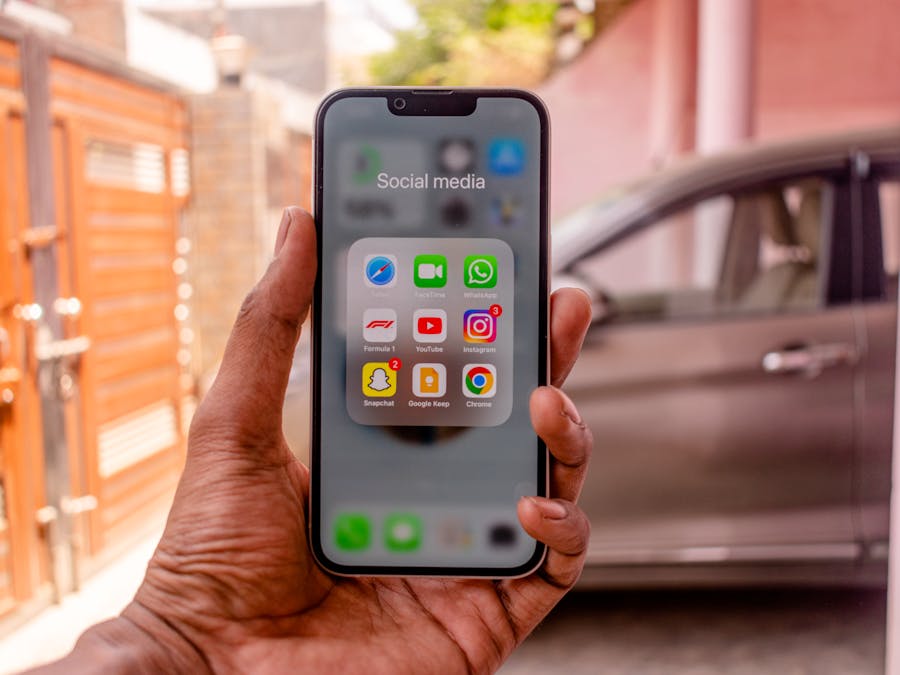
Once your first account is up and running, adding more accounts is straightforward. Instagram’s built-in multi-account feature makes switching between profiles quick and easy.
Open the Instagram app and go to your profile by tapping your profile picture in the bottom right corner. Tap your username at the top of the screen to open a dropdown menu. At the bottom of this menu, you’ll see “Add account” with a plus sign.
Tap “Add account” and you’ll have two options: log into an existing account or create a new one. If you already have another Instagram account, enter those login credentials. If you need a brand new account, tap “Create new account” and follow the same signup process you used for your first profile.
Remember to use a different email address for each new account. You can use the same phone number for multiple accounts, but having unique contact information for each profile provides better security and makes account recovery easier if something goes wrong.
After adding your accounts, switching between them takes just a few taps. Go to your profile and tap your username at the top. The dropdown menu shows all your connected accounts. Tap the one you want to use, and Instagram instantly switches to that profile.
Learning to manage multiple Instagram accounts efficiently becomes important as you add more profiles. Keep your accounts organized by using different profile pictures that are easy to distinguish at a glance. This helps prevent accidentally posting content to the wrong account.
You can also enable push notifications for each account separately. Go to Settings, then Notifications, and customize which alerts you want for each profile. This way, you won’t miss important messages or comments on any of your accounts.
Choosing Between Personal and Business Accounts
Instagram offers three account types: personal, creator, and business. Each has different features, and choosing the right one for each of your accounts helps you get the most out of the platform.
Personal accounts are the default option and work well for everyday users who want to share content with friends and family. They offer basic features and the option to make your profile private. If you’re creating an account purely for personal use, this is usually the best choice.
Creator accounts are designed for influencers, public figures, and content producers. They include analytics tools that show you how your posts perform, insights about your audience demographics, and features like categorizing your inbox to separate messages from fans and brands. If you’re building a following around your personal brand, a creator account gives you useful data to grow.
Business accounts offer similar analytics plus additional features geared toward companies. You can add contact buttons, run ads, and access shopping features if you sell products. Businesses also get more detailed insights about their audience and post performance.
Choosing the right account type helps build a stronger digital presence because you’ll have access to the tools that match your goals. A small business owner benefits from the contact buttons and shopping features of a business account, while a hobbyist photographer might prefer the simplicity of a personal profile.
The good news is that you can change your account type at any time. If you start with a personal account and later decide you need analytics, switching is easy. You can also switch to a personal account if you initially chose a business or creator profile but want to go back to basics.
Privacy Settings for Multiple Accounts
When you run multiple accounts, privacy settings become especially important. You might want one account to be completely public while keeping another visible only to approved followers.
To adjust privacy settings, go to your profile and tap the menu icon in the top right corner. Select Settings, then Privacy. Here you’ll find options for controlling who can see your content, who can message you, and who can tag you in posts.
The most significant privacy setting is whether your account is public or private. Public accounts let anyone see your posts, stories, and profile information. Private accounts require you to approve follow requests before people can see your content. If you want to make your Instagram account private, toggle the Private Account switch in your privacy settings.
Consider which accounts need privacy protection. A personal account where you share family photos probably should be private. A business account promoting your services needs to be public so potential customers can find you.
Other privacy settings worth reviewing include who can comment on your posts, who can tag you, and whether your account appears in suggestions to other users. You can also hide your activity status so people don’t see when you’re online.
For accounts you use professionally, review your story settings too. You can hide stories from specific followers, create close friends lists for exclusive content, and control who can reply to your stories. These options help you share different content with different audiences even within the same account.
Keeping Your Accounts Safe and Secure

Managing multiple accounts means you have more to protect. Strong security practices prevent hackers from accessing your profiles and keep your content safe.
Start with unique, strong passwords for each account. Never use the same password across multiple profiles. If one account gets compromised, you don’t want hackers to access all your other accounts too. Use a password manager to keep track of different credentials without having to remember them all.
Enable two-factor authentication on every account. This adds an extra step when logging in from a new device. Even if someone guesses your password, they can’t access your account without the verification code sent to your phone or authentication app. Go to Settings, then Security, then Two-Factor Authentication to set this up.
Be cautious about third-party apps that request access to your Instagram accounts. Some apps are legitimate tools for scheduling posts or analyzing performance, but others can compromise your security. Only authorize apps from trusted developers, and regularly review which apps have access to your accounts in your settings.
Watch out for phishing attempts. Scammers often send messages pretending to be Instagram support, asking you to click links or provide login information. Instagram will never ask for your password through direct messages. If something seems suspicious, go directly to the app’s official settings rather than clicking any links.
Taking security seriously helps you keep your accounts safe and protects your followers too. When your accounts are secure, you can deliver a personalized and authentic experience to your audience without worrying about unauthorized access or content tampering.
Content Strategies for Multiple Accounts

Running several accounts successfully requires thoughtful content planning. Each profile should have its own identity and purpose, with content that matches what that specific audience wants to see.
Start by defining the focus of each account clearly. Write down the main topics, tone, and visual style for every profile. A fitness account might feature workout videos and motivational quotes with bright, energetic colors. A photography portfolio account might showcase artistic images with minimal captions and a cohesive color palette.
Create content calendars for each account to stay organized. Planning posts in advance helps you maintain consistent posting schedules across all your profiles without feeling overwhelmed. You can batch-create content for multiple accounts in one session, then schedule posts throughout the week.
Avoid posting the same content across all your accounts. Your followers might follow multiple profiles, and seeing duplicate posts feels repetitive. Instead, adapt content for each audience. A behind-the-scenes video might work great on your personal brand account but wouldn’t fit your formal business profile.
One strategy that works well across multiple accounts is incorporating User-Generated Content into your posting schedule. When followers share photos featuring your products or tag you in relevant posts, reposting this content fills your calendar while building community engagement. This approach works especially well for business accounts where customer testimonials and real-world product photos add credibility.
Track what performs well on each account and adjust your strategy accordingly. The content that gets engagement on one profile might not work on another. Use Instagram’s built-in analytics for business and creator accounts to understand what resonates with each audience.
Managing Old or Unused Accounts
Over time, you might accumulate accounts you no longer need. Maybe a project ended, a business closed, or you simply lost interest in a particular niche. Knowing how to handle these old accounts keeps your digital life organized.
If you think you might want to use an account again someday, temporary deactivation is a good option. Deactivating hides your profile, photos, comments, and likes until you decide to reactivate. Your username remains reserved, and you can come back whenever you’re ready.
To deactivate an account, you need to use a web browser rather than the app. Log into Instagram.com, go to your profile, click Edit Profile, and scroll down to find the option to temporarily disable your account. You’ll need to provide a reason and re-enter your password.
If you’re certain you won’t need an account again, you can delete an Instagram account permanently. This removes all your content, followers, and data. The process is irreversible, so make sure you’ve saved any photos or information you want to keep before proceeding.
Changed your mind after deactivating? You can reactivate a deactivated account simply by logging back in with your username and password. Your profile returns exactly as you left it, with all your content and followers intact.
Before deleting or deactivating, consider whether the account has any value you might be overlooking. An old account with a good username or established followers might be worth repurposing rather than abandoning. You can always change the focus of an existing account instead of starting from scratch.
Common Mistakes to Avoid
When you create multiple Instagram accounts, certain mistakes can cause problems ranging from minor inconveniences to account bans. Knowing what to avoid helps you stay on the right track.
Using the same password for multiple accounts is one of the biggest security risks. If one account gets hacked, all your accounts become vulnerable. Take the time to create unique passwords for each profile.
Posting to the wrong account happens more often than you’d think. Double-check which account you’re logged into before sharing content, especially if you manage both personal and professional profiles. That casual selfie meant for friends could accidentally end up on your business page.
Neglecting some accounts while focusing on others leads to stale profiles that hurt your credibility. If you can’t maintain an account properly, consider whether you really need it. It’s better to run fewer accounts well than many accounts poorly.
Violating Instagram’s community guidelines on any account can affect all your profiles. Instagram can detect accounts linked to the same device or user, so bad behavior on one profile might lead to restrictions on others. Always follow the platform’s rules across all your accounts.
Finally, don’t create accounts just because you can. Each profile requires time and effort to maintain. Be strategic about which accounts you create and make sure each one serves a clear purpose. Quality always beats quantity when it comes to building a meaningful presence on Instagram.
By following these guidelines and taking a thoughtful approach, you can successfully create multiple Instagram accounts that serve your different needs while staying safe and organized. Start with clear goals for each account, maintain strong security practices, and develop distinct content strategies that keep each audience engaged.


