




Dealing with bullying on social media can feel overwhelming, especially when it happens on a platform you use every day. Instagram connects millions of people around the world, but unfortunately, some users take advantage of this reach to harass, intimidate, or hurt others. If you or someone you know is experiencing harassment on the platform, knowing how to report Instagram bullying is an essential skill that can help stop the behavior and protect your wellbeing.
The good news is that Instagram takes bullying seriously and provides several ways to report harmful content and accounts. Whether you’re dealing with mean comments, threatening direct messages, or someone creating fake accounts to harass you, there are clear steps you can take to address the situation. This guide will walk you through everything you need to know about reporting bullying, using Instagram’s protective features, and keeping your account safe from future harassment.
Understanding Instagram Bullying and Why Reporting Matters
Instagram bullying refers to any behavior on the platform that is meant to hurt, threaten, embarrass, or harass another person. This can take many forms, from cruel comments on your photos to persistent unwanted messages in your inbox. Unlike face-to-face bullying, online harassment can follow you everywhere since your phone is always with you, making it feel impossible to escape.
When you consider Instagram’s impact on modern culture, it becomes clear why addressing bullying on the platform matters so much. Instagram has become a central part of how people share their lives, build communities, and connect with others. When bullying goes unchecked, it can make the platform feel unsafe and drive people away from these positive connections.
In an interview discussing harassment issues on the platform, experts have highlighted how widespread the problem can be and why platforms need robust reporting systems. When users report Instagram bullying, they help Instagram identify problematic accounts and patterns of behavior. Each report contributes to making the platform safer for everyone.
Reporting also creates a record of the harassment. Even if Instagram doesn’t immediately remove content or ban an account, your report is documented. If the same person continues their behavior, multiple reports from different users can lead to stronger action. By speaking up, you’re not just protecting yourself—you’re potentially protecting others who might become targets of the same bully.
Types of Bullying Behavior You Can Report on Instagram
Understanding what counts as bullying helps you recognize when it’s time to take action. Instagram’s community guidelines prohibit several types of harmful behavior, and knowing these categories can help you file more effective reports.
Harassment through comments: This includes insults, threats, body shaming, racist remarks, homophobic slurs, or any comments designed to hurt or intimidate you. Even if a comment seems subtle, if it’s part of a pattern meant to make you feel bad, it counts as harassment.
Bullying in direct messages: Private messages can be just as harmful as public comments. Threats, repeated unwanted contact after you’ve asked someone to stop, sexually explicit messages you didn’t ask for, and intimidating language all fall under this category.
Fake accounts and impersonation: Some bullies create Instagram zombie accounts or fake profiles to harass their targets anonymously. They might also impersonate you or someone you know to spread false information or embarrassing content.
Unwanted tagging: Being tagged in embarrassing, manipulated, or harmful content is another form of bullying. If someone repeatedly tags you in posts meant to humiliate you, you can report this behavior. It helps to regularly see photos you’re tagged in so you can catch and address this type of harassment quickly.
Sharing private information: Also known as doxxing, this involves someone posting your personal information like your address, phone number, or workplace without your permission, often with the intent to encourage others to harass you.
How To Report Bullying Comments on Instagram
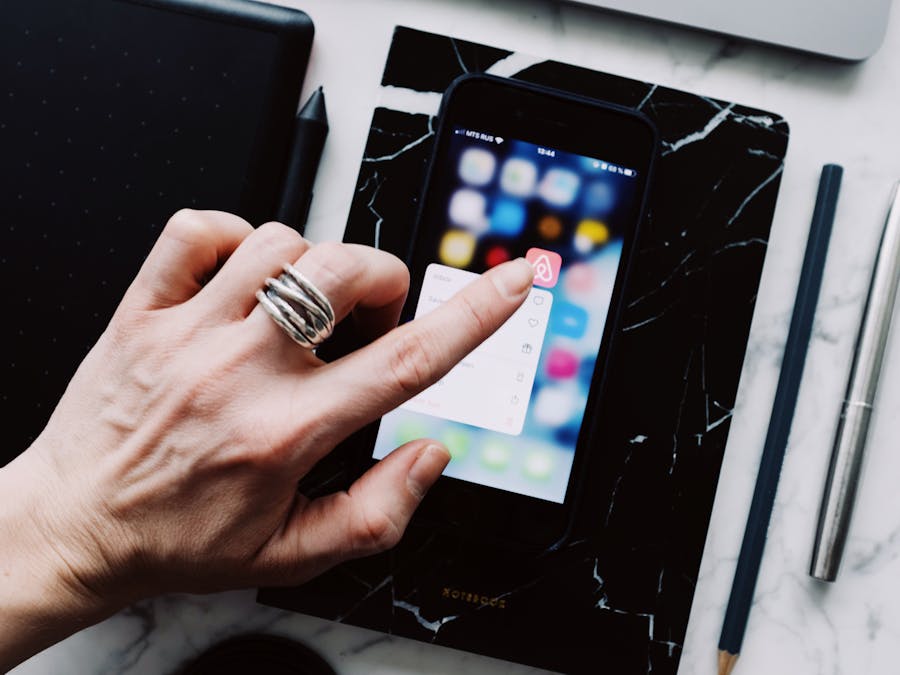
Reporting a bullying comment is straightforward and only takes a few taps. Here’s exactly how to do it:
- Find the comment you want to report on the post where it appears.
- Swipe left on the comment if you’re using an iPhone, or tap and hold the comment if you’re on Android.
- Tap the exclamation point icon that appears.
- Select “Report this comment.”
- Choose the reason that best describes why you’re reporting. For bullying, you’ll typically select “Bullying or harassment.”
- Follow any additional prompts to complete your report.
If multiple comments from the same person are problematic, you can report each one individually. However, if someone is leaving many harassing comments, it might be more effective to report their entire account, which we’ll cover shortly.
You can also delete comments on your own posts without reporting them first. Simply swipe left on the comment and tap the trash icon. However, if the behavior is serious or ongoing, reporting before deleting ensures Instagram has a record of what happened.
How To Report Bullying in Direct Messages
Harassment that happens in your DMs can feel especially invasive since these messages come directly to you. Here’s how to report bullying messages:
- Open the conversation containing the bullying messages.
- Tap on the person’s username at the top of the conversation to open their profile.
- Tap the three dots in the upper right corner.
- Select “Report.”
- Choose “Report account.”
- Select the reason for your report, such as “It’s posting content that shouldn’t be on Instagram” or “Bullying or harassment.”
- Follow the prompts to complete your report.
Alternatively, you can report a specific message within the conversation:
- Press and hold on the specific message you want to report.
- Tap “Report.”
- Select the appropriate reason and follow the prompts.
After reporting, you have the option to block the person, which prevents them from contacting you again. You can also restrict them, which limits their ability to interact with you without them knowing they’ve been restricted.
How To Report an Entire Account for Bullying
When someone’s entire account seems dedicated to harassment, or when they’ve repeatedly bullied you through various means, reporting the whole account is often the best approach.
- Go to the profile of the account you want to report.
- Tap the three dots in the upper right corner of their profile.
- Select “Report.”
- Choose “Report account.”
- Select the reason that best fits the situation. For bullying, choose “It’s posting content that shouldn’t be on Instagram” and then “Bullying or harassment.”
- Follow any additional prompts to submit your report.
For more serious cases or when you need to provide additional context, you can also report accounts directly to Instagram support using this form. This option allows you to explain the situation in more detail and can be helpful when the bullying is complex or involves multiple issues.
When Instagram takes action against a reported account, the consequences can range from a warning to a temporary suspension to a permanent ban. If someone you reported later wants to recover a banned Instagram profile, they’ll need to go through Instagram’s appeals process and demonstrate that they’ll follow community guidelines in the future.
Instagram’s Built-In Anti-Bullying Tools
Beyond reporting, Instagram offers several features designed to protect users from harassment. The platform has introduced new anti-harassment tools that give you more control over your experience. Understanding and using these tools can significantly reduce your exposure to bullying.
Comment filters: Instagram can automatically hide comments that contain offensive words, phrases, or emojis. You can also create a custom list of words you don’t want to see in your comments. To set this up, go to Settings, then Privacy, then Hidden Words.
Restrict mode: When you restrict someone, their comments on your posts are only visible to them unless you approve them. They also can’t see when you’re online or when you’ve read their messages. This is useful when you want to limit someone’s ability to bother you without them realizing they’ve been restricted.
Message controls: You can control who can send you direct messages and who can add you to group chats. Go to Settings, then Privacy, then Messages to adjust these settings. You can limit messages to only people you follow or turn off message requests entirely.
Limits feature: This temporarily hides comments and message requests from people who don’t follow you or who only recently followed you. It’s especially useful during times when you might be receiving a lot of negative attention.
Co-founder Kevin Systrom helped establish Instagram’s early commitment to creating a positive community, and these tools represent the platform’s ongoing efforts to fulfill that vision. Taking advantage of these features puts you in control of your Instagram experience.
How To Protect Your Account From Future Bullying
Prevention is just as important as knowing how to respond to bullying. Here are practical steps you can take to reduce your chances of being targeted.
Make your account private: When you lock your Instagram profile, only approved followers can see your posts and stories. This prevents random people from viewing your content and reduces the chances of strangers targeting you.
Be selective about followers: Don’t feel obligated to accept every follow request. If you don’t know someone or their profile seems suspicious, it’s okay to decline. You can also remove existing followers who make you uncomfortable.
Review your tagged photos: In your privacy settings, you can require approval before photos you’re tagged in appear on your profile. This prevents embarrassing or harmful tagged content from showing up without your knowledge.
Limit who can comment: You can restrict comments to only people you follow, or to people you follow plus their followers. This significantly reduces the chance of strangers leaving mean comments.
Customize your profile thoughtfully: When you add pronouns to your Instagram profile or share other personal details, you’re expressing your identity, which is wonderful. Just be mindful about what personal information you share publicly, as bullies sometimes use these details to target people.
Turn off activity status: This prevents others from seeing when you’re online, which can be helpful if someone is monitoring your activity to harass you.
Documenting Evidence Before You Report
Before you report bullying, it’s smart to save evidence of what happened. This documentation can be valuable if the situation escalates or if you need to involve authorities later.
Take screenshots: Capture images of bullying comments, messages, and profiles before reporting. Make sure your screenshots show the username of the person, the date and time if visible, and the full content of the harassment.
Save multiple examples: If the bullying has been ongoing, document several instances. This shows a pattern of behavior rather than a single incident.
Note the context: Write down any relevant details that screenshots might not capture, such as how long the harassment has been going on, whether you know the person in real life, or if they’ve created multiple accounts to contact you.
Preserve your own posts: Sometimes bullying happens in response to something you posted. You can access archived posts on Instagram to review and preserve the context around bullying incidents. This can be helpful if you need to explain the full situation later.
Keep records organized: Store your screenshots and notes in a folder on your phone or computer. If you need to share this evidence with Instagram support, parents, school officials, or law enforcement, having everything organized makes the process easier.
What Happens After You Report Bullying
After you submit a report, Instagram’s team reviews it to determine if the content or account violates their community guidelines. Here’s what you can expect:
Review timeline: Instagram doesn’t provide exact timeframes, but most reports are reviewed within a few days. Complex cases may take longer.
Possible outcomes: If Instagram finds a violation, they may remove the content, issue a warning to the account, temporarily suspend the account, or permanently ban it. The severity of the action depends on the nature and frequency of the violations.
Notification: Instagram will send you a notification letting you know the outcome of your report. However, they don’t always share specific details about what action was taken due to privacy policies.
If your report is denied: Sometimes Instagram may not find a violation based on their guidelines. If you believe the decision was wrong, you can submit another report with additional context or use the support form for more complex situations.
Some bullying cases involve impersonation, where someone creates a fake account pretending to be you. If you need to deal with Instagram identity theft, there are additional reporting steps specifically for impersonation that can help get fake accounts removed more quickly.
When To Seek Help Beyond Instagram
While Instagram’s reporting tools are helpful, some situations require additional support. Here are signs that you should seek help outside the platform:
Threats of violence: If someone threatens to physically harm you or others, contact local law enforcement immediately. Save all evidence and don’t delete the messages.
Sharing of intimate images: If someone is sharing or threatening to share intimate photos of you without consent, this may be illegal in your area. Contact authorities and consider reaching out to organizations that specialize in this type of abuse.
Stalking behavior: If online harassment is connected to someone following you in real life, monitoring your location, or showing up at places you go, this is stalking and requires police involvement.
Impact on mental health: If bullying is affecting your mental health, please reach out for support. Talk to a trusted adult, school counselor, or mental health professional. Many communities have helplines specifically for young people dealing with cyberbullying.
School or workplace involvement: If the bully is a classmate or coworker, your school or employer may have policies and resources to address the situation. Don’t hesitate to involve them if the harassment is affecting your daily life.
Remember, you don’t have to handle serious situations alone. Reaching out for help is a sign of strength, not weakness. The goal is to keep yourself safe and stop the harassment, and sometimes that requires support from people and organizations beyond Instagram.
Taking action to report Instagram bullying protects not just yourself but helps create a safer community for everyone on the platform. By understanding the reporting process, using Instagram’s protective features, and knowing when to seek additional help, you’re equipped to handle harassment effectively and maintain a positive experience on social media.


