




If you’ve been running email campaigns and posting on social media as two completely separate activities, you’re missing out on a powerful opportunity. When these channels work together, they create something much stronger than either one alone. Your email subscribers can become your most engaged social media followers, and your social audience can turn into loyal email readers who actually open your messages.
The connection between email and social media isn’t complicated, but it does require some planning. That’s where email template builders come into play. These tools make it easy to create professional-looking emails that match your social media branding, include the right links, and encourage your audience to connect with you across multiple platforms. Using email template builders for your social media strategy helps you build a consistent presence that your audience recognizes and trusts, no matter where they find you.
This guide walks through practical ways to connect your email marketing with your social media efforts. You’ll learn how to create visual consistency, grow your following, repurpose content efficiently, and measure what’s actually working. Let’s explore how these two channels can strengthen each other.
Why Email and Social Media Work Better Together
Think about how you interact with your favorite brands. You might follow them on Instagram for quick updates and inspiration, but you also appreciate getting their emails with exclusive offers or detailed information. Each channel serves a different purpose, and together they create a complete picture of who that brand is.
Email gives you direct access to your audience’s inbox. Unlike social media posts that can get lost in crowded feeds, emails land in a personal space where people are more likely to pay attention. Social media, on the other hand, offers real-time engagement and the chance to reach new people through shares, comments, and discovery features.
When you combine these strengths, good things happen. Your email campaigns can drive social media engagement and visibility by reminding subscribers to check out your latest posts or join conversations happening on your profiles. Meanwhile, your social media presence can build trust with potential subscribers who want to learn more before signing up for your list.
The key benefit is reaching people where they prefer to be reached. Some of your audience checks email religiously but rarely scrolls through Instagram. Others live on social media but only open emails from brands they really care about. By maintaining a strong presence on both, you meet everyone where they are. This cross-channel approach also reinforces your messages. When someone sees the same promotion in their inbox and on their feed, it feels more legitimate and memorable.
What Email Template Builders Do

Creating professional emails used to require coding skills or expensive designers. Email template builders changed that completely. These tools let anyone create polished, mobile-friendly emails using drag-and-drop interfaces. You pick a layout, add your content, customize the colors and fonts, and you’re ready to send.
An email template builder typically offers pre-designed templates for different purposes like newsletters, promotional campaigns, welcome sequences, and announcements. You can start with these templates and adjust them to match your brand, or build something from scratch using modular blocks for text, images, buttons, and social media icons.
The real value for your social media strategy comes from the consistency these tools enable. When you save your brand colors, fonts, and logo in a template builder, every email you create automatically looks like it belongs to your brand. This visual consistency extends to the social media links and icons you include, making it easy for readers to recognize your brand whether they’re looking at an email or your Instagram profile.
Most template builders also include features specifically designed for social media integration. You can add social follow buttons that link directly to your profiles, embed social media posts within your emails, and create shareable content that looks good when subscribers forward it to friends. Some tools even let you preview how your email will appear when shared on different platforms.
Creating Visual Consistency Across Channels

Your audience should recognize your brand instantly, whether they’re reading an email, scrolling through your Instagram feed, or visiting your Facebook page. This recognition builds trust and makes your marketing feel cohesive rather than scattered.
Start with your core visual elements. Your logo, primary colors, and fonts should appear consistently across every touchpoint. When you set up your email templates, use the exact same hex codes for your brand colors that you use on social media. If your Instagram aesthetic features a particular filter or color treatment, consider how you can echo that look in your email headers and images.
The tone of your visuals matters too. If your social media presence is bright, playful, and full of emojis, your emails should feel the same way. If you’ve built a minimalist, sophisticated aesthetic on social platforms, your emails should reflect that restraint. This consistency helps improve your social media aesthetic by ensuring every piece of content feels like it comes from the same source.
Pay attention to the small details that create a unified experience. Use the same profile photo across your email signature and social media accounts. Keep your bio descriptions aligned so people get the same message about who you are and what you offer. When you update your branding on one channel, update it everywhere else at the same time.
Template builders make this easier by letting you save brand assets and reuse them across campaigns. Once you’ve created a template that matches your social media look, you can duplicate it for future emails instead of starting from scratch each time.
Using Emails to Grow Your Social Media Following

Your email subscribers have already shown interest in what you offer. They’ve given you their email address, which means they trust you enough to let you into their inbox. These people are prime candidates to become engaged social media followers.
The simplest approach is adding social media icons to every email you send. Place them in your email footer where readers expect to find them, and make sure each icon links to the correct profile. But don’t stop there. Icons alone are easy to ignore.
Create specific campaigns that encourage social media engagement. Send an email highlighting your best recent Instagram posts and invite subscribers to follow along for more. Share behind-the-scenes content that’s exclusive to your social channels and let email readers know what they’re missing. Announce a giveaway or contest happening on social media and use email to drive participation.
Every email should include at least one clear call-to-action that directs readers toward your social profiles. This might be asking them to join a conversation, share their thoughts on a topic you’ve posted about, or simply follow you for daily updates. Make the action specific and give them a reason to take it.
You can also use email to promote specific social media content. If you’ve created a helpful video tutorial on YouTube or a detailed carousel post on Instagram, send an email letting your subscribers know about it. This approach works especially well when you’re exploring social media engagement strategies that benefit from initial momentum. Getting your email subscribers to engage early can boost the content’s visibility to a wider audience.
Turning Social Media Followers Into Email Subscribers
The relationship between email and social media works both ways. While you’re using email to grow your social following, you should also be using social media to build your email list. Email subscribers tend to be more valuable over time because you own that relationship directly, without depending on algorithm changes.
Your social media profiles should make it easy for followers to sign up for your email list. Add signup links to your bio on every platform. On Instagram, use the link in bio feature to direct people to a signup page. On Facebook, add a signup button to your page. On Twitter, pin a tweet that promotes your newsletter.
Create content specifically designed to collect emails from social media visitors. This might include free resources, exclusive discounts, or early access to new products that require an email address to receive. Promote these offers regularly in your social posts and stories.
When someone clicks through from social media to sign up, they should land on a page that matches the look and feel of your social presence. Building effective landing pages for social media campaigns means maintaining visual consistency and keeping the signup process simple. The fewer steps between clicking your social link and completing the signup, the more subscribers you’ll gain.
Consider running social media ads specifically to grow your email list. These campaigns can target people who already follow you or who match your ideal audience profile. The cost of acquiring an email subscriber through paid social can be worthwhile when you consider the long-term value of having direct access to that person’s inbox.
Repurposing Email Content for Social Media Posts
Creating fresh content for every channel is exhausting and often unnecessary. Your email newsletters contain valuable information that can easily become social media posts with a little adaptation. This approach saves time and ensures your messaging stays consistent.
Start by looking at your recent emails with social media in mind. A newsletter section that explains a concept in three paragraphs might become a carousel post with one idea per slide. A customer success story from your email could become a testimonial graphic for Instagram. Tips you shared in an email can become a Twitter thread or a series of short videos.
The key is adapting the format while keeping the core message intact. Social media posts need to be shorter and more visual than email content. Pull out the most compelling points and present them in ways that work for each platform. A detailed how-to email might become a quick tip on Twitter, a step-by-step carousel on Instagram, and a longer video on YouTube.
You can also repurpose content for Instagram by turning email graphics into feed posts or stories. If you’ve created a nice header image for your newsletter, that same image might work well as a social post with some text overlay. Charts, infographics, and other visual elements from emails often perform well on visual platforms.
Keep a content calendar that tracks what you’ve shared on each channel. This helps you avoid repeating the same content too frequently while ensuring your best material reaches audiences on every platform.
Working With Influencers Across Email and Social
Influencer partnerships become more powerful when they span multiple channels. Instead of limiting a collaboration to a single Instagram post, consider how you can extend it to include email features and create a more comprehensive campaign.
When planning influencer collaborations, think about the full journey. An influencer might introduce your brand to their social media audience, but you can deepen that connection by featuring the same influencer in your email newsletter. This gives their followers another touchpoint with your brand and shows that the partnership is genuine rather than a one-off paid post.
Micro and Nano-influencers often work particularly well for cross-channel campaigns. These creators have smaller but highly engaged audiences who trust their recommendations. When a micro-influencer promotes your brand on social media and you follow up by featuring them in your email, their followers see consistent messaging across channels. This repetition builds credibility.
You can also use email to amplify influencer content. If an influencer creates a great video or post about your product, share it with your email subscribers. This extends the reach of the content beyond the influencer’s own audience and gives your subscribers social proof from a trusted voice.
Consider creating exclusive content with influencers that’s only available to email subscribers. This gives people a reason to sign up and makes your email list feel special. The influencer can promote this exclusive content on their social channels, driving their followers to your signup page.
Using Automation to Connect Email and Social Efforts
Managing email campaigns and social media posting manually takes significant time. Automation tools help you coordinate these efforts so they work together smoothly without requiring constant attention.
Start by mapping out how your email and social media calendars should align. When you’re launching a new product, for example, you might want emails and social posts to go out on the same day, reinforcing the same message. Automation lets you schedule everything in advance so the timing works perfectly.
Many email platforms integrate with social media scheduling tools, allowing you to plan campaigns across channels from a single dashboard. You can set up workflows where sending an email automatically triggers related social posts, or where someone signing up for your list receives a welcome email and sees a retargeting ad on social media.
Understanding how AI and automation in social media works can help you identify opportunities to streamline your cross-channel marketing. Some tools can automatically share your email content on social platforms, create social posts from your newsletter highlights, or segment your audience based on how they interact with both channels.
Automation also helps with consistency. When you’re busy, it’s easy to let social posting slip or delay sending your newsletter. Scheduled content ensures your audience hears from you regularly, even during hectic periods. Just remember to monitor automated content and pause it if something unexpected happens that would make your scheduled posts seem tone-deaf.
Measuring Results Across Both Channels
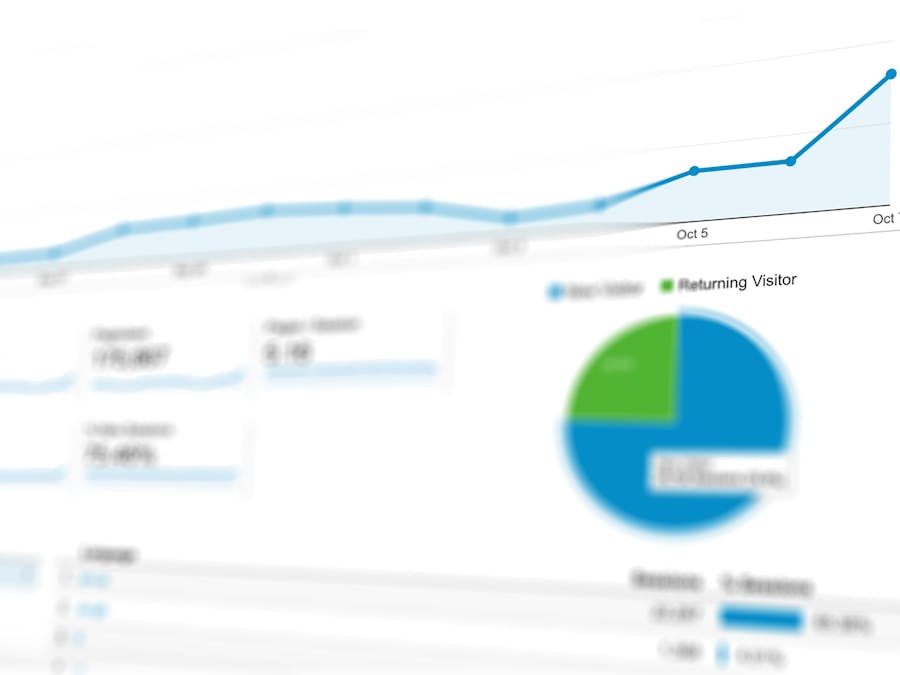
To know whether your integrated approach is working, you need to track the right metrics across both email and social media. Looking at each channel in isolation misses the bigger picture of how they support each other.
For email, track standard metrics like open rates, click rates, and unsubscribe rates. But also pay attention to how many people click through to your social profiles from emails and whether those clicks lead to new followers. Most email platforms can show you which links get the most clicks, helping you understand what social content resonates with your email audience.
On social media, monitor follower growth, engagement rates, and reach. Look specifically at traffic coming from email campaigns by using tracking links or UTM parameters. This shows you how effectively your emails drive social media activity.
When running paid campaigns across channels, compare your cost-per-click and conversion rates between email-driven traffic and social media traffic. This helps you understand which channel delivers better results for different goals and where to invest your advertising budget.
Create a simple dashboard that shows key metrics from both channels side by side. Look for patterns over time. Do your social media engagement rates increase after you send emails promoting your profiles? Do email signups spike after successful social media campaigns? These correlations help you understand how the channels influence each other.
Handling Customer Questions Across Email and Social
Your customers don’t think about which channel they’re using when they have a question or problem. They reach out wherever is most convenient for them, whether that’s replying to an email, sending a direct message on Instagram, or commenting on a Facebook post. Your job is to provide consistent, helpful responses regardless of where the conversation happens.
Start by ensuring everyone who handles customer communication has access to the same information. If someone asks a question via email and then follows up on social media, the person responding should be able to see the full conversation history. This prevents customers from having to repeat themselves and shows that your brand is organized.
Develop standard responses for common questions that can be adapted for different channels. An email response might be longer and more detailed, while a social media reply needs to be concise. But the core information should be the same. Understanding best practices for social media customer service helps you maintain quality across platforms.
Set clear expectations about response times on each channel. Social media users often expect faster replies than email users. If you can’t monitor social messages constantly, let people know when they can expect a response. Some brands include this information in their bio or set up auto-replies that acknowledge the message and provide a timeframe.
When a conversation gets complex, don’t be afraid to move it to a different channel. A detailed technical issue might be easier to resolve over email where you can include attachments and longer explanations. A quick question about store hours can be answered right in the social media comments. Guide customers to the channel that will serve them best while making the transition smooth.
Using email template builders to strengthen your social media strategy isn’t about adding more work to your plate. It’s about making the work you’re already doing more effective by connecting your channels in meaningful ways. When your emails and social media presence support each other, you create a stronger overall brand experience that keeps your audience engaged no matter where they find you.


