



Creating fresh content for Instagram every single day can feel overwhelming. Between coming up with new ideas, designing graphics, and writing captions, it’s easy to burn out. But here’s the good news: you don’t always need to start from scratch. Learning how to repurpose social media content for Instagram can save you hours of work while keeping your feed active and engaging.
When you repurpose content, you take something you’ve already created and transform it into a new format that works for Instagram. That blog post you spent days writing? It can become a carousel. That podcast episode? It can turn into multiple Reels. This approach helps you get more value from the content you’ve already invested time and energy into creating.
In this guide, we’ll walk through practical ways to repurpose social media content for Instagram. You’ll learn which types of content work best, how to adapt them for different Instagram formats, and which tools can make the whole process easier. Let’s get started.
Why Repurposing Content for Instagram Makes Sense
Before diving into the how, let’s talk about why repurposing content is such a smart move for your Instagram presence. The benefits go beyond just saving time, though that’s certainly a big one.
First, repurposing helps you maintain a consistent posting schedule without the constant pressure of creating something brand new. When you have a library of existing content to draw from, you always have material to work with. This consistency keeps your audience engaged and helps the Instagram algorithm recognize your account as active.
Second, repurposing allows you to reach people who might have missed your content the first time around. Not everyone follows you on every platform. Your Twitter followers might not read your blog, and your podcast listeners might not check LinkedIn. When you repurpose content for Instagram, you’re giving that content a second life in front of a new audience.
Third, repetition actually helps your message stick. People often need to see information multiple times before it really sinks in. By presenting the same core ideas in different formats, you reinforce your expertise and make your content more memorable.
Repurposing also fits naturally into a broader social media strategy that spans multiple platforms. Instead of treating each platform as completely separate, you can create a cohesive content ecosystem where ideas flow between channels. This approach helps you cross-promote on social media effectively, driving followers from one platform to another.
Finally, repurposing is simply more efficient. Creating high-quality content takes significant effort. When you repurpose, you maximize the return on that investment by extracting multiple pieces of content from a single original source.
Types of Content You Can Repurpose for Instagram
Almost any content you create can be transformed for Instagram with a bit of creativity. The key is understanding what you have available and how it can be adapted to fit Instagram’s visual, mobile-first format.
Start by taking inventory of your existing content. Look at your blog posts, videos, podcasts, webinars, email newsletters, tweets, LinkedIn posts, and even customer testimonials. Each of these can serve as raw material for Instagram content.
Written content like blog posts and articles are goldmines for repurposing. A single long-form piece can yield multiple Instagram posts, from quote graphics to educational carousels to conversation-starting questions for Stories.
Video content is incredibly versatile. Long YouTube videos can be cut into short clips for Reels. Webinar recordings can become educational snippets. Even behind-the-scenes footage that didn’t make the final cut can work well on Instagram.
Audio content like podcasts might seem tricky since Instagram is visual, but there are creative ways to adapt it. You can create audiogram videos with waveforms, pull out quotable moments for graphics, or summarize key points in carousel posts.
Don’t overlook your shorter social media posts either. Tweets and LinkedIn updates that performed well can be turned into Instagram graphics. Looking for creative social media content ideas can help you see your existing content in new ways.
Blog Posts and Long-Form Articles
Blog posts are perhaps the easiest content type to repurpose for Instagram because they’re packed with information you can break down into smaller pieces.
Start by identifying the main points of your article. Each key takeaway can become its own Instagram post. For example, a blog post titled “10 Tips for Better Sleep” could become ten separate tip posts, a carousel featuring all ten tips, or a series of Stories revealing one tip at a time.
Pull out quotable sentences that capture the essence of your article. These work great as text-based graphics for your feed. Look for statements that are thought-provoking, inspiring, or actionable.
Transform how-to sections into step-by-step carousels. Instagram users love educational content they can swipe through. Break down processes into clear, numbered steps with simple visuals for each slide.
If your blog post includes statistics or data points, these can become eye-catching infographic-style posts. Numbers tend to grab attention in the feed, especially when presented with clean, bold design.
The beauty of repurposing blog content is that you can continue to work on your SEO for your website while simultaneously building your Instagram presence with the same core content. Your blog drives search traffic while your Instagram posts drive social engagement.
Videos and Podcasts
Video and audio content offer rich opportunities for Instagram repurposing, especially with the platform’s emphasis on Reels and short-form video.
For longer videos, identify the most engaging moments. These might be surprising revelations, emotional highlights, practical demonstrations, or funny moments. Clip these sections into 15 to 60-second segments that can stand alone as Reels.
Add captions to your video clips. Many Instagram users watch videos without sound, so captions ensure your message gets across regardless of how people are viewing.
For podcasts, consider creating audiogram videos. These combine a static image or simple animation with your audio waveform, making audio content visually interesting for Instagram. Many tools can help you create these quickly.
Pull key quotes from podcast episodes and turn them into graphics. If a guest said something particularly insightful, that quote can become a shareable image that promotes both the episode and your Instagram account.
Create summary posts that highlight the main topics covered in a video or podcast episode. This gives your Instagram audience a taste of the content and encourages them to seek out the full version.
You can also use Stories to share behind-the-scenes content from your video or podcast production. This humanizes your brand and gives followers a peek into your creative process.
How to Adapt Content for Instagram Formats

Instagram offers several distinct content formats, and each has its own strengths. Understanding how to adapt your content for each format helps you get the most out of your repurposing efforts.
Feed posts are your permanent content. They appear in the main grid of your profile and should represent your best, most polished work. When repurposing for feed posts, focus on high-quality visuals and captions that encourage engagement through comments.
Carousel posts let you share up to ten images or videos in a single post. Research shows that carousels tend to perform well because they encourage users to swipe, which signals engagement to the algorithm. Carousels are perfect for step-by-step guides, lists, before-and-after comparisons, and storytelling.
When creating carousels from repurposed content, make sure each slide can stand somewhat on its own while also flowing logically to the next. Use a hook on the first slide to grab attention, deliver value in the middle slides, and include a call to action on the final slide.
Reels are Instagram’s short-form video format and currently receive significant algorithmic boost. When repurposing video content for Reels, keep them punchy and attention-grabbing from the first second. Use trending audio when appropriate, and add text overlays to make your content accessible.
Stories disappear after 24 hours, making them ideal for more casual, in-the-moment content. Use Stories to share quick tips, polls, questions, and behind-the-scenes glimpses. Repurposed content in Stories can feel less polished than feed posts, which actually makes it feel more authentic.
Understanding Instagram visual aesthetics helps you adapt content in ways that feel native to the platform. Pay attention to color schemes, fonts, and overall visual style to maintain a cohesive look across your repurposed content.
Creating Visual Content from Text-Based Posts

Text-based content from platforms like Twitter and LinkedIn can be transformed into visually appealing Instagram posts with a bit of design work.
The simplest approach is to screenshot your best-performing tweets or LinkedIn posts and share them on Instagram. This works especially well when the original post sparked interesting conversations or received lots of engagement. Just make sure the text is large enough to read easily on mobile.
For a more polished look, recreate the text as a designed graphic. Use a consistent template with your brand colors and fonts. This approach looks more professional and allows you to adjust the formatting for better readability on Instagram.
Turn data and statistics into visual formats. Infographics work particularly well on Instagram because they present information in an easily digestible, shareable format. Even simple charts or graphs can make dry data more engaging.
Quote graphics are another effective way to repurpose text content. Take insightful quotes from your own posts, customer testimonials, or industry thought leaders and present them with attractive typography and backgrounds.
Lists and tips translate well into carousel formats. Each point becomes its own slide, making the content easy to consume and encouraging users to swipe through the entire post.
When designing visual content, think about what will make people want to create shareable posts that resonate with their own followers. Content that teaches something valuable, makes people laugh, or expresses a relatable feeling tends to get shared most often.
Remember to maintain visual consistency across your repurposed content. Using the same fonts, colors, and design elements helps your content feel cohesive and strengthens your brand recognition.
Repurposing User-Generated Content
Content created by your audience is one of the most valuable resources you can repurpose for Instagram. User-generated content builds trust, creates community, and provides you with authentic material that resonates with potential customers.
Start by monitoring mentions, tags, and hashtags related to your brand. When customers share photos using your products, leave positive reviews, or create content featuring your services, you have potential material to repurpose.
Always ask permission before reposting user-generated content. A simple direct message asking if you can share their post on your account is usually sufficient. Most people are happy to be featured, but it’s important to respect their content and give proper credit.
Understanding user-generated content on Instagram helps you develop a strategy for collecting and sharing this type of content effectively.
Create a branded hashtag that encourages customers to share their experiences. This makes it easier to find user-generated content and builds a library of authentic material you can draw from.
Repurpose customer reviews and testimonials as graphics for your feed. Positive feedback from real customers is incredibly persuasive and adds social proof to your Instagram presence.
Feature user-generated content in Stories to show appreciation for your community. This encourages more people to create and share content related to your brand, creating a positive cycle of engagement.
Consider creating highlight reels that showcase the best user-generated content. These permanent Story highlights serve as ongoing social proof for anyone visiting your profile.
Tools to Streamline Your Repurposing Workflow
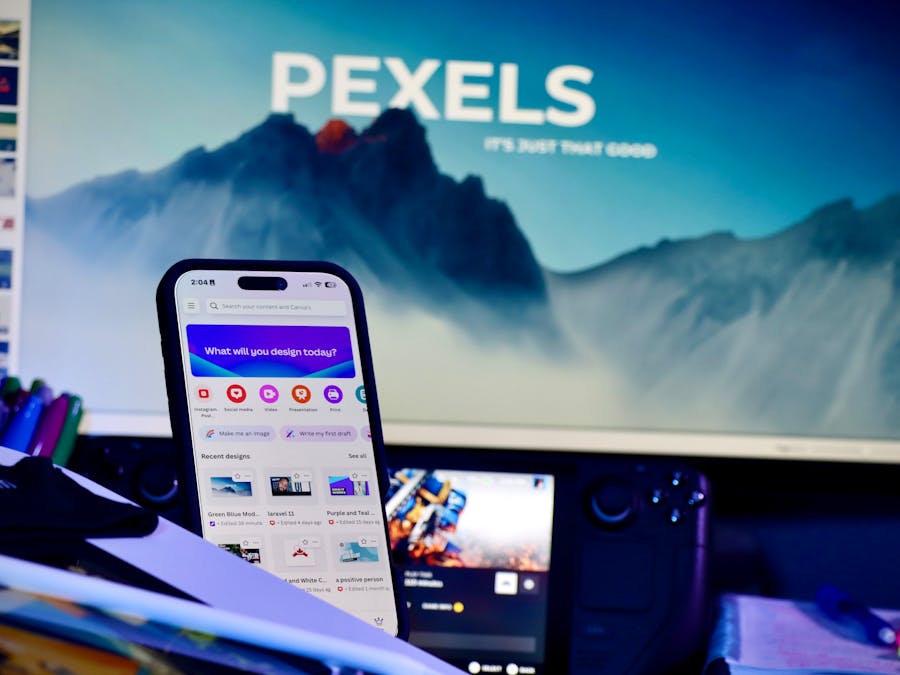
The right tools can make content repurposing much faster and easier. Here are some categories of tools to consider adding to your workflow.
Design tools help you create professional-looking graphics without advanced design skills. Look for platforms that offer Instagram-specific templates, making it easy to resize and format content for different post types.
Video editing tools are essential for repurposing video content. You’ll need software that can trim clips, add captions, and export in formats optimized for Instagram. Many mobile apps make this process simple enough to do on your phone.
Scheduling tools let you plan and queue your repurposed content in advance. This helps you maintain a consistent posting schedule without having to be online at specific times. Many of these platforms also offer analytics to help you understand what’s working.
Exploring essential social media tools can help you find the right combination of software for your specific needs and budget.
Content organization tools help you keep track of what you’ve already repurposed and what’s still available. A simple spreadsheet can work, or you might prefer a more sophisticated project management system.
AI-powered tools are increasingly helpful for content repurposing. They can help you automate your content creation by suggesting captions, generating variations of existing content, or even helping you identify which pieces of content are worth repurposing.
Caption writing tools can help you adapt your messaging for Instagram’s audience. What works on LinkedIn might need a different tone for Instagram, and these tools can help you make those adjustments quickly.
Analytics tools help you understand which repurposed content performs best. Pay attention to engagement rates, saves, and shares to learn what resonates with your Instagram audience.
Best Practices for Cross-Platform Content Repurposing
While repurposing saves time, it’s important to do it thoughtfully. Simply copying and pasting content across platforms rarely works well. Here are some best practices to keep in mind.
Adapt your tone and style for Instagram’s audience. Content that works on LinkedIn might be too formal for Instagram. Content from Twitter might need more context. Always consider how Instagram users consume content and adjust accordingly.
Respect each platform’s native format. Instagram is visual-first, so even text-based content needs a strong visual component. Make sure your repurposed content looks like it belongs on Instagram, not like it was awkwardly transplanted from somewhere else.
Space out your repurposed content. If you published a blog post today, don’t immediately share ten Instagram posts derived from it. Spread the content out over days or weeks to keep your feed fresh and avoid overwhelming your audience.
Learning how to cross-promote across social platforms effectively means understanding the unique culture and expectations of each platform while maintaining your core message.
Keep track of what you’ve repurposed. Create a simple system to note which pieces of content have been transformed for Instagram and which formats you’ve used. This prevents repetition and helps you identify content that still has repurposing potential.
Update outdated content before repurposing. If you’re drawing from older blog posts or videos, make sure the information is still accurate and relevant. Repurposing gives you a chance to refresh and improve your content.
Test different approaches and learn from the results. Some types of repurposed content will perform better than others with your specific audience. Pay attention to what works and do more of it.
Finally, don’t repurpose everything. Some content simply won’t translate well to Instagram, and that’s okay. Focus your repurposing efforts on content that genuinely adds value for your Instagram audience.
When you repurpose social media content for Instagram strategically, you create a sustainable content system that keeps your feed active without burning you out. Start with the content you already have, experiment with different formats, and refine your approach based on what resonates with your audience. Over time, repurposing will become a natural part of your content creation workflow, helping you work smarter rather than harder.


