Growth service
Top 5 Frontline Compliance Training Platforms for Modern Teams
Compare 5 frontline compliance training platforms on audit-ready records, mobile access, exports and pricing, for teams without desks or company email.
By Flock Social TeamPublished August 6, 202613 min read
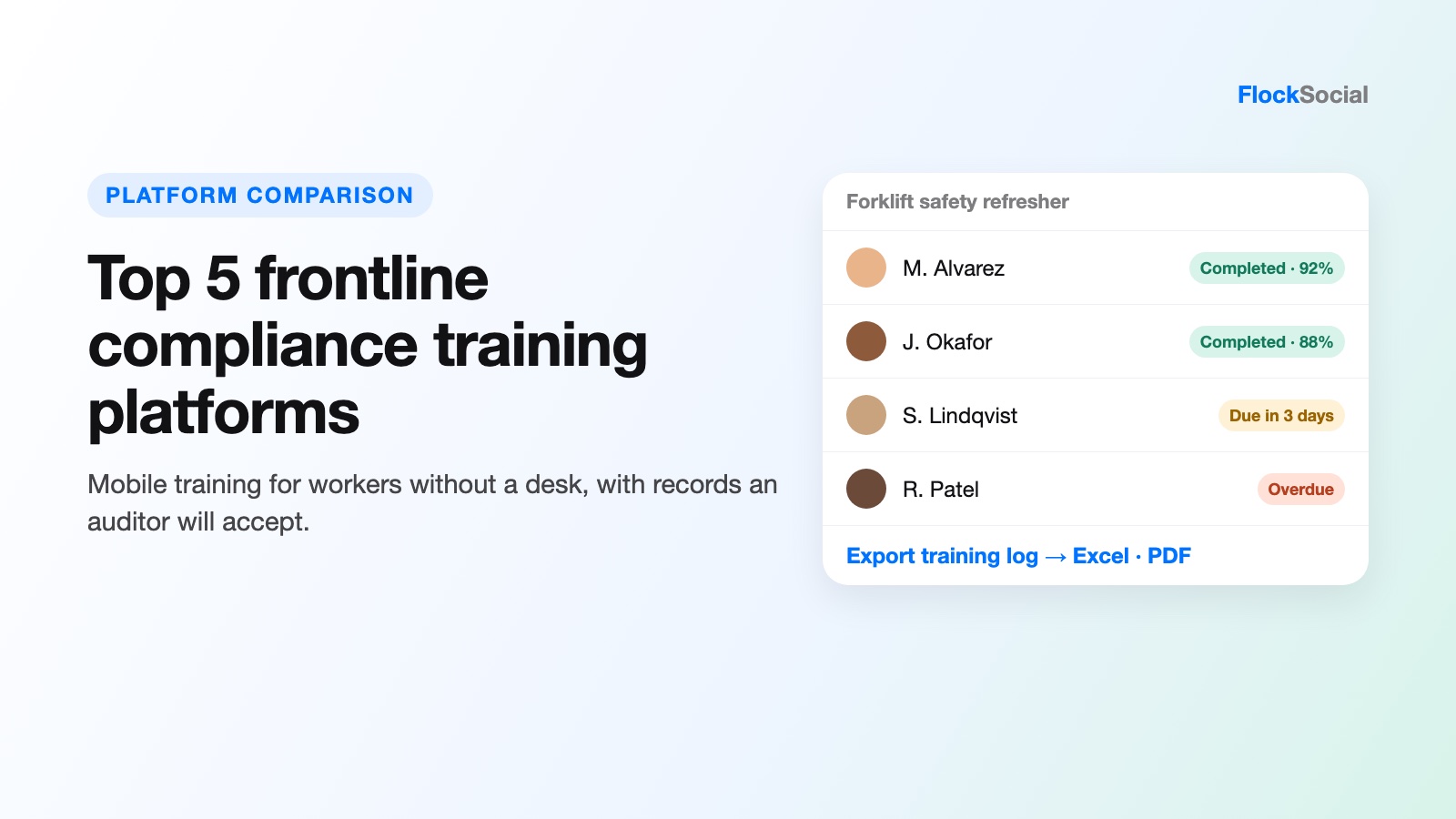
Frontline compliance training has a job that office training never has to do well. It has to reach a person who has no desk, no company email and maybe ten minutes between tasks, and then it has to leave a record an auditor will accept.
We compared five platforms that try to do both. The list leans toward tools that produce audit-ready training records, because in regulated work a course nobody can prove was completed is, as far as the inspector is concerned, a course that did not happen.
The question we kept coming back to is the one safety managers actually ask vendors: how do you prove a worker understood the safety-critical information, rather than simply opening it? Each entry below is judged on that, plus price, mobile access, and how easily the records come back out of the system.
What audit-ready compliance training records look like
A compliance training platform is software that assigns required courses to workers, tracks who finished them and when, and stores the evidence. For frontline teams, it usually also handles phone delivery, reminders, and digital sign-offs. Four terms come up in almost every buying conversation, so here is what each one means in plain terms.
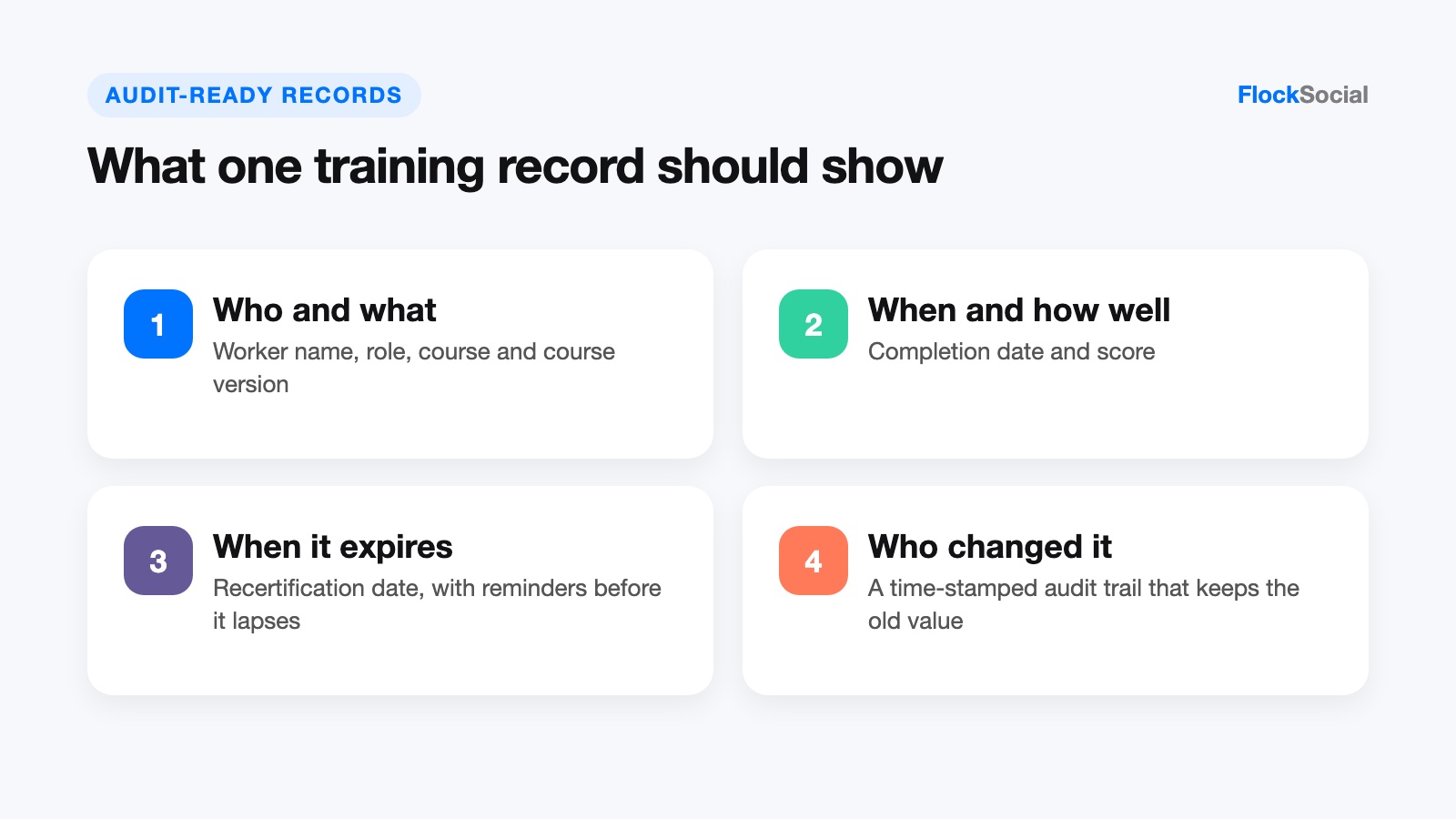
- Audit-ready report: a report you can hand to an auditor or regulator without fixing it first. It shows who was trained, on what, on which date, with what score, and when the training expires, and every line ties back to a stored record.
- Exportable training log: the per-employee record of completed courses and certifications that you can pull out of the system into a file (usually a spreadsheet or a PDF) with the date, course name, score, and expiry date.
- Audit trail: a running, time-stamped log of who created or changed a record and when. The audit report shows the result; the audit trail shows how the record got that way. In FDA-regulated work, the federal electronic records rule asks for "secure, computer-generated, time-stamped audit trails" and says record changes must not hide what was there before.
- Regulated industry: a sector where a regulator can ask you for proof of training, which is why frontline compliance training there has to leave a record. Examples are chemical plants, pharmaceutical and food manufacturing, energy and utilities, healthcare and trucking.
On file formats, FDA guidance on electronic records gives PDF, XML and SGML as examples of common portable formats for copies of records. In practice, most compliance training software exports to Excel or CSV for analysis and to PDF for the person reading the file, so ask which formats each platform supports on the plan you are buying.
Quick comparison of the 5 platforms
| Platform | Best for | Starting price | Training record export | Rating |
|---|---|---|---|---|
| iTacit | Regulated frontline teams without company email | Quote-based, four packages | Excel and BI-compatible exports; data export and API on Operate | 4.6/5 Software Advice |
| Connecteam | Small and mid-size hourly teams | Free up to 10 users; HR and Skills Basic from $29/month for 30 users (annual) | Exportable training records | 4.6/5 Capterra |
| Mitti by SafetyCulture | Crews that need a course library and offline use | Free; Premium $24 per seat per month (annual) | PDF on Free; PDF, Word and Excel on Premium | 4.6/5 Capterra |
| Axonify | Large retail and service brands focused on retention | Quote-based (Core, Pro, Premium) | Performance analytics; confirm raw exports in a demo | 4.7/5 Capterra |
| TalentCards | Low-cost mobile refreshers | Free up to 5 users; Standard $0.80 per user per month | .xlsx export of completion data | 4.6/5 Capterra |
The 5 best frontline compliance training platforms
1. iTacit
Best for: regulated employers that want compliance training for frontline workers who have no company email, finished on a phone, with records that hold up in an audit.
iTacit is a frontline compliance training platform and employee app that puts an LMS, messaging, digital forms, and task tools in one place. Workers sign in through the My iTacit app on iOS or Android, or through a browser, with their own login, so nobody needs a company email account. Training reaches them in real time over the app, which suits drivers, care aides and plant crews who check their phones between jobs.
On the manager's side, you assign courses by role and set recurring deadlines (yearly, quarterly, and so on), and the system enrolls people automatically when a cycle comes due. It records enrollment and start dates, test results, course completion and certification, and form and checklist completion. Reminders go to the worker as a deadline gets close and to the supervisor when someone is overdue. Seaboard Transport, a transport customer, reports 100% safety training attendance and zero training-related incidents (figures from iTacit's customer stories page).
Key features:
- Role-based learning paths, recurring frontline compliance training courses and automated reminders to workers and managers
- Reporting with Excel and BI-compatible exports in the Educate package; data export, API and an audit trail in the Operate package
- Digital forms used as compliance sign-off, with electronic signatures and photo upload (Operate package)
- SCORM 1.2 and 2004 course support, plus an AI assistant that answers worker questions only from the company's approved documents (a help tool for finding answers, not a compliance engine)
Rating: 4.6 out of 5 on Software Advice (42 reviews).
Pricing: quote-based, per user per month, across four cumulative packages (Connect, Educate, Engage and Operate). No list prices are published.
Where it falls short: there is no public pricing, so you cannot compare cost without a sales call, and the audit trail and full data export sit in the top Operate package. It is also cloud-only with no offline mode, so workers need a data or Wi-Fi connection to complete a course.
2. Connecteam
Best for: small and mid-size businesses with hourly staff who want compliance training software bundled with scheduling, time clock and HR tools in a single app.
Connecteam is an all-in-one app for non-desk teams, and its frontline training software lives in the HR and Skills hub. You build courses from scratch, from templates or with AI, add quizzes, and assign mandatory courses that workers take on their phones. Managers get a live view of progress, scores and completion, and quiz results show which questions people miss most often, which is a decent early signal for the "did they understand it" problem.
For audits, Connecteam says training records and reports can be exported for compliance reviews and internal reporting. Document packs can carry expiration dates with notifications before they lapse, which is handy for licenses and certificates, although only some plans include that.
Key features:
- Course builder with templates and AI drafting, plus quizzes with question-level results
- Mandatory course assignment and live completion tracking across locations
- Exportable training records for audits and compliance checks
- A free Small Business plan for up to 10 users with every hub included
Rating: 4.6 out of 5 on Capterra (5,318 reviews).
Pricing: the HR and Skills hub costs $29 per month for the first 30 users on Basic (billed yearly, or $35 monthly), $49 on Advanced and $99 on Expert, plus a per-user fee above 30 users. Enterprise is custom.
Where it falls short: the compliance controls are spread across tiers. Quiz rules such as required passing scores and attempt limits start at Advanced, and document expiration alerts are only on Expert, Enterprise and the free Small Business plan. Training is also one hub among many, so a large regulated employer may find the course and audit features lighter than a dedicated LMS.
3. Mitti by SafetyCulture
Best for: operations teams that want frontline training software with a ready-made course library, including crews who work where the phone signal drops out.
Mitti is a mobile training product from SafetyCulture, the company known for inspection checklists. Workers take short, mobile-first lessons, and admins can draft courses with AI from a prompt or uploaded documents, or start from more than 1,000 free, editable courses. Lessons can be finished without a connection and progress syncs when the device is back online. That offline support is the clearest difference between Mitti and the cloud-only tools on this list.
Certificates, credentials and licenses are stored and searchable with expiry tracking built in, and digital and in-person training records sit in one place. Training analytics can be connected to Power BI and Tableau for reporting across sites.
Key features:
- More than 1,000 free, editable courses plus AI course drafting
- Offline course completion with sync once the device reconnects
- Credential and license storage with expiry tracking
- Reports in PDF on Free and in PDF, Word and Excel on Premium, plus Power BI and Tableau connections
Rating: 4.6 out of 5 on Capterra (356 reviews, listed as Mitti by SafetyCulture).
Pricing: a Free plan; Premium at $24 per seat per month billed annually ($29 monthly); Enterprise and a location-based price with unlimited users by quote.
Where it falls short: per-seat pricing adds up fast when every frontline worker needs a seat. A 400-person workforce on Premium would come to about $9,600 a month at the annual rate, and the Free plan only includes basic training, so most teams buying it as compliance training software will end up on Premium or a quote.
4. Axonify
Best for: large retail, grocery and service employers that care most about workers remembering safety rules, and that already keep the formal compliance training file somewhere else.
Axonify is a compliance training platform for frontline teams built around short daily sessions. The company says the sweet spot is 3 to 5 minutes of use, with questions spaced over many sessions and adapted to each person's role and region. Instead of one annual course, a worker sees the same safety point several times over a few weeks, and the system measures knowledge, confidence and job performance over time.
That repetition model answers the "did they understand it" question better than a single completion checkmark does. It fits compliance topics where forgetting is the real risk, such as food handling or safe lifting.
Key features:
- Daily learning sessions of 3 to 5 minutes on devices workers already use
- Spaced repetition and adaptive questions by role and region
- Knowledge, confidence and performance tracking linked to business results
- Core, Pro and Premium tiers, with add-ons such as Content Studio and a Workday integration
Rating: 4.7 out of 5 on Capterra (80 reviews).
Pricing: quote-based. Axonify says price depends on team size, locations, and the features you need.
Where it falls short: there are no list prices, Axonify quotes go-live in "as little as 8 weeks" for most customers, and Axonify's own pages focus on knowledge and performance rather than on audit trails or exportable training logs. Confirm the exact compliance reports and export files in a demo.
5. TalentCards
Best for: budget-conscious teams that need quick mobile compliance refreshers, such as safety reminders or policy updates, for workers who rarely sit at a computer.
TalentCards is a mobile microlearning app from the makers of TalentLMS. Training comes as short card sets that workers swipe through on their phones, and quizzes can be generated from your existing material with AI. Content can be downloaded ahead of time so people can train without internet access, and QR codes let a worker pull up instructions at a machine or on a loading dock.
Reporting covers the whole team and each learner, including completions and quiz scores, and completion and engagement data exports to an .xlsx file by group or team. For a team that just needs a clean completion list, it is a simple compliance training app at a very low per-user price.
Key features:
- Card-based microlearning with AI quiz generation
- Offline download and QR code access
- Team and individual reports with .xlsx export
- Certificates on all plans; scheduled reports and an admin activity log on Premium and Enterprise
Rating: 4.6 out of 5 on Capterra (22 reviews).
Pricing: Free for up to 5 users; Standard at $0.80 and Premium at $1.20 per user per month, sold in 50-user blocks; Enterprise (over 2,000 users) by quote.
Where it falls short: the card format suits short refreshers, not long regulated courses, and the app is designed to work next to TalentLMS rather than replace a full LMS. The activity log, which is the closest thing to an audit trail here, is Premium-only.
How we compared these frontline compliance training platforms
We started from the pages that currently rank and get cited for frontline and compliance training searches, and listed every vendor they mention. We kept only tools that deliver training on a phone to non-desk workers and keep completion records an employer can use as evidence. Then we checked each vendor's own pricing and product pages in October 2026 and took ratings from Capterra or Software Advice.
We weighed four things: whether a worker without company email can get in, how completion and expiry are tracked, what the records export to, and whether pricing is published. Placement after the first entry is by fit for regulated frontline work, not by company size or how often a brand shows up in other roundups.
How to choose compliance training software for a regulated frontline team
Start with the audit, not the course catalog. Work out what your auditor or inspector will ask for, then work backwards to the features.
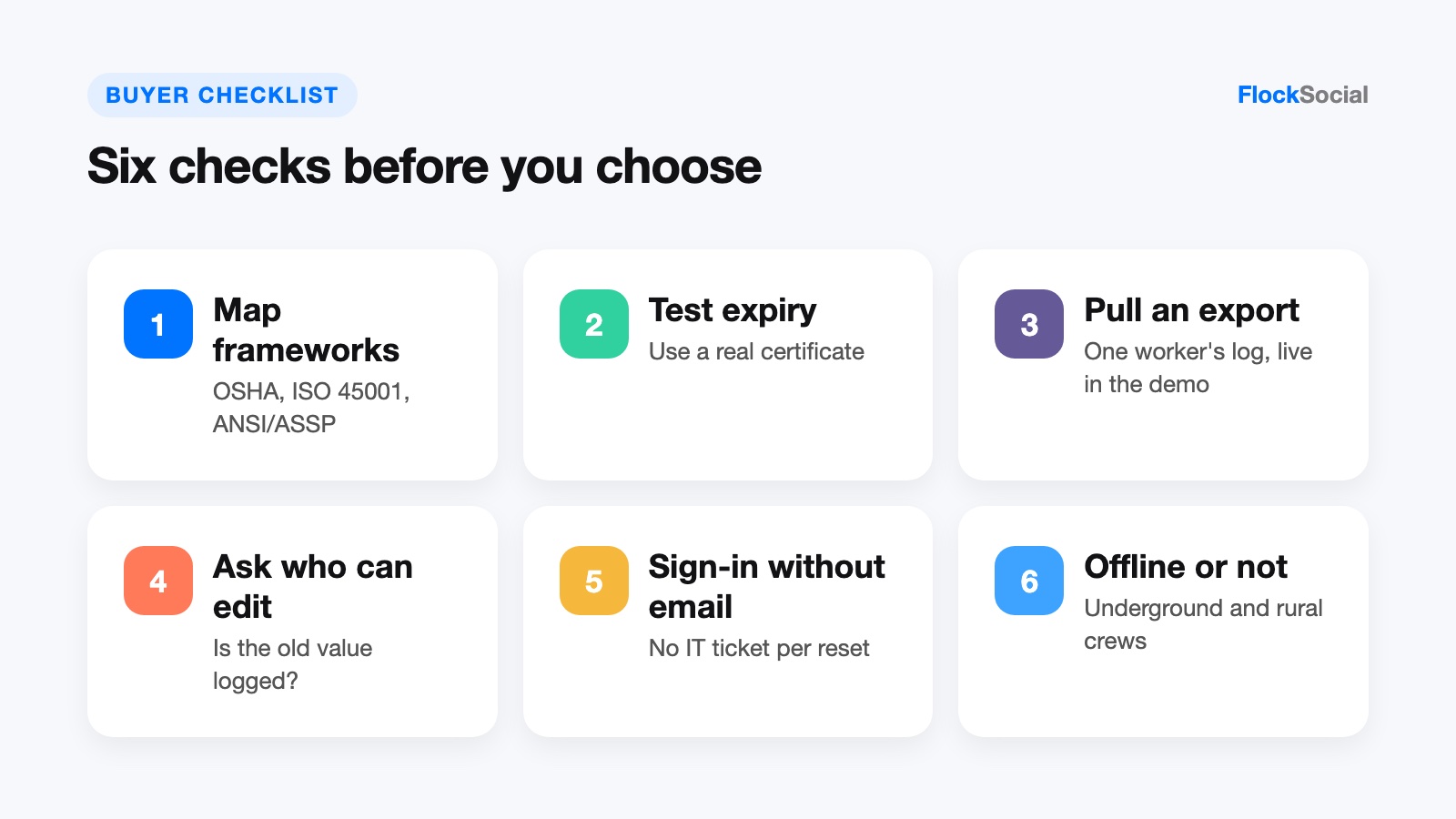
- Map your frameworks first. OSHA standards require specific training for specific hazards, ISO 45001 asks you to keep documented evidence of competence, and ANSI/ASSP consensus standards (the Z359 fall protection series, for example) set training expectations too. List each requirement, the roles it covers and how often it repeats, then check the platform can hold that schedule.
- Test expiry tracking with a real certificate. Certifications run on different clocks. Under EPA's lead renovator rules, a renovator who takes the refresher with hands-on training is certified for five years, while the online-only refresher gives three. A good system tracks each expiry date separately and reminds both the worker and the manager before it lapses.
- Pull a sample export during the demo. Ask the vendor to export one employee's training log on the spot. Check that it shows name, role, course, version, completion date, score and expiry, and that it opens cleanly in Excel or as a PDF.
- Ask who can change a record. If an admin edits a completion date, does the system keep the old value and log who changed it? That is the audit trail, and on some compliance training platforms it only comes with the top plan.
- Check how workers without email sign in. If drivers, care aides or seasonal staff need IT to reset a password, completion rates drop quickly.
- Decide whether offline matters. Crews that work underground or in rural areas need offline completion. Teams with reliable Wi-Fi or mobile data on site are fine with a real-time, cloud-only app.
Industry changes the weight of each step. In our experience, pharmaceutical and food manufacturers feel it most, because FDA inspectors read training files line by line. Chemical plants train against OSHA hazard communication and process safety rules, trucking fleets keep driver training files for roadside and compliance reviews, and healthcare employers repeat infection control and bloodborne pathogen training every year.
Frequently asked questions
What is an audit-ready training report?
It is a training report you can give an auditor without rework. It lists each worker, the course and version, the completion date, the score and the expiry date, and every line can be traced back to a stored, time-stamped record. If you have to rebuild it in a spreadsheet before the audit, it is not audit-ready.
Can compliance training software export training logs to CSV or PDF?
Most tools can export something, but formats differ by product and plan. TalentCards exports completion data to .xlsx; Mitti offers PDF reports on Free and PDF, Word and Excel on Premium; iTacit lists Excel and BI-compatible exports, with full data export and an API on its Operate package; Connecteam says its training records can be exported. If your auditor or HR system needs CSV specifically, ask for it by name during the demo.
Which industries have the strictest training record requirements?
Pharmaceutical and food manufacturing, chemical processing, energy and utilities, healthcare and transportation carry the heaviest load. These are the sectors where a regulator can walk in and ask for proof that a named worker completed a named course before doing a named task.
Bottom line
If most of your workers have no company email and your next audit will ask for training proof, start with the platforms built for that combination.
For healthcare, transport and manufacturing employers that want frontline compliance training with role-based learning paths, automated recertification reminders and Excel or BI-ready training exports in one employee app, iTacit offers its Educate package (with Operate adding the audit trail and API) on quote-based, per-user pricing.
Smaller hourly teams will get more for less from Connecteam's free and low-cost plans, crews without signal should look at Mitti or TalentCards, and Axonify is the better pick when memory and retention matter more than the paperwork.