



Launching a product used to require a full production team, expensive equipment, professional actors, and weeks of editing. For small brands and solo creators, producing enough video content for an entire launch campaign was often unrealistic.
AI has changed that process. Today, I can turn a product idea or a small collection of photos into teaser videos, product demonstrations, social ads, and launch-day content without organizing a traditional video shoot.
The difficult part is no longer generating a video. It is creating a video that communicates the product’s value and gives viewers a reason to act. In this guide, I will show you the exact workflow I use to create high-converting product launch videos with AI in 2026.
Why Product Launch Videos Matter More Than Ever
A product launch video has to do more than look impressive. It must quickly help potential customers understand three things:
- What the product is
- Why is it relevant to them
- What they should do next
This is especially important on platforms such as TikTok, Instagram Reels, YouTube Shorts, and paid social feeds. Viewers may decide whether to keep watching within the first few seconds.
One polished brand film is rarely enough. A complete launch usually needs multiple creative angles, including:
- Short teaser videos
- Product benefit demonstrations
- Problem-and-solution ads
- UGC-style testimonials
- Feature breakdowns
- Launch announcements
- Retargeting videos
AI makes it possible to produce these variations from the same core product assets. Instead of treating the launch video as a single deliverable, I treat it as a reusable content system.
What Makes a Product Launch Video Convert
High production quality does not automatically produce high conversion rates. The strongest launch videos usually share four characteristics.
A Clear Hook
The opening should create curiosity or identify a recognizable problem.
Instead of beginning with a logo animation, I might use:
“What if your morning routine took five minutes instead of twenty?”
The viewer immediately understands why the product may matter.
One Main Message
Trying to explain every feature usually weakens the video. I choose one primary benefit for each variation. One video might focus on convenience, while another focuses on design, price, performance, or a specific use case.
Visible Product Value
The audience should see what the product does. Even when I use cinematic visuals, I include demonstrations, close-ups, comparisons, or lifestyle scenes that make the benefit tangible.
A Natural Call to Action
The final action should feel like the next logical step:
- Join the waitlist
- Explore the collection
- Get early access
- Shop the launch
- Claim the introductory offer
The call to action should match the viewer’s awareness level and the stage of the campaign.
The AI Tools I Use for Product Launch Videos
My workflow combines planning, image generation, video generation, and editing.
I prefer using an all-in-one platform such as Loova Creative Studio because it reduces the need to move files between several unrelated tools. A unified workflow is particularly helpful when I need to create many campaign variations quickly.
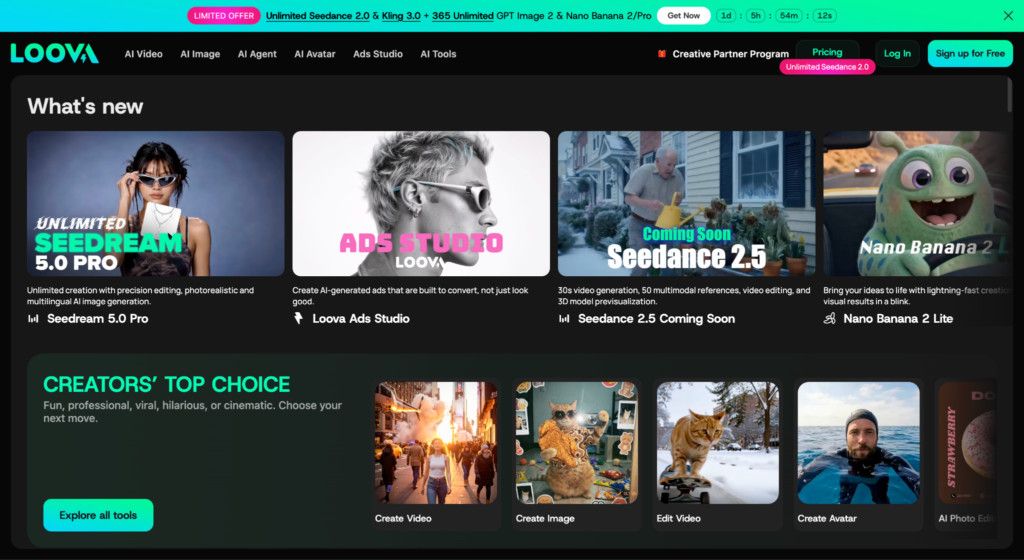
The basic tool stack includes:
- An LLM for audience research, hooks, and scripts
- AI Image Generator for visual concepts and campaign assets
- AI video tools for motion and product scenes
- A video editor for pacing, captions, sound, and branding
- Analytics tools for comparing creative performance
The tools make production faster, but the marketing strategy still has to come from the creator. Before choosing a platform, reviewing AI tools for creating social media videos can help you compare which options support image generation, animation, editing, captions, and campaign variations most effectively.
My Step-by-Step Product Launch Video Workflow
Step 1: Define the Launch Angle Before Making Visuals
I begin by deciding what the product launch video should communicate.
The first question is not “What should the video look like?” It is “Why should this audience care about the product?”
I usually document:
- The target customer
- The customer’s current problem
- The product’s primary benefit
- The strongest differentiator
- The desired action
- The intended platform
For example, imagine I am launching a compact portable blender. Possible campaign angles could include:
- Make smoothies anywhere
- Stop skipping breakfast on busy mornings
- A travel-friendly alternative to bulky blenders
- Healthy drinks without a complicated cleanup process
I do not combine all these angles in one video. Each angle becomes a separate creative direction that can be tested independently.
Step 2: Write Several Hooks and Short Scripts
Once I have a clear angle, I ask AI to generate multiple hooks rather than one complete script.
A useful prompt might be:
Create 10 short-form video hooks for a portable blender aimed at busy professionals. Focus on convenience and saving time. Each hook should be understandable within three seconds and should not sound like a traditional advertisement.
I review the suggestions and rewrite the most promising ones in the brand’s natural voice. Following a practical AI prompting playbook can make this process more reliable by giving the model clearer information about the audience, product benefit, tone, and desired response.
My basic launch-video script contains five parts:
- Hook
- Customer problem
- Product introduction
- Visible benefit or demonstration
- Call to action
For a 20-second video, the script might look like this:
No time for breakfast before work? This portable blender turns fruit, protein, and water into a fresh smoothie in seconds. Blend it at home, at the office, or while traveling—and rinse it clean when you are finished. Get early access to the launch today.
I normally create at least three versions: one benefit-led, one problem-led, and one visually driven.
Step 3: Create the Product’s Visual Direction
Before generating full video clips, I build a small visual reference board.
Using an AI Text to Image tool, I can test environments, colors, compositions, lighting styles, and campaign moods without arranging a physical shoot.
For each scene, I describe:
- The product
- The setting
- The user
- The camera angle
- The lighting
- The emotion
- The brand colors
A prompt could be:
Compact white portable blender on a modern office desk, fresh strawberries and blueberries nearby, soft morning sunlight, clean minimalist composition, premium lifestyle advertising, realistic product photography, vertical frame.
The initial images are not always ready for production. Their purpose is to establish a consistent direction before I create motion.
If the actual product photo must remain unchanged, I avoid asking AI to reinvent it. Instead, I use the original image as the visual anchor and generate complementary backgrounds, props, hands, or lifestyle scenes around it.
Step 4: Refine Product Images and Create Variations
Product accuracy is essential. A beautiful video can lose trust if the product changes shape, color, logo placement, or packaging between scenes.
I use AI Image to Image to refine existing assets while preserving the recognizable product.
At this stage, I may create:
- Different backgrounds
- Seasonal campaign versions
- Alternative camera angles
- Lifestyle environments
- Close-up feature shots
- Color-specific product variations
- Before-and-after compositions
I keep a reference sheet showing the approved product design, logo, colors, and proportions. Every generated asset is compared with that sheet before it moves into the video stage. Because product launches often involve reference images, drafts, edited variations, and multiple exports, managing large media files properly also helps prevent outdated or inconsistent assets from reaching the final campaign.
When something looks wrong, I correct the still image first. Trying to repair an inaccurate product after animation usually creates more work.
Step 5: Turn Product Images Into Video Scenes
Once the still images are consistent, I animate the strongest ones with the Image to Video feature in AI Video Creator.
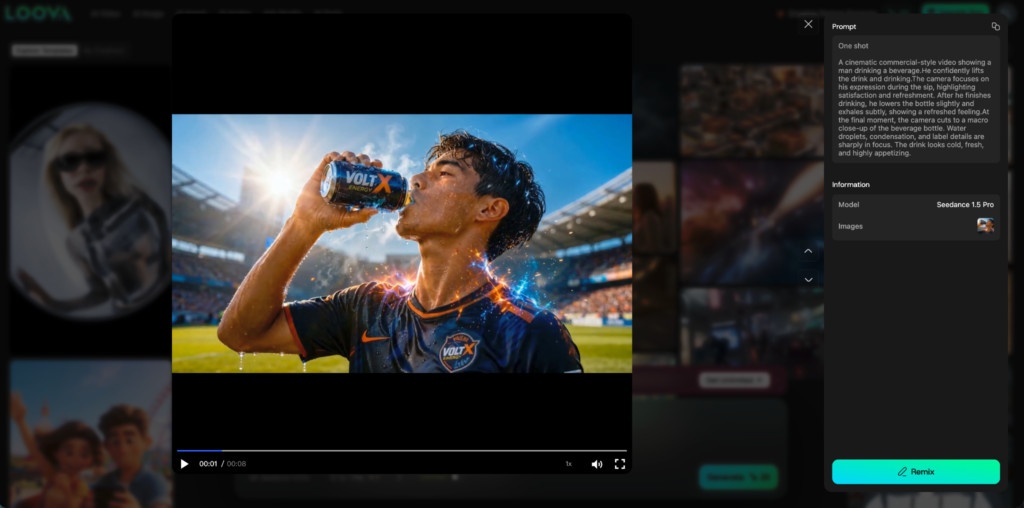
I prefer simple, controlled movement:
- Slow camera pushes
- Product rotations
- Gentle hand interaction
- Ingredient or material movement
- Subtle environmental motion
- Smooth transitions between close-up and wide shots
Complicated motion can distort the product. For launch videos, clarity is usually more valuable than spectacle.
I might animate the portable blender in several ways:
- The camera moves toward the blender as ingredients are added.
- The product rotates against a clean studio background.
- A person picks it up and places it in a work bag.
- The scene changes from a kitchen to an office desk.
- A finished smoothie appears beside the product.
For scenes that do not depend on an exact reference image, AI Text to Video can help create supporting lifestyle footage or atmospheric transitions.
I generate short clips rather than asking AI for one complete advertisement. Individual clips are easier to replace, reorder, and reuse across multiple campaign versions.
Step 6: Edit for Attention and Conversion
AI-generated clips become a launch video during editing.
I usually place the strongest visual or hook in the first two seconds. Then I remove pauses and keep each shot only as long as necessary.
My editing checklist includes:
- The product appears early.
- The main benefit is understandable without sound.
- Captions are short and easy to read.
- Visual changes happen frequently enough to maintain attention.
- Music supports the brand rather than overwhelming it.
- The call to action remains visible long enough to register.
- The video matches the platform’s aspect ratio and safe zones.
I also create several versions with different hooks, opening scenes, captions, and calls to action. The middle of the video may stay mostly the same.
This modular approach allows me to create five or ten variations without producing every video from scratch.
A Practical Product Launch Campaign Example
Suppose I am launching a new skincare serum.
Instead of creating one general advertisement, I might produce:
- A teaser video showing the packaging without revealing the full product
- A problem-led video about dry or uneven-looking skin
- A texture-focused product demonstration
- A morning-routine lifestyle video
- A UGC-style first-impression video
- A feature breakdown explaining the formula
- A launch-day offer announcement
- A retargeting video addressing a common objection
All eight videos can use the same product photos, visual guidelines, and core message. What changes is the hook, sequence, and customer angle.
For additional variations, tools such as an AI Ad Generator can help transform the same campaign material into different short-form ad concepts.
The goal is not to publish every variation immediately. I launch a controlled selection, examine the response, and develop more versions of the strongest concept. For campaigns running on Instagram, understanding how Instagram datasets power AI-driven marketing can help teams compare audience response, identify winning creative patterns, and decide which variations deserve more investment.
Common Mistakes That Reduce Conversions
Starting With the Tool Instead of the Customer
Generating attractive scenes without a defined audience often creates videos that look polished but communicate very little.
Showing the Product Too Late
If the product is the focus of the launch, viewers should not have to wait until the final seconds to see it.
Including Too Many Benefits
One video should normally communicate one central idea. Other benefits can become separate variations.
Making Unsupported Claims
AI can generate confident marketing language, but every factual claim should be reviewed. Product performance, ingredients, results, and comparisons must remain accurate.
Final Thoughts
AI makes professional product launch video production accessible to smaller teams, but the technology does not replace marketing judgment.
My process is straightforward: define the customer angle, write multiple hooks, establish a visual direction, refine the product assets, animate short scenes, and edit several campaign variations.
The most successful launch video is not necessarily the most cinematic one. It is the video that makes the product easy to understand, gives the customer a reason to care, and guides them toward a clear next step.
FAQ
How long should a product launch video be?
Short-form launch videos commonly work well between 15 and 30 seconds. More complex products may also need longer demonstrations or explainers.
Can I create a launch video from one product photo?
Yes. One strong product image can be used to create backgrounds, close-ups, lifestyle compositions, and animated variations. Product consistency must be checked carefully.
How many videos should I create for a product launch?
I usually recommend creating several variations rather than one master video. Start with three to five hooks and expand the concepts that receive the strongest response.
Should AI-generated product videos include captions?
Yes. Captions help communicate the message when viewers watch without sound and make the main benefit easier to understand quickly.
What types of launch videos should I test first?
Begin with a problem-and-solution video, a benefit-led demonstration, and a lifestyle or UGC-style variation. These formats test different reasons a customer might buy.
Can AI replace a professional product shoot?
AI can reduce the amount of traditional production required, especially for concept testing and content variations. Physical shoots may still be preferable when exact product detail or complex human interaction is essential.


