



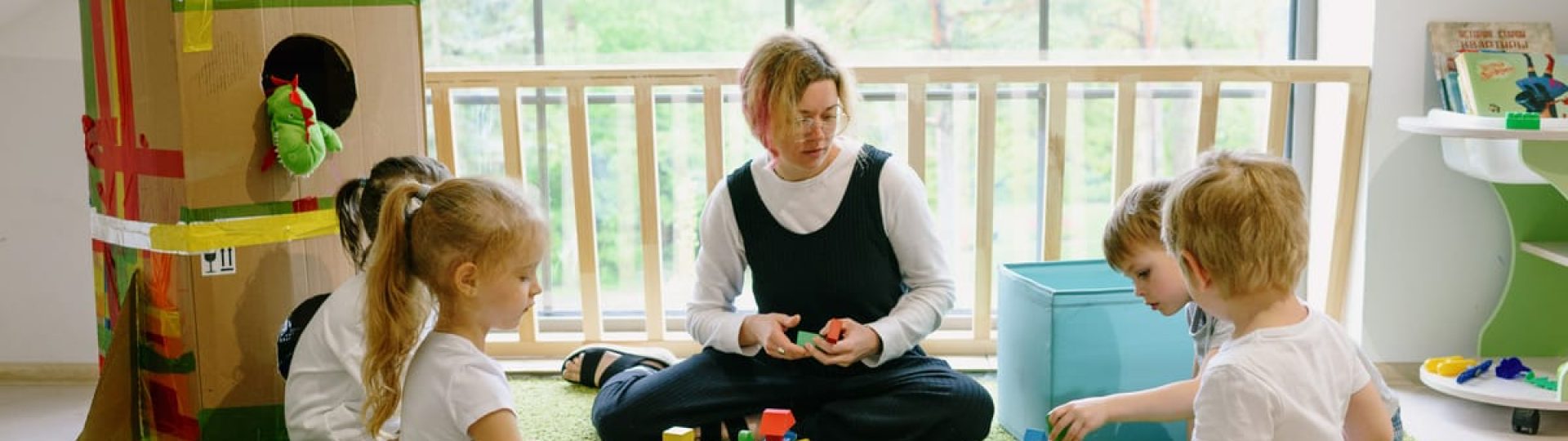
Finding the right childcare center is one of the biggest decisions parents make for their families. Before they ever walk through your doors, most parents spend hours researching online, reading reviews, and scrolling through social media pages. This is where childcare social media marketing becomes essential for your center’s success.
When parents see your social media presence, they get a glimpse into daily life at your center. They see how educators interact with children, what activities you offer, and whether your values align with theirs. A strong social media presence helps families feel confident about choosing your center before they even schedule a tour.
This guide will walk you through everything you need to know about using social media effectively for your childcare center. From choosing the right platforms to creating content parents love, you’ll learn practical strategies that build trust and help grow your enrollment.
Why Social Media Matters for Childcare Centers

Parents today do their homework before making childcare decisions. They search online, ask for recommendations in local Facebook groups, and check out center social media pages. Your online presence often creates the first impression families have of your center.
Education services are increasingly moving online, as noted by the Department of Education. This shift means parents expect to find information about childcare centers through digital channels. When they can’t find you online, or when your social media looks outdated, they may move on to another center.
Social media gives you a unique opportunity to show what makes your center special. Unlike a static website, social media lets parents see real moments from your center. They can watch children engaged in learning activities, see the smiles on faces during outdoor play, and get a sense of your center’s warm atmosphere.
Trust is everything in childcare. Parents need to feel completely confident that their children will be safe, happy, and well-cared-for. When you share authentic content regularly, you’re building a real social media audience of parents who feel connected to your center. This connection often translates into enrollment inquiries and referrals from current families.
Your social media presence also helps with retention. When parents see daily posts about activities and learning moments, they feel more involved in their child’s day. This ongoing connection strengthens their relationship with your center and makes them more likely to recommend you to friends and family.
Choosing the Right Social Media Platforms
Not every social media platform makes sense for childcare centers. Your time is limited, so focusing on the platforms where parents actually spend time gives you the best results.
Facebook remains one of the most valuable platforms for childcare centers. Many parents use Facebook daily, and local community groups are often active on the platform. Facebook also offers features like events, reviews, and messaging that make it easy for parents to connect with your center. You can create a business page, share updates, and even run targeted ads to reach families in your area.
Instagram works wonderfully for visual storytelling. The platform is perfect for sharing photos of activities, crafts, and special moments. Instagram Stories let you share quick glimpses into daily life without cluttering your main feed. Many younger parents prefer Instagram, making it essential if you want to reach millennial families.
Just like other local businesses benefit from building a strong local brand on Instagram, childcare centers can use the platform to connect with nearby families searching for care options. Location tags and local hashtags help parents in your area discover your center.
Pinterest can be useful for sharing educational resources and activity ideas, though it requires less frequent posting. YouTube works well if you have the capacity to create longer video content. However, most childcare centers find that focusing on Facebook and Instagram provides the best return on their time investment.
Start with one or two platforms and do them well. It’s better to have an active, engaging presence on one platform than a neglected presence on five.
Creating Content That Parents Love

The best childcare social media content shows parents what their children experience each day. It’s not about perfect photos or polished videos. Parents want to see authentic moments that capture the joy and learning happening at your center.
Activity highlights make excellent content. When children complete an art project, learn a new song, or explore during outdoor play, capture those moments. Brief descriptions of what children are learning add educational value that parents appreciate. For example, a photo of children playing with blocks becomes more meaningful when you explain how this activity develops spatial awareness and problem-solving skills.
Staff introductions help parents feel connected to the people caring for their children. Share posts that highlight your educators’ qualifications, their teaching philosophy, and what they love about working with children. When parents know and trust your staff, they feel more confident about their childcare choice.
Educational tips position your center as a helpful resource for families. Share simple activities parents can do at home, advice on developmental milestones, or tips for handling common parenting challenges. This type of content provides value even to families who aren’t enrolled at your center, expanding your reach.
Video content tends to perform especially well on social media. Short clips of children singing, playing, or engaged in activities capture attention and generate engagement. You might explore AI tools for social media videos to help create polished content without spending hours on editing.
Seasonal content keeps your feed fresh and relevant. Share photos from holiday celebrations, seasonal crafts, and special events. Parents love seeing how your center marks important occasions throughout the year.
Using Emotional Connections in Your Posts
Parents have deep emotional connections to their children’s early years. Content that taps into these feelings resonates strongly and encourages sharing.
Milestone moments create powerful content. First days at the center, learning to write names, making new friends—these moments matter deeply to parents. When you capture and share these milestones, parents feel that you understand what’s important to them.
Storytelling makes your content more engaging. Instead of simply posting a photo, tell the story behind it. Describe the child’s excitement, the learning that happened, or the friendship that developed. These narratives help parents connect emotionally with your content.
Many successful brands use nostalgia marketing strategies to connect with audiences. For childcare centers, this might mean content that reminds parents of their own childhood experiences or highlights the timeless joys of early childhood. Posts about classic activities like finger painting, building sandcastles, or reading favorite books tap into these nostalgic feelings.
Celebrating achievements, both big and small, shows parents that you notice and value each child’s progress. Whether it’s mastering a new skill or showing kindness to a friend, these moments deserve recognition.
Privacy and Compliance on Social Media
Protecting children’s privacy is absolutely essential when posting on social media. Parents trust you with their children, and that trust extends to how you handle photos and information online.
Consent forms should be part of your enrollment process. Make sure parents understand exactly how you might use photos of their children and give them the option to opt out. Some parents are comfortable with social media sharing, while others prefer their children not appear online. Respect these preferences without question.
Understanding online privacy for social media managers helps you protect both children and families. This includes being careful about what information you share, avoiding posts that reveal children’s full names, and never sharing location details that could compromise safety.
In Australia, ACECQA publishes a public Social Media Policy that provides guidance for childcare services. Familiarizing yourself with these guidelines helps ensure your social media practices meet regulatory expectations. Other countries have similar guidelines that childcare providers should follow.
Create a clear social media policy for your center. This document should outline who can post, what types of content are appropriate, how consent is managed, and how you handle privacy concerns. Share this policy with staff and parents so everyone understands your approach.
Train all staff members who might take photos or contribute to social media. They need to understand privacy requirements and know which children have consent for photos. A simple system, like a list or visual reminder, helps staff remember consent status.
Regularly review your social media posts to ensure they comply with your policies. Remove any content that might raise privacy concerns, and respond promptly if a parent requests that a photo be taken down.
Building a Consistent Posting Schedule

Consistency matters more than frequency when it comes to social media. Parents want to see regular updates, but they don’t need posts every hour. Finding a sustainable rhythm keeps your audience engaged without overwhelming your staff.
Start by deciding how often you can realistically post. For most childcare centers, three to five posts per week on each platform works well. This frequency keeps your page active without requiring constant attention. You can always increase posting later once you’ve established a routine.
Assign social media responsibilities clearly. Just as you organize staff rosters for other duties, include social media tasks in your planning. Decide who will take photos, who will write captions, and who will respond to comments. Having clear responsibilities prevents social media from falling through the cracks.
Batch your content creation when possible. Set aside time each week to plan posts, write captions, and schedule content. Many social media management tools let you schedule posts in advance, so you can prepare a week’s worth of content in one sitting.
Create a simple content calendar. This doesn’t need to be complicated—a basic spreadsheet or even a paper calendar works fine. Plan themes for each week, note upcoming events or holidays, and ensure you have a mix of content types.
Build a photo library over time. When something photo-worthy happens, capture it even if you don’t plan to post immediately. Having a collection of photos makes it easier to create posts when you’re short on time or inspiration.
Be flexible with your schedule. Some weeks will be busier than others, and that’s okay. If you miss a planned post, don’t stress. Parents understand that caring for children is your priority.
Engaging With Your Parent Community
Social media isn’t just about posting content—it’s about building relationships. How you interact with parents online shapes their perception of your center.
Respond to comments promptly and warmly. When parents take time to comment on your posts, acknowledge them. A simple thank you or a brief response shows that you value their engagement. This interaction builds community and encourages more parents to participate.
Answer questions thoroughly and helpfully. Parents often use social media to ask about enrollment, programs, or policies. Treat these inquiries as opportunities to demonstrate your center’s welcoming approach. Even if you need to direct them to call or email for detailed information, do so in a friendly way.
Handle negative feedback professionally. Occasionally, you might receive critical comments or complaints. Respond calmly, acknowledge the concern, and offer to discuss the matter privately. Never argue publicly or become defensive. How you handle criticism often matters more than the criticism itself.
Effective engagement contributes to digital marketing for customer growth by turning followers into enrolled families. When parents see that you’re responsive and caring online, they’re more likely to trust you with their children.
Encourage parents to share their experiences. User-generated content, like photos parents share of their children’s artwork or testimonials about your center, provides powerful social proof. Always ask permission before resharing parent content on your page.
Create opportunities for interaction. Ask questions in your posts, run polls, or invite parents to share their thoughts on topics related to parenting and early childhood. These interactive elements boost engagement and help you understand what matters to your parent community.
Working With Parenting Influencers
Partnering with local parenting influencers can expand your reach and build credibility with new audiences. These partnerships work best when they feel authentic and align with your center’s values.
Look for influencers in your local area who focus on parenting, family life, or education. Micro-influencers with smaller but engaged followings often provide better results than those with massive audiences. Their followers tend to trust their recommendations more because they feel like real people rather than celebrities.
Developing an influencer marketing strategy helps you approach these partnerships thoughtfully. Consider what you can offer influencers, whether that’s a tour of your center, a free trial period, or simply a genuine relationship. The best partnerships benefit both parties.
Authenticity is essential. Influencers should genuinely appreciate what your center offers. Forced or overly promotional content feels inauthentic and can backfire. Give influencers creative freedom to share their honest impressions rather than scripting their content.
Community figures beyond traditional influencers can also be valuable partners. Local pediatricians, family therapists, or children’s librarians might be willing to collaborate on content or recommend your center to families they work with.
Track the results of influencer partnerships. Ask new families how they heard about your center to understand which partnerships drive enrollment inquiries. This information helps you focus on the most effective collaborations.
When to Get Professional Marketing Help

Managing social media while running a childcare center is challenging. There comes a point when professional help makes sense for many centers.
Consider professional support if you’re struggling to post consistently. If weeks go by without updates, or if your social media feels like a constant source of stress, outside help can relieve that burden. Marketing professionals can create and schedule content, freeing you to focus on caring for children.
Growing centers often benefit from professional marketing. When you’re ready to expand enrollment or open new locations, strategic marketing becomes more important. Professionals can help you reach new audiences and communicate your center’s value effectively.
If your current efforts aren’t generating results, a fresh perspective might help. Marketing professionals can analyze what’s working, identify opportunities, and implement strategies that drive enrollment inquiries.
When exploring options, you might consider social media marketing agencies that specialize in helping businesses grow their online presence. These agencies bring expertise and resources that most childcare centers don’t have in-house.
For childcare-specific expertise, look for experienced childcare marketing services that understand the unique needs and regulations of the early childhood sector. These specialists know what resonates with parents and how to navigate privacy requirements.
When choosing a marketing partner, look for someone who takes time to understand your center’s culture and values. The best marketing reflects who you genuinely are, not a generic template. Ask for examples of their work with other childcare centers and speak with references before committing.
Start with a clear scope and budget. You might begin with specific projects, like developing a content strategy or creating a photo library, before committing to ongoing services. This approach lets you evaluate the partnership before making a larger investment.
Remember that professional help should complement, not replace, your authentic voice. The most effective childcare social media marketing combines professional expertise with the genuine warmth and care that defines your center. Parents can tell the difference between authentic content and generic marketing, so ensure any professional partner captures what makes your center special.


