If you’ve ever wondered how to get more eyes on your social media profiles, Google Ads might be the answer you’re looking for. While social media platforms have their own advertising systems, Google Ads offers a unique way to reach people who are actively searching for topics related to your content or business.
Google ads for social media might sound like mixing two different worlds, but they actually work together quite well. Think of Google Ads as a bridge that connects people searching on Google with your social media presence. When someone searches for topics you cover on your social channels, your ads can appear and guide them straight to your profiles or content.
This guide will walk you through everything you need to know about using Google Ads to grow your social media presence. We’ll cover the different types of campaigns available, how to set them up, and practical tips for getting the best results. Whether you’re a small business owner, content creator, or marketing professional, understanding how these two powerful tools work together can help you reach more people and build a stronger online presence.
What Are Google Ads and How Do They Connect to Social Media?
Google Ads is an online advertising platform that lets you show ads to people using Google Search, YouTube, and millions of websites across the internet. You pay when someone clicks on your ad or views your video, making it a flexible option for businesses of all sizes.
But how does this connect to social media? The connection happens in several ways. First, you can use Google Ads to drive traffic directly to your social media profiles. When someone searches for topics related to your niche, your ad can appear and invite them to follow you on Instagram, subscribe to your YouTube channel, or join your Facebook community.
Second, Google Ads can promote your social media content to a wider audience. If you’ve created a great video or post, you can use Google’s display network to show it to people who might be interested but haven’t discovered you yet. This is especially useful when you’re trying to break out of your current follower bubble.
The real power comes when you combine paid advertising with organic efforts. Using social media and SEO strategies together creates a stronger overall presence. Your Google Ads can bring in new visitors while your organic social content keeps them engaged and coming back for more.
Many businesses find that Google Ads fills a gap that social media advertising alone can’t cover. While Facebook and Instagram ads reach people scrolling through their feeds, Google Ads catches people at the moment they’re actively looking for something. This intent-based targeting often leads to more engaged followers and customers.
Types of Google Ads Campaigns for Social Media Promotion
Google Ads offers several campaign types, and each one can support your social media goals in different ways. Understanding these options helps you choose the right approach for your specific situation.
Search Campaigns show text ads when people search on Google. These work well when you want to capture people looking for specific topics you cover on social media. For example, if you run a cooking channel, you could bid on searches like “easy dinner recipes” and direct people to your YouTube channel or Instagram page.
Display Campaigns place visual ads on websites across the internet. These are great for building awareness and reaching people who might not be actively searching but would enjoy your content. You can show banner ads featuring your best social media content to attract new followers.
Video Campaigns run on YouTube and across Google’s video partners. Since video content is central to most social media strategies, these campaigns let you promote your videos to a much larger audience than organic reach alone would allow.
Discovery Campaigns appear in places like the YouTube home feed, Gmail, and the Google Discover feed. These feel more native and less like traditional ads, making them effective for promoting social content in a way that doesn’t feel intrusive.
Performance Max Campaigns use automation to show your ads across all of Google’s channels. This option is useful if you want to reach people wherever they are without managing multiple separate campaigns.
Each campaign type has its strengths. Search campaigns capture high-intent users, display campaigns build awareness, and video campaigns showcase your content in action. Many successful social media marketers use a combination of these to create a well-rounded advertising strategy.
Display and Video Campaigns
Display and video campaigns deserve special attention because they’re particularly effective for social media promotion. These formats let you show off your content in ways that text ads simply can’t match.
Display campaigns use images and graphics to catch attention. You can create banner ads featuring screenshots of your best posts, photos from your social media content, or custom graphics that represent your brand. These ads appear on millions of websites, apps, and Google properties, giving you massive reach.
The key to successful display ads is making them visually appealing and clearly communicating what people will get by following you. Include a strong call to action like “Follow for daily tips” or “Join our community” to encourage clicks.
Video campaigns are even more powerful for social media promotion. If you’re already creating video content for platforms like YouTube, TikTok, or Instagram Reels, you can repurpose that content for your ads. This saves time and ensures consistency across your marketing efforts.
When creating video ads, keep them short and engaging. The first few seconds are crucial for grabbing attention. Show your personality, highlight what makes your content unique, and give viewers a reason to want more. Using AI video generators for social content can help you create professional-looking videos quickly and efficiently.
If you’re new to video creation, don’t worry. There are plenty of resources available to help you get started. A good editing guide can teach you the basics of putting together compelling video content for your ads.
Remember that video ads on YouTube can be skippable or non-skippable. Skippable ads let viewers skip after five seconds, so you need to make those first moments count. Non-skippable ads are shorter but guarantee your full message gets seen.
Setting Up Your First Google Ads Campaign
Getting started with Google Ads might seem overwhelming at first, but breaking it down into steps makes it manageable. Here’s how to set up a campaign that supports your social media goals.
Step 1: Create Your Google Ads Account
Visit the Google Ads website and sign up with your Google account. You’ll need to provide basic information about your business and set up billing. Google often offers promotional credits for new advertisers, so keep an eye out for those.
Step 2: Define Your Campaign Goal
Google Ads asks what you want to achieve. For social media promotion, you might choose goals like “Website traffic” (if directing to a landing page) or “Brand awareness and reach” (if you want maximum visibility). Your goal affects which campaign types and settings Google recommends.
Step 3: Choose Your Campaign Type
Based on your goal, select the campaign type that makes sense. For driving social media followers, display and video campaigns often work best. For capturing people searching for topics you cover, search campaigns are effective.
Step 4: Set Your Budget and Bidding
Decide how much you want to spend daily. Start small while you learn what works. Google offers different bidding strategies, from manual cost-per-click to automated options that optimize for conversions. For beginners, letting Google optimize your bids often produces good results.
Step 5: Define Your Audience
This is where you tell Google who should see your ads. You can target by demographics, interests, behaviors, and more. Think about who your ideal social media follower is and set your targeting accordingly.
Step 6: Create Your Ads
Write compelling ad copy or upload your images and videos. Make sure your ads clearly communicate the value of following you on social media. Include strong calls to action and make it easy for people to understand what they’ll get.
Step 7: Set Your Destination
Decide where clicks should go. You might send people directly to your social media profile, or you might use landing pages for social media campaigns that explain your content and provide links to all your social channels.
Learning the technical aspects of any system takes time and patience, and Google Ads is no different. Don’t expect to master everything immediately. Start with simple campaigns, learn from the results, and gradually add complexity as you become more comfortable.
Targeting the Right Audience for Social Media Growth

One of the biggest advantages of Google Ads is its powerful targeting options. Getting your ads in front of the right people makes all the difference in growing your social media following.
Demographic Targeting lets you reach people based on age, gender, household income, and parental status. If your social media content appeals to a specific demographic, this helps you focus your budget on those most likely to engage.
Interest Targeting shows your ads to people based on their interests and habits. Google tracks what people search for and which websites they visit, building profiles of their interests. You can target people interested in topics related to your content.
In-Market Audiences reach people actively researching or planning to buy something. If your social media content relates to products or services, this targeting can find people in buying mode who might appreciate your recommendations and reviews.
Custom Audiences let you create your own targeting based on keywords, URLs, or apps. You can target people who visit competitor websites, search for specific terms, or use certain apps. This is powerful for reaching people already interested in your niche.
Remarketing shows ads to people who have already interacted with your website or YouTube channel. These warm audiences are more likely to follow you since they already know who you are.
Lookalike Audiences help you find new people similar to your existing followers or customers. Google analyzes your best audiences and finds others with similar characteristics.
The key is starting broad and then narrowing down based on what works. Monitor which audiences engage most with your ads and adjust your targeting over time. Some businesses find that working with social media marketing agencies helps them develop more sophisticated targeting strategies and get better results from their campaigns.
Tracking and Measuring Your Campaign Results
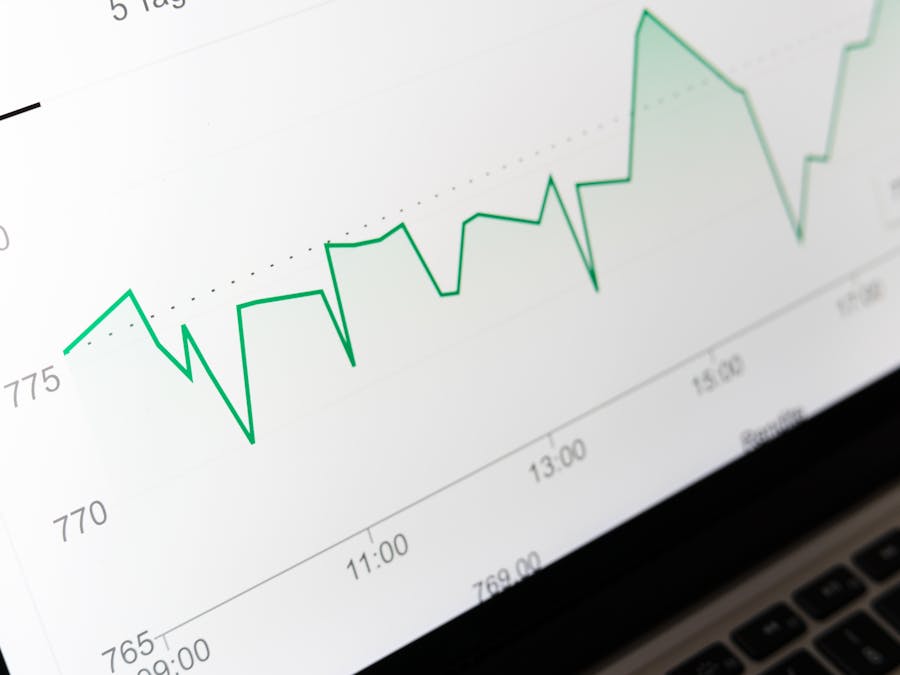
Running ads without tracking results is like driving with your eyes closed. Google Ads provides detailed analytics that help you understand what’s working and what needs improvement.
Key Metrics to Watch
- Impressions: How many times your ads were shown
- Clicks: How many people clicked on your ads
- Click-Through Rate (CTR): The percentage of impressions that resulted in clicks
- Cost Per Click (CPC): How much you pay on average for each click
- Conversions: Actions you’ve defined as valuable, like signing up or following
- Cost Per Conversion: How much you spend to get each conversion
For social media campaigns, you’ll also want to track what happens after people click. Are they actually following you? Are they engaging with your content? Connecting your Google Ads data with your social media analytics gives you the full picture.
Setting Up Conversion Tracking
Google Ads lets you track specific actions as conversions. While you can’t directly track social media follows as conversions, you can track visits to your social profiles or thank-you pages that appear after someone completes an action.
Using Google Analytics
Connecting Google Ads to Google Analytics provides deeper insights into user behavior. You can see how ad traffic behaves on your website, which pages they visit, and how long they stay.
Creating Reports and Dashboards
Regular reporting helps you spot trends and make informed decisions. You can use a Google Ads connector to pull your campaign data into spreadsheets or custom dashboards for easier analysis and sharing with your team.
The most successful advertisers check their metrics regularly and make adjustments based on what they learn. If certain ads perform better than others, shift more budget toward them. If some audiences aren’t engaging, try different targeting. Continuous optimization is the key to getting better results over time.
Using Google Ads for E-Commerce and Social Media Together
If you run an online store, combining Google Ads with social media creates a powerful sales engine. Each channel supports the other, creating multiple touchpoints with potential customers.
Google Shopping ads show your products directly in search results with images and prices. These can drive traffic to your website, where you can encourage visitors to follow your social media for updates, exclusive deals, and behind-the-scenes content.
Social media, in turn, builds relationships with customers and keeps your brand top of mind. When followers see your products in their feeds regularly, they’re more likely to buy when they’re ready. Understanding e-commerce and social media integration helps you create a seamless experience across all channels.
Consider running Google Ads that promote your social media content featuring your products. User-generated content, styling tips, and product demonstrations perform well as ads because they feel authentic rather than salesy.
Retargeting is especially powerful for e-commerce. Show ads to people who visited your product pages but didn’t buy, inviting them to follow you on social media. Once they’re following, you have ongoing opportunities to bring them back and complete the purchase.
Many successful e-commerce brands use social proof in their Google Ads. Featuring customer reviews, follower counts, or user photos builds trust and encourages both purchases and follows.
Automating and Streamlining Your Ad Content
Creating ads takes time, especially when you’re also managing social media content. Automation tools can help you work more efficiently and maintain consistency across your marketing efforts.
Google Ads itself offers automation features. Responsive ads automatically test different combinations of headlines and descriptions to find what works best. Smart campaigns handle much of the optimization automatically, freeing you to focus on strategy and content creation.
For content creation, AI-powered content automation can help you generate ad copy, create variations for testing, and even produce visual content. These tools don’t replace human creativity, but they can speed up the process significantly.
Consider creating a content system where your social media posts can be easily adapted into ads. If you’re already creating great content for your followers, repurposing it for advertising saves time and ensures your messaging stays consistent.
Scheduling tools help you plan and launch campaigns in advance. You can prepare ads during your creative time and schedule them to run when your audience is most active. This prevents the last-minute rush that often leads to lower-quality ads.
Templates are another time-saver. Create templates for your ad images and videos that you can quickly customize with new content. This maintains brand consistency while reducing production time.
When to Get Professional Help with Google Ads
While Google Ads is accessible to beginners, there comes a point where professional help makes sense. Knowing when to bring in experts can save you money and accelerate your results.
Signs You Might Need Help:
- You’re spending money but not seeing results
- Your campaigns are too complex to manage alongside other responsibilities
- You want to scale up but don’t know how
- You’re not sure if you’re getting good value for your ad spend
- Competitors seem to be outperforming you
Professional Google Ads managers bring experience and expertise that can dramatically improve performance. They know the platform’s nuances, stay updated on new features, and can spot optimization opportunities you might miss.
For service businesses, professional ad management can be particularly valuable. When you’re busy serving clients, you don’t have time to constantly monitor and adjust campaigns. Businesses that use social media and booking software integration often find that professional ad management helps them drive more bookings without adding to their workload.
The cost of professional help varies widely. Some agencies charge a percentage of ad spend, while others charge flat fees. Consider the potential return on investment when evaluating costs. If an expert can double your results, their fee might be well worth it.
If you’re ready to explore professional options, you can go now to research agencies that specialize in Google Ads management. Look for providers with experience in your industry and a track record of success with social media-focused campaigns.
Turning Ad Traffic into Social Media Revenue
Getting people to your social media profiles is just the first step. The real goal is turning those new followers into engaged community members and, eventually, revenue.
Start by ensuring your social media profiles are optimized for new visitors. Your bio should clearly explain who you are and what value you provide. Pin your best content so newcomers immediately see what you’re about. Make it easy for people to take the next step, whether that’s following, subscribing, or visiting your website.
Create a welcome sequence for new followers. This might include a direct message thanking them for following, a highlight reel of your best content, or an invitation to join your email list. First impressions matter, and a warm welcome increases the chances of long-term engagement.
Focus on building relationships, not just follower counts. Engaged followers are worth far more than passive ones. Respond to comments, ask questions, and create content that encourages interaction. The more engaged your audience, the more opportunities you have for monetizing social media presence through sponsorships, products, or services.
Track the journey from ad click to revenue. While this can be challenging with social media, you can use unique discount codes, trackable links, and surveys to understand which followers came from your ads and how much they’re worth over time.
Remember that social media revenue often comes indirectly. A follower might not buy immediately, but after months of seeing your content, they become a loyal customer. Google Ads brings people into your world, and your social media content nurtures them toward conversion.
The combination of Google ads for social media promotion and strong organic content creates a sustainable growth engine. Paid advertising accelerates your reach, while quality content keeps people engaged and coming back. Together, they build a social media presence that generates real business results.