




Managing Instagram accounts as a team can feel overwhelming. Between creating content, responding to comments, tracking performance, and staying consistent with posting schedules, there’s a lot to juggle. When multiple people are involved, coordination becomes even trickier. Who’s posting what? When did we last engage with followers? What content is actually working?
This is where AI tools for Instagram teams come into play. These smart solutions take repetitive tasks off your plate, help you understand your audience better, and keep everyone on the same page. Whether you’re running accounts for a brand, an agency, or your own growing business, AI-powered tools can transform how your team works together on Instagram.
In this guide, we’ll walk through the practical ways AI tools help Instagram teams manage accounts more efficiently. From scheduling and analytics to engagement and security, you’ll learn how to streamline your workflow and get better results with less effort.
Why Teams Need AI Tools for Instagram Management
Running an Instagram account solo is one thing. Managing it with a team introduces a whole new set of challenges. Without the right systems in place, things can quickly become chaotic.
First, there’s the coordination problem. When multiple team members are creating content, it’s easy to end up with duplicate posts, inconsistent messaging, or gaps in your posting schedule. Someone might respond to a comment that another teammate already handled. Or worse, important messages slip through the cracks entirely.
Then there’s the time factor. Manual tasks like scheduling posts, analyzing performance data, and engaging with followers eat up hours every week. For small teams, this time drain can be especially painful. Even a micro-business owner with just one or two helpers can benefit from automating these repetitive tasks.
AI tools address these pain points by handling routine work automatically, providing clear insights that guide decision-making, and creating a central hub where everyone can see what’s happening. Instead of spending time on busywork, your team can focus on creative strategy and building genuine connections with your audience.
When you’re exploring the best Instagram growth tools, you’ll notice that many now include AI-powered features designed specifically for team collaboration. These aren’t just nice-to-have extras—they’re becoming essential for teams that want to stay competitive.
Automating Content Scheduling and Publishing
One of the biggest time-savers for Instagram teams is automated scheduling. Instead of manually posting content at specific times throughout the day, AI-powered scheduling tools let you plan everything in advance and publish automatically.
Here’s how it typically works. Your team creates content—photos, videos, carousels, Reels, Stories—and uploads everything to your scheduling tool. You set the date and time for each post, and the tool handles the rest. No more setting alarms to post at peak engagement times or scrambling to cover when someone’s on vacation.
But AI takes scheduling a step further than simple automation. Smart scheduling tools analyze your audience’s behavior to suggest the best times to post. They look at when your followers are most active and when your previous posts performed best. This means you’re not just posting consistently—you’re posting at the moments when people are most likely to see and engage with your content.
For teams, this creates a shared content calendar that everyone can access. Team members can see what’s scheduled, add their own posts to the queue, and avoid conflicts. Managers can review and approve content before it goes live. Everything stays organized in one place.
If you’re looking for options, there are many social media scheduling tools available that offer these AI-powered features. The key is finding one that fits your team’s workflow and budget.
Some tools also help with content creation itself. They might suggest captions, recommend hashtags based on your niche, or even help you repurpose existing content into new formats. This speeds up the content creation process and helps maintain a consistent voice across all your posts.
Using AI for Smarter Analytics and Insights
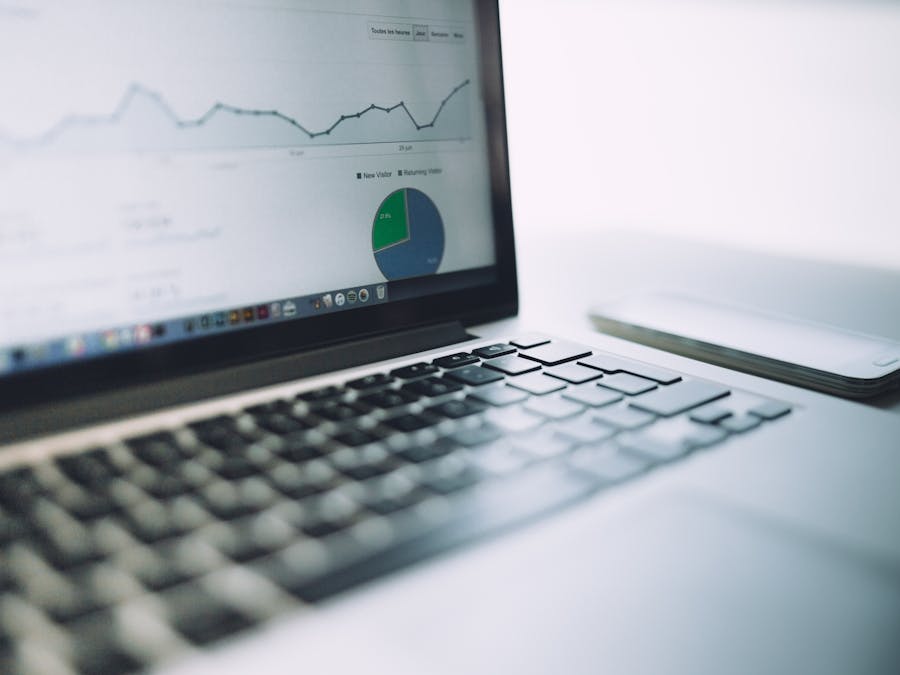
Data is only useful if you can understand it and act on it. Traditional Instagram analytics give you numbers—likes, comments, follower counts—but making sense of all that data takes time and expertise. AI analytics tools do the heavy lifting for you.
These tools go beyond basic metrics to uncover patterns and trends. They might notice that your audience engages more with certain types of content, or that posts with specific hashtags reach more people. Instead of spending hours digging through spreadsheets, you get clear insights delivered in plain language.
For teams, this is incredibly valuable. Everyone can quickly see what’s working and what isn’t. There’s no need for one person to become the “analytics expert” who interprets data for everyone else. The AI presents findings in a way that anyone can understand and use.
High-quality engagement matters more than raw numbers, and AI analytics help teams focus on the metrics that actually drive results. Rather than chasing vanity metrics like follower counts, you can track meaningful interactions that lead to real business outcomes.
AI analytics also help with competitive analysis. Some tools track how your performance compares to similar accounts in your niche. This gives you context for your numbers and helps identify opportunities you might be missing.
Understanding AI and creator discovery trends can also inform your strategy. AI tools help teams spot emerging content formats, trending topics, and shifts in audience behavior before they become obvious to everyone else.
Perhaps most importantly, AI analytics can predict future performance. Based on historical data, these tools forecast how upcoming content might perform, helping you make smarter decisions about what to create and when to post it.
Managing Multiple Accounts Without the Headache

Many teams manage more than one Instagram account. Agencies handle multiple clients. Brands run separate accounts for different products or regions. Influencers might have personal and business profiles. Managing all these accounts manually is a recipe for mistakes and burnout.
AI tools designed for multi-account management bring everything together in one dashboard. You can switch between accounts instantly, schedule content for different profiles, and track performance across all your accounts without logging in and out constantly.
But there’s a technical side to managing multiple accounts that teams need to consider. Instagram has systems in place to detect unusual activity, and managing many accounts from the same location can sometimes trigger flags. This is where supporting infrastructure becomes important.
Teams that need to manage multiple Instagram accounts with proxies can do so more safely by using the right technical setup. Proxies help distribute your activity across different IP addresses, making your multi-account management look more natural to Instagram’s systems.
For teams looking to scale Instagram growth safely, understanding these technical considerations is essential. The goal is to work efficiently without putting your accounts at risk.
Beyond the technical aspects, AI tools help with the organizational challenges of multi-account management. They can maintain separate content libraries for each account, track performance metrics individually and in aggregate, and ensure that the right content goes to the right profile.
Some tools also offer team permission settings that let you control who can access which accounts. This is especially useful for agencies where different team members work on different clients. Everyone sees only what they need to see, reducing confusion and protecting client information.
Workflow features like approval processes and content calendars become even more important when managing multiple accounts. AI tools can route content through the right approval chains based on which account it’s destined for, keeping everything organized even as complexity increases.
Saving Time with AI-Powered Engagement Features
Engagement is the heart of Instagram success, but it’s also incredibly time-consuming. Responding to comments, answering DMs, and interacting with your community takes hours every week. For teams, coordinating who handles what adds another layer of complexity.
AI-powered engagement tools help in several ways. First, they can sort and prioritize incoming messages and comments. Instead of wading through everything chronologically, you see the most important interactions first—questions from potential customers, comments from influential followers, or messages that need urgent attention.
Some tools offer smart reply suggestions. Based on the content of a message, the AI suggests appropriate responses that your team can send with one click or customize as needed. This speeds up response times dramatically while still allowing for personal touches.
For common questions, AI chatbots can handle initial responses automatically. If someone asks about your business hours, shipping policies, or product availability, the bot provides an instant answer. Your team only steps in for more complex conversations that need a human touch.
Teams looking for time-saving Instagram tools often find that engagement automation provides the biggest return on investment. The time saved on routine interactions can be redirected toward creating better content and building deeper relationships with your most valuable followers.
AI engagement tools also help with proactive outreach. They can identify accounts that might be interested in your content based on hashtags, locations, or other signals. This helps your team discover new potential followers and collaborators without spending hours searching manually.
Sentiment analysis is another useful feature. AI can detect the tone of comments and messages, flagging negative feedback that needs immediate attention or highlighting positive interactions that might be worth amplifying. This helps teams respond appropriately and quickly to both opportunities and problems.
Keeping Your Team and Accounts Secure

When multiple people access the same Instagram accounts, security becomes more complicated. Shared passwords, multiple devices, and varying levels of tech savviness all create potential vulnerabilities. AI tools can help manage these risks.
Modern team management tools offer role-based access controls. Instead of giving everyone the same login credentials, each team member has their own account with specific permissions. Some people might be able to create and schedule content but not publish it. Others might have full access. Managers can see who did what and when.
This approach to keeping team accounts secure reduces the risk of accidental mistakes and intentional misuse. If someone leaves the team, you revoke their access without changing passwords for everyone else.
AI also helps detect suspicious activity. If someone logs in from an unusual location or performs actions that don’t match their normal patterns, the system can flag it for review. This early warning system helps catch potential security breaches before they cause serious damage.
Two-factor authentication, secure password management, and regular security audits should all be part of your team’s practices. It’s worth reviewing general privacy tips to complement your security practices and ensure everyone on the team understands their role in keeping accounts safe.
Training is also important. AI tools can only do so much if team members fall for phishing attempts or use weak passwords on other services. Regular security awareness training helps everyone understand the threats and how to avoid them.
Backup and recovery features are another security consideration. Good AI tools maintain records of your content and settings, making it easier to recover if something goes wrong. Some even offer version history so you can roll back changes if needed.
Setting Up the Right Infrastructure for AI Tools
AI tools for Instagram teams need reliable infrastructure to work properly. If your tools are slow, crash frequently, or can’t handle your workload, you won’t get the efficiency benefits you’re looking for.
For small teams using cloud-based tools, infrastructure is usually handled by the tool provider. You just sign up and start using the service. But as your needs grow, you might need more control over your setup.
Teams running automation at scale often benefit from dedicated servers for Instagram tools. These provide consistent performance, better security, and more flexibility than shared hosting options. You’re not competing with other users for resources, so your tools run smoothly even during peak times.
Internet connectivity matters too. If your team is distributed across different locations, everyone needs reliable connections to access your tools and collaborate effectively. Cloud-based tools with good mobile apps help team members stay productive even when they’re away from their desks.
Integration is another infrastructure consideration. Your AI tools should work well with other software your team uses—project management systems, communication platforms, CRM tools, and more. Good integrations reduce manual data entry and keep information flowing smoothly between systems.
As you evaluate infrastructure options, think about scalability. Your needs today might be modest, but what about six months or a year from now? Choosing tools and infrastructure that can grow with you saves the hassle of switching systems later.
AI Tools Beyond Instagram: Broader Team Productivity
While this guide focuses on Instagram, AI tools for social media often fit into a larger productivity ecosystem. Teams that manage Instagram efficiently usually apply similar principles to other areas of their work.
Project management tools with AI features help teams plan campaigns, track deadlines, and coordinate across departments. Communication platforms use AI to summarize conversations, suggest responses, and surface important information. Content creation tools powered by AI help with writing, design, and video editing.
Some teams use employee monitoring software alongside social media tools to track overall productivity and ensure work hours are being used effectively. This is especially common in remote teams where managers can’t observe work directly.
The key is building a toolkit where different AI-powered solutions work together. Your Instagram management tools should integrate with your broader workflow, not exist as an isolated system. When everything connects, information flows freely and your team spends less time on administrative tasks.
Think about the entire content lifecycle—from ideation and creation through publishing and analysis. AI tools can assist at every stage, and the most efficient teams use them throughout the process rather than just for one or two tasks.
Getting Started with AI Tools for Your Instagram Team
Ready to bring AI tools into your Instagram workflow? Here’s how to get started without overwhelming your team.
First, identify your biggest pain points. Where does your team spend the most time on repetitive tasks? What causes the most frustration or confusion? Start with tools that address these specific problems rather than trying to overhaul everything at once.
Next, involve your team in the selection process. The people who will use these tools daily should have input on which ones to choose. Their buy-in makes adoption much smoother.
Start with a trial period. Most AI tools offer free trials or demo versions. Test a few options with real work before committing to a paid plan. Pay attention to how intuitive the interface is and how well the tool fits your existing workflow.
Plan for training. Even the best tools require some learning curve. Set aside time for your team to get comfortable with new features and establish best practices for how you’ll use them together.
Finally, measure results. Track how much time you’re saving, how your engagement metrics change, and how team satisfaction improves. This data helps you justify the investment and identify areas for further optimization.
AI tools for Instagram teams aren’t about replacing human creativity and connection—they’re about freeing your team to focus on what matters most. With the right tools in place, you can manage accounts more efficiently, make smarter decisions based on data, and build stronger relationships with your audience.


