




If you post videos on Instagram, you’ve probably wondered who’s actually watching them. It’s natural to be curious about your audience. Maybe you want to know if a specific person saw your Reel, or you’re trying to figure out which followers engage with your content the most.
The question of whether you can track who views your Instagram videos comes up constantly among creators, businesses, and everyday users. The answer isn’t straightforward because Instagram handles viewer information differently depending on the type of video content you share.
In this guide, we’ll walk through exactly what viewer data Instagram provides for each video format. You’ll learn what information is available, what’s hidden, and how to make the most of the data you can access. Whether you’re posting Reels, Stories, or feed videos, understanding these differences will help you better connect with your audience.
Understanding Instagram Video Viewer Tracking
Instagram gives creators some information about who watches their videos, but the platform doesn’t reveal everything. The level of detail you can see depends on the type of video you post and whether you have a personal or professional account.
For most video formats, Instagram shows you aggregate data like total view counts and engagement metrics. However, the platform limits access to individual viewer identities for most content types. This approach balances giving creators useful insights while protecting their privacy for users who prefer to browse without being noticed.
The main video formats on Instagram each have their own rules for viewer tracking:
- Instagram Stories: Show a list of viewers for 24 hours
- Instagram Reels: Display view counts but not individual viewers
- Feed videos: Show view counts and engagement metrics only
- Instagram Live: Show viewers while broadcasting, but not after
Understanding these differences helps set realistic expectations. If you’re hoping to see exactly who watched your latest Reel, you’ll need to adjust your approach. But if you’re posting Stories, you’ll have access to a complete viewer list during the active period.
The good news is that Instagram provides plenty of useful data through its Insights feature for business and creator accounts. While you might not see every individual viewer, you can learn a lot about your audience’s behavior and preferences.
Can You See Who Viewed Your Instagram Reels?

Reels have become one of the most popular video formats on Instagram, but they come with limited viewer tracking. When you post a Reel, you can see the total number of views, but Instagram does not show you a list of individual accounts that watched it.
This is different from how Instagram handles regular posts. If you want to see who viewed your Instagram post, you’ll find that photo posts show likes and comments but not views. Reels show view counts, which gives you more information about reach, but still no viewer identities.
Here’s what you can see for your Reels:
- Total plays: The number of times your Reel was played
- Likes: Accounts that liked your Reel
- Comments: People who left comments
- Shares: How many times your Reel was shared
- Saves: Accounts that saved your Reel
While you can’t see everyone who watched, you can identify engaged viewers through likes, comments, shares, and saves. These interactions give you clues about who’s paying attention to your content.
For business and creator accounts, Instagram Insights provides additional data about Reels performance. You can see metrics like accounts reached, plays, and engagement rate. This information helps you understand how your Reels perform overall, even without individual viewer names.
The view count on Reels updates in real-time, so you can watch your content gain traction. A view is counted when someone watches your Reel for at least three seconds, which means the count reflects genuine interest rather than accidental scrolls.
Tracking Viewers on Instagram Stories

Stories are the one video format where Instagram actually shows you who watched. When you post a Story, you can swipe up to see a complete list of viewers. This feature makes Stories unique among Instagram’s video options.
To check your Story viewers, simply open your Story and swipe up from the bottom of the screen. You’ll see a list of accounts that viewed your content, along with the total viewer count. This list remains available for 24 hours while your Story is active.
The viewer list appears in a specific order. Instagram doesn’t sort viewers purely by who watched first. Instead, the platform uses an algorithm that considers factors like your interactions with those accounts. People you engage with frequently often appear higher on the list.
Once your Story expires after 24 hours, the viewer list disappears. If you want to keep track of viewer data, you’ll need to check before the Story expires or save it to your Highlights. However, the tracking for who views your Instagram Highlights works differently than active Stories.
Some useful things to know about Story viewer tracking:
- You can see viewers even if they don’t follow you
- The viewer count includes replays from the same account
- Screenshots are not notified to viewers
- You can hide your Story from specific accounts
Story viewer data is valuable for understanding your most engaged audience members. If you notice certain accounts consistently watching your Stories, those are likely your most interested followers.
Feed Video Viewer Information
Feed videos, including the traditional video posts that appear on your profile grid, show view counts but not individual viewer identities. This is similar to how Reels work, giving you quantity data without specific names.
When you post a video to your feed, Instagram displays the view count below the video. A view is counted when someone watches for at least three seconds. This threshold helps ensure the count reflects actual viewing rather than quick scrolls past your content.
The metrics available for feed videos include:
- View count: Total number of three-second views
- Likes: Accounts that liked your video
- Comments: People who commented
- Shares: Times your video was sent to others
- Saves: Accounts that saved your video
If you want to improve these metrics, focus on creating compelling content. When you upload high-quality videos to Instagram, viewers are more likely to watch longer and engage with your posts.
Business and creator accounts get access to additional insights for feed videos. You can see reach, impressions, and engagement rates through Instagram Insights. These metrics help you understand how your videos perform compared to other content types.
One thing to note is that the view count on feed videos can include multiple views from the same account. If someone watches your video several times, each view after three seconds adds to the count. This means your view count might be higher than your unique viewer count.
Why Instagram Limits Viewer Identity Information
Instagram’s approach to viewer tracking is intentional. The platform limits access to individual viewer identities for most content types to protect user privacy and encourage natural browsing behavior.
Many users prefer to browse content without leaving a trace. The silent viewer who watches everything but rarely engages publicly is actually quite common on social media. These users contribute to your view counts and may be genuinely interested in your content, even if they never like or comment.
If Instagram revealed every viewer’s identity for all content types, it could change how people use the platform. Some users might browse less freely, knowing their activity is being tracked. This could reduce overall engagement and make the platform feel less comfortable for casual browsing.
Privacy considerations also extend to people who view Instagram without an account. Public profiles can be viewed by anyone, including people who aren’t logged in. These viewers wouldn’t appear on any viewer list since they don’t have accounts to identify.
Instagram’s privacy approach includes several layers:
- Stories show viewers because they’re temporary and personal
- Reels and feed videos protect viewer anonymity
- Users can control who sees their content through privacy settings
- Private accounts limit viewing to approved followers only
Understanding these privacy choices helps explain why you can’t track who views your Instagram videos in all cases. The platform prioritizes user comfort over complete transparency.
Using Instagram Insights for Video Analytics

While you can’t see individual viewer names for most videos, Instagram Insights provides valuable data about your video performance. This feature is available for business and creator accounts and offers detailed analytics beyond basic view counts.
To access Insights, you need to switch to a professional account. This is free and takes just a few taps in your settings. Once enabled, you’ll see analytics for your posts, Stories, Reels, and overall account performance.
For videos specifically, Insights shows you:
- Accounts reached: Unique accounts that saw your video
- Plays: Total number of times your video was played
- Engagement: Likes, comments, shares, and saves combined
- Follows: New followers gained from that video
- Profile visits: People who visited your profile after watching
This data helps you make marketing strategies based on what actually works with your audience. If certain video topics consistently get more engagement, you know to create more content in that direction.
Insights also shows demographic information about your audience. You can see the age ranges, locations, and gender breakdown of your followers. This helps you understand who’s watching your content even without individual names.
Using this data, you can determine how often to post on Instagram for the best results. If your analytics show higher engagement on certain days or times, you can adjust your posting schedule accordingly.
The key metrics to watch for video content include:
- Watch time: How long people watch before scrolling
- Completion rate: Percentage of viewers who watch the whole video
- Engagement rate: Interactions divided by reach
- Share rate: How often your video gets shared
Creating Videos That Attract More Viewers
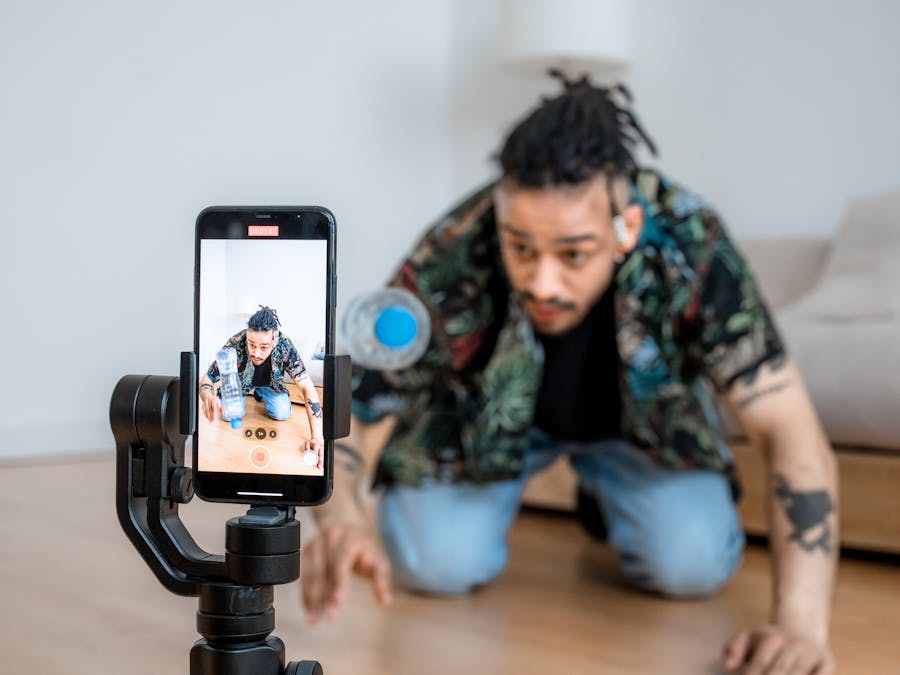
Since you can’t always track who views your Instagram videos individually, focus on creating content that attracts more viewers overall. Better content leads to higher view counts, more engagement, and a larger audience.
The first few seconds of your video matter most. Instagram users scroll quickly, so you need to capture attention immediately. Start with something visually interesting or a compelling hook that makes people want to keep watching.
Good visual storytelling keeps viewers engaged throughout your video. This means having a clear beginning, middle, and end, even in short-form content. Think about what story you’re telling and how to make it interesting.
Different video styles work for different creators. Some people grow Instagram with faceless videos that focus on products, tutorials, or aesthetic content. Others build their brand by appearing on camera. Test different approaches to see what resonates with your audience.
Educational content often performs well on Instagram. Creating explainer videos for Instagram can help you reach people searching for information in your niche. These videos provide value to viewers while establishing your expertise.
Tips for creating engaging video content:
- Keep it short: Shorter videos often have higher completion rates
- Add captions: Many people watch without sound
- Use good lighting: Quality visuals keep people watching
- Include a call to action: Tell viewers what to do next
- Post consistently: Regular content builds audience expectations
Pay attention to your analytics to see which videos perform best. Look for patterns in your top-performing content and create more videos with similar elements.
Third-Party Apps and Viewer Tracking Claims
You might come across apps or websites that claim to show you who viewed your Instagram videos or profile. These services are not legitimate and should be avoided.
Instagram’s API does not provide individual viewer data to third-party applications. Any app claiming to show you this information is either lying or using deceptive tactics. These apps often:
- Request your login credentials, putting your account at risk
- Show fake or random viewer lists to appear legitimate
- Charge money for features that don’t actually work
- Violate Instagram’s terms of service
Using these apps can result in your account being suspended or banned. Instagram actively works to identify and block unauthorized third-party access. Even if an app seems to work initially, it could compromise your account security.
The safest approach is to stick with Instagram’s official features and Insights. While the data might be limited, it’s accurate and won’t put your account at risk. If you see an app promising to reveal your video viewers, it’s almost certainly a scam.
Protect your account by never sharing your password with third-party services. Enable two-factor authentication for additional security. If you’ve already used one of these apps, change your password immediately and revoke access through Instagram’s security settings.
Making the Most of Available Video Data
Even though you can’t track who views your Instagram videos individually for most content types, you can still gather valuable insights from the data Instagram provides. The key is using available information strategically.
Start by regularly reviewing your Instagram Insights if you have a professional account. Look for trends in your video performance over time. Which topics get the most views? What posting times work best? Which video lengths keep people watching?
Pay attention to engagement patterns. While you can’t see every viewer, you can see who likes, comments, shares, and saves your content. These engaged users are your most valuable audience members. Consider creating content specifically for them.
Use Stories strategically since they’re the one format where you can see viewers. Post Stories regularly to identify your most consistent viewers. These are the people most interested in your content, even if they don’t always engage publicly.
When you create high-performing videos, you can download Instagram videos to repurpose them on other platforms or use them as templates for future content. Successful content often shares common elements worth repeating.
Practical ways to use your video data:
- Compare performance across different video types
- Identify your best posting times based on engagement
- Track follower growth from specific videos
- Note which content gets shared most often
- Adjust your strategy based on what works
Remember that view counts and engagement metrics tell you a lot about your audience’s preferences. While you might not know exactly who watched, you know what content resonates. Use that knowledge to create better videos and grow your audience over time.
The ability to track who views your Instagram videos varies by content type, but the data you can access is still valuable. Focus on creating quality content, analyzing your available metrics, and building genuine connections with your engaged audience. That approach will serve you better than obsessing over individual viewer identities.


