



Running a 24/7 stream is an exciting way to build a dedicated audience, but keeping viewers coming back around the clock takes more than just hitting the “go live” button. You need a solid promotion plan, and Instagram offers some of the best tools to help you spread the word about your continuous content.
Whether you’re streaming music, gaming content, relaxing visuals, or educational material, learning how to promote 24/7 streams on Instagram can make a real difference in your viewer numbers. Instagram’s visual nature and engaged user base create the perfect environment for catching attention and directing people to your stream.
In this guide, we’ll walk through practical ways to use Instagram’s features to grow your streaming audience. From optimizing your profile to creating engaging Reels, you’ll find actionable steps that work even if you’re new to social media marketing.
Why Instagram Works Well for Stream Promotion
Instagram stands out as a promotion platform because it’s built around visual content. When you’re trying to attract viewers to a 24/7 stream, you need to show them what they’re missing. Static text posts on other platforms can only do so much, but Instagram lets you share clips, behind-the-scenes moments, and eye-catching graphics that give potential viewers a taste of your content.
The platform’s engagement features also work in your favor. Stories disappear after 24 hours, creating urgency. Reels can reach people who don’t follow you yet. Direct messages let you build personal connections with your most loyal viewers. All of these tools combine to create multiple touchpoints for promoting your stream.
Choosing the right platform matters when building your social media strategy, and Instagram’s combination of reach and engagement makes it particularly effective for streamers. Many successful brands have found creative ways to use Instagram promotion strategies that you can adapt for your streaming content.
Another advantage is Instagram’s algorithm, which rewards consistent posting and genuine engagement. When you regularly share content about your stream and interact with your followers, the platform shows your posts to more people. This organic reach can help you build an audience without spending money on ads.
Setting Up Your Instagram Profile for Stream Promotion
Your Instagram profile is often the first impression potential viewers get of your streaming brand. Making it work hard for you means optimizing every element to direct people toward your 24/7 stream.
Start with your bio. You have limited characters, so make them count. Clearly state what kind of content you stream and include a call to action. Something like “Tune into my 24/7 lo-fi music stream” tells visitors exactly what to expect. Use line breaks to make your bio easy to scan, and consider adding relevant emojis to catch the eye.
Your link in bio is prime real estate. Use it to send followers directly to your stream. If you have multiple links you want to share, consider using a link-in-bio tool that creates a simple landing page with all your important destinations. Just make sure your stream link is at the top and clearly labeled.
Your profile picture should be recognizable and consistent with your streaming brand. If you use a logo or specific visual style on your stream, carry that over to Instagram. This helps viewers make the connection between your Instagram content and your streaming channel.
Some creators choose to set up multiple Instagram accounts to keep their streaming promotion separate from personal content. This can help you maintain a focused brand identity and make it easier for viewers to find stream-related updates.
For serious streamers looking to build credibility, working toward verification can help. When you get verified on Instagram, that blue checkmark signals to potential viewers that you’re an established creator worth following.
Using Instagram Stories to Announce Your Stream
Stories are one of the most powerful tools to promote 24/7 streams on Instagram. They appear at the top of the app, making them hard to miss, and their temporary nature creates a sense of immediacy that encourages quick action.
The countdown sticker is particularly useful for streamers. If you’re launching a new 24/7 stream or making significant changes to your content, create a countdown that followers can subscribe to. They’ll get a notification when the countdown ends, reminding them to tune in.
Link stickers let you send viewers directly to your stream with a single tap. Add these to Stories that showcase exciting moments from your stream or tease upcoming content. The easier you make it for people to find your stream, the more likely they are to actually visit.
Behind-the-scenes content works wonderfully in Stories. Show your setup, share the process of choosing what to stream, or give viewers a peek at how you manage a 24/7 broadcast. This kind of content builds connection and makes followers feel like insiders.
When you’re actively broadcasting, you can promote live streams on Instagram in real-time. Share quick updates about what’s happening on your stream right now, highlight interesting moments, or let followers know about special events or guest appearances.
Consider creating Story Highlights specifically for stream-related content. Organize them into categories like “Stream Schedule,” “Best Moments,” or “How to Watch.” This gives new profile visitors easy access to information about your 24/7 stream even after individual Stories expire.
Story Ideas That Drive Stream Traffic
Not sure what to post in your Stories? Try these approaches:
- Share a short clip of something interesting happening on your stream right now
- Post a poll asking followers what content they’d like to see next
- Use the question sticker to let viewers request songs, topics, or activities
- Create a “day in the life” series showing how you manage continuous streaming
- Share viewer comments or reactions to build social proof
Creating Reels That Drive Viewers to Your Stream
Reels offer something Stories can’t: the potential to reach people who don’t follow you yet. Instagram’s algorithm actively promotes Reels to new audiences, making them essential for growing your viewer base.
The key to effective Reels is capturing attention quickly. You have just a few seconds to hook viewers before they scroll past. Start with your most interesting visual or a compelling question that makes people want to keep watching.
Stream highlights make excellent Reel content. Capture funny moments, impressive gameplay, beautiful visuals, or anything else that showcases the best of what your 24/7 stream offers. Edit these clips to be punchy and engaging, with text overlays that work even when viewers watch without sound.
Trending audio can boost your Reels’ reach significantly. When you use popular sounds, Instagram is more likely to show your content to people browsing that audio. Just make sure the trend fits your brand and content style.
Your viewers can become content creators too. User-Generated Content like viewer clips, reactions, and comments can be transformed into engaging Reels. This approach not only provides you with fresh content but also makes your community feel valued and involved.
Always include a clear call to action in your Reels. Tell viewers where to find your stream, whether that’s in your bio link, on a specific platform, or through a particular search term. Don’t assume people will figure it out on their own.
Reel Formats That Work for Streamers
Experiment with different Reel formats to see what resonates with your audience:
- Before and after comparisons showing stream improvements
- Quick tutorials related to your stream content
- Compilation videos of the best moments from the past week
- Reaction videos to viewer comments or requests
- Time-lapse videos of your streaming setup or preparation process
Posting Feed Content That Promotes Your 24/7 Stream
While Stories and Reels are great for immediate engagement, feed posts provide lasting visibility on your profile. When someone visits your page, your feed tells them what you’re about and whether they should follow you.
Carousel posts work particularly well for streamers. Use multiple slides to explain what your stream offers, share a collection of highlights, or walk viewers through how to find and watch your content. Carousels tend to get higher engagement because people spend more time swiping through them.
Your captions matter just as much as your visuals. Write captions that tell a story, ask questions, or provide value beyond just promoting your stream. Share insights about your streaming journey, discuss topics related to your content, or engage with current conversations in your niche.
Tying your content to trending topics on social media can help your posts reach new audiences. If something relevant to your stream content is trending, create a post that connects your stream to that conversation. Just make sure the connection feels natural rather than forced.
Consistency in your visual style helps build brand recognition. Use similar colors, fonts, and layouts across your posts so that followers immediately recognize your content as they scroll. This visual consistency extends to your stream graphics as well, creating a cohesive brand experience.
Caption Writing Tips for Streamers
Strong captions can significantly boost engagement on your posts:
- Start with a hook that makes people want to read more
- Include a clear call to action telling viewers what to do next
- Ask questions to encourage comments and discussion
- Use relevant hashtags to help new viewers discover your content
- Keep paragraphs short and easy to read on mobile devices
Tools That Help You Manage Stream Promotion
Promoting a 24/7 stream while actually running that stream can feel overwhelming. The right tools can help you stay consistent without burning out.
Scheduling tools let you plan and queue your Instagram posts in advance. Spend a few hours each week creating content, then let the scheduler post it automatically. This ensures your promotion continues even when you’re focused on other aspects of your stream.
Graphic design tools make it easy to create professional-looking posts even without design experience. Templates specifically made for social media help you maintain visual consistency while saving time. Look for tools that offer Instagram-specific templates sized correctly for feed posts, Stories, and Reels.
For creators running 24/7 streams who need automation features, LiveReacting offers tools that can help manage continuous broadcasting. Having reliable streaming infrastructure frees up more of your time for promotion and community building.
Analytics tools help you understand what’s working and what isn’t. While Instagram provides built-in insights, third-party tools can offer deeper analysis and help you track your growth over time. Use this data to refine your promotion strategy and focus on the content types that drive the most viewers to your stream.
Cross-Promoting Your Stream Across Platforms
Instagram shouldn’t be your only promotion channel. The most successful streamers spread their message across multiple platforms, bringing audiences from different corners of the internet to their 24/7 stream.
Share your Instagram content on other social networks to maximize its reach. A Reel that performs well on Instagram might also resonate on TikTok or YouTube Shorts. Adapt the content slightly for each platform’s audience and format, but don’t reinvent the wheel every time.
Learning to cross-promote on social platforms effectively means understanding where your potential viewers spend their time. If your stream appeals to gamers, platforms like Discord and Twitter might be valuable. If you’re streaming music or art, Pinterest and TikTok could bring in new viewers.
Create platform-specific content that plays to each network’s strengths. Instagram excels at visual content and Stories. Twitter works well for real-time updates and conversations. YouTube is perfect for longer highlight compilations. Use each platform for what it does best.
Don’t forget about communities and forums related to your stream content. Reddit, Discord servers, and niche forums can be excellent places to share your stream with people who are already interested in your type of content. Just make sure to follow each community’s rules about self-promotion.
Building a Multi-Platform Presence
A strong cross-platform strategy includes:
- Consistent branding across all your social profiles
- Regular posting schedules adapted to each platform’s best practices
- Content that drives followers from one platform to another
- Engagement with communities beyond just your own followers
- Clear links between all your profiles and your stream
Tracking Your Promotion Results
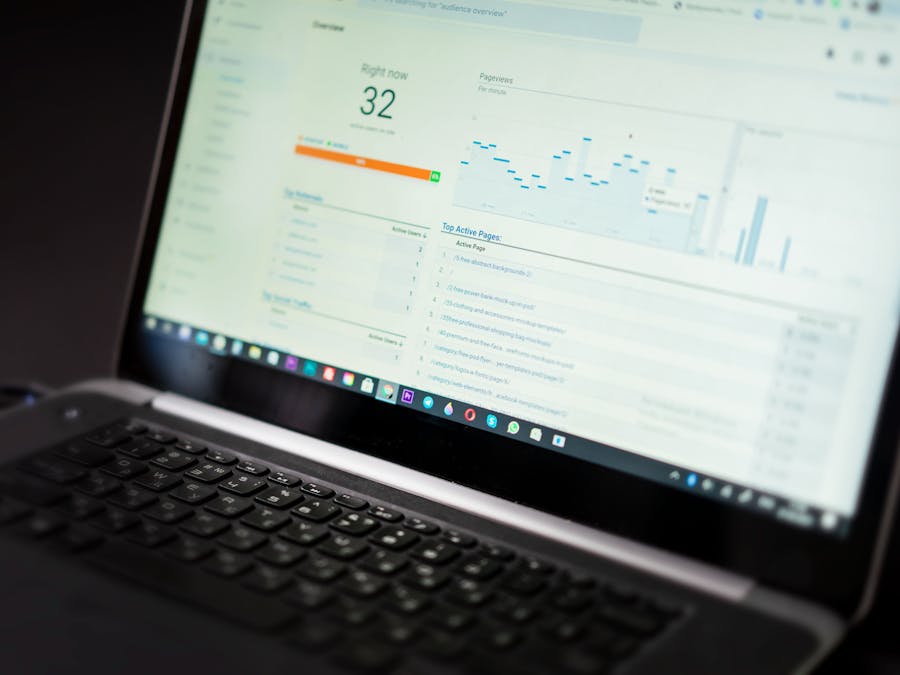
You can’t improve what you don’t measure. Tracking your promotion efforts helps you understand what’s working and where to focus your energy.
Instagram Insights provides valuable data about your content performance. Pay attention to reach, engagement rate, and profile visits. Look for patterns in which types of posts drive the most traffic to your bio link, where your stream link lives.
When you track your Instagram followers over time, you can see how your promotion efforts translate into audience growth. Sudden spikes often correlate with particularly successful posts or external events that brought attention to your content.
Beyond follower counts, track metrics that matter for your stream specifically. How many viewers are coming from Instagram? Are they staying to watch, or bouncing quickly? Do certain types of Instagram content drive more engaged viewers?
Be careful not to rely too heavily on simple numbers. Static scoring models that focus only on basic metrics may not capture the full picture of your promotion success. A smaller number of highly engaged viewers who watch regularly and participate in chat might be more valuable than a large number of one-time visitors.
Key Metrics to Monitor
Focus on these measurements to understand your promotion effectiveness:
- Profile visits from non-followers
- Link clicks from your bio
- Story completion rates
- Reel shares and saves
- Comments and direct messages about your stream
- Follower growth rate over time
Balancing Promotion With Privacy
When you promote 24/7 streams on Instagram, you’re putting yourself out there publicly. Finding the right balance between visibility and personal boundaries is important for long-term sustainability.
Consider what aspects of your life you’re comfortable sharing. Some streamers share everything, building deep connections with their audience through personal content. Others keep a clear separation between their streaming persona and private life. Neither approach is wrong, but you should make a conscious choice about where you draw the line.
Understanding your Instagram privacy settings helps you control who sees what. Even with a public account for promotion, you can manage who can message you, comment on your posts, or tag you in content. Use these controls to create a comfortable environment for yourself.
If you have a personal Instagram account separate from your streaming promotion account, be thoughtful about how they connect. Some creators keep them completely separate, while others occasionally cross-post or reference each other. Think about what level of connection feels right for you.
Setting boundaries also means managing your time. Promoting a 24/7 stream can feel like it requires 24/7 effort, but that’s not sustainable. Schedule your promotion activities, set limits on how much time you spend engaging on social media, and remember that taking breaks is healthy.
Protecting Your Well-Being
Sustainable promotion practices include:
- Setting specific times for social media engagement rather than checking constantly
- Using content scheduling to maintain presence without constant attention
- Having clear policies about what personal information you share
- Taking regular breaks from promotion activities
- Building a support system of fellow creators who understand the challenges
Promoting your 24/7 stream on Instagram takes consistent effort, but the results are worth it. By optimizing your profile, creating engaging content across Stories, Reels, and feed posts, and tracking your results, you can build a growing audience for your continuous content. Start with the strategies that feel most manageable, then expand your approach as you get comfortable. Your viewers are out there waiting to discover your stream.


