



Going live on Instagram can feel intimidating at first. You might worry about what to say, whether anyone will watch, or how to handle technical issues. But here’s the good news: Instagram Live is one of the most powerful ways to connect with your audience in an authentic, unfiltered way.
Unlike polished posts or carefully edited videos, Instagram Live lets you show up as your real self. Your viewers get to see you in the moment, ask questions, and feel like they’re having a genuine conversation with you. This kind of connection builds trust and loyalty that’s hard to achieve through other content formats.
Whether you’re a small business owner, content creator, or someone who simply wants to share their passion with the world, mastering Instagram Live can transform how you engage with your community. In this guide, we’ll walk you through everything you need to know, from your very first broadcast to advanced strategies for growing your audience and even making money from your live sessions.
What Is Instagram Live and Why Does It Matter?
Instagram Live is a feature that allows you to broadcast video in real time to your followers. When you go live, your followers receive a notification, and your profile picture appears at the front of the Stories bar with a colorful “Live” ring around it. Viewers can join your broadcast, watch you in real time, and interact through comments and reactions.
What makes Instagram Live special is its immediacy. There’s no editing, no filters, and no second takes. This raw, unpolished format creates a sense of authenticity that audiences crave. People want to connect with real humans, not perfectly curated personas.
For creators and businesses, Instagram Live offers a unique opportunity to stand out in a crowded digital space. While everyone else is competing for attention with static posts and short videos, you can capture your audience’s full attention for extended periods. Live broadcasts also tend to get priority in the algorithm, meaning Instagram actively helps your content reach more people.
Beyond visibility, Instagram Live helps you build deeper relationships with your audience. When someone takes time out of their day to watch you live, they’re investing in you. Responding to their comments and questions in real time makes them feel valued and creates memorable experiences that keep them coming back.
How to Start Your First Instagram Live
Getting started with Instagram Live is simpler than you might think. Here’s a step-by-step walkthrough to help you launch your first broadcast with confidence.
First, open the Instagram app on your phone and tap the plus icon at the bottom of your screen. From the options that appear, swipe to find “Live” at the bottom. Before you hit that broadcast button, you’ll see a few options to customize your session.
You can add a title to your live video, which helps viewers understand what your broadcast is about before they join. Keep your title clear and engaging. Something like “Q&A About Photography Tips” or “Behind the Scenes at My Studio” gives people a reason to tune in.
You can also choose who can see your live video. By default, it’s visible to all your followers, but you can limit it to close friends if you want a more intimate session. Additionally, you can schedule your live broadcast in advance, which we’ll discuss more later.
When you’re ready, tap the broadcast button. Instagram will do a quick countdown, and then you’re live. Don’t panic if no one joins immediately. It takes a few moments for notifications to go out and for people to find their way to your broadcast.
During your live session, you’ll see viewer comments appearing at the bottom of your screen. You can respond to these verbally or by typing. When you’re finished, simply tap “End” in the top right corner. Instagram will ask if you want to share the replay to your Stories or download the video.
If you want to learn more about creating compelling video content on the platform, check out our Instagram video content guide for additional tips and strategies.
Preparing for a Successful Live Broadcast
While Instagram Live is meant to feel spontaneous, a little preparation goes a long way. Taking time to set up properly can make the difference between a broadcast that feels professional and one that frustrates both you and your viewers.
Let’s start with your equipment. You don’t need expensive gear to go live. Your smartphone camera is perfectly capable of producing good quality video. However, there are a few things that can significantly improve your broadcast quality.
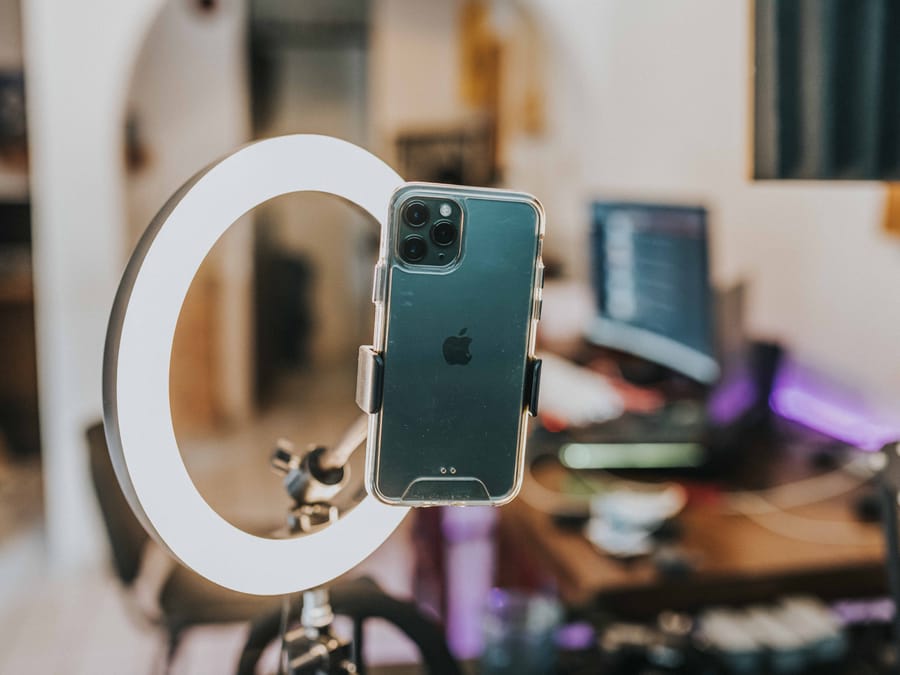
Lighting is crucial. Natural light from a window works wonderfully, but make sure you’re facing the light source rather than having it behind you. If you’re broadcasting in the evening or in a room without good natural light, consider investing in a simple ring light. These are affordable and make a noticeable difference in how you appear on camera.
Audio matters just as much as video. Find a quiet space where you won’t be interrupted by background noise. If you’re in a noisy environment, consider using earbuds with a built-in microphone to improve sound quality.
Stability is another factor to consider. Holding your phone for an extended broadcast can lead to shaky footage and tired arms. A simple phone tripod or stand keeps your device steady and frees up your hands for demonstrations or gestures.
Before going live, check your internet connection. A weak or unstable connection can cause your broadcast to lag or drop entirely. Wi-Fi is usually more reliable than cellular data, but test your connection beforehand to avoid surprises.
Don’t forget about online safety when preparing for your broadcast. Review your privacy settings and be mindful of what’s visible in your background. Avoid showing personal information like your address, and be cautious about sharing details that could compromise your security.
Finally, plan your content. You don’t need a rigid script, but having a general outline of what you want to cover helps you stay on track. Jot down a few bullet points or questions you want to address. This preparation helps you feel more confident and ensures you deliver value to your viewers.
Choosing the Best Time to Go Live
Timing can significantly impact how many people tune into your Instagram Live session. Broadcasting when your audience is most active increases your chances of getting viewers and engagement.
Instagram provides built-in analytics that can help you identify when your followers are online. To access this information, go to your profile, tap the menu icon, and select “Insights.” Under the “Audience” section, you’ll find data about when your followers are most active, broken down by day and hour.
Use this data to analyze your specific audience’s behavior and schedule your broadcasts accordingly. If your analytics show that most of your followers are active on Tuesday evenings, that’s probably a good time to go live.
Keep in mind that the best time varies depending on your audience. If you have followers in different time zones, you might need to experiment with different broadcast times to reach different segments of your audience. Some creators even do multiple live sessions at different times to accommodate viewers around the world.
Consider your content type as well. A morning motivation session might work better in the early hours, while a casual chat might be perfect for evening hours when people are winding down. Think about when your audience is most likely to have time to watch and engage with your specific type of content.
Consistency also matters. If you go live at the same time each week, your audience will start to expect it and plan to tune in. This predictability helps build a loyal viewership over time.
Engaging Your Viewers During the Broadcast
Getting people to join your Instagram Live is only half the battle. Keeping them engaged throughout your broadcast is what turns casual viewers into loyal fans. Here are proven techniques for creating interactive, compelling live sessions.
Start by acknowledging your viewers. When someone joins your broadcast, greet them by name if possible. This simple gesture makes people feel seen and appreciated. It also encourages others to engage because they see that you’re paying attention to your audience.
Ask questions throughout your broadcast. Don’t just talk at your audience; invite them into the conversation. Questions like “Where are you watching from?” or “What’s your biggest challenge with this topic?” get people typing in the comments and create a sense of community.
Respond to comments in real time. This is one of the biggest advantages of live video. When someone asks a question or shares a thought, address it directly. You don’t have to respond to every single comment, but acknowledging several throughout your broadcast shows that you value your audience’s input.
Use Instagram’s interactive features to boost engagement. You can invite a viewer to join your broadcast as a guest, creating a split-screen conversation. This works great for interviews, collaborations, or simply giving a follower a chance to chat with you directly. You can also use the question sticker before going live to collect questions from your audience.
Before your broadcast, you can create engaging Instagram Stories to build anticipation and let your followers know you’ll be going live soon. This helps ensure more people are ready to tune in when you start.
Keep your energy up throughout the broadcast. Your enthusiasm is contagious. If you seem bored or distracted, your viewers will lose interest. Stay focused, maintain eye contact with the camera, and let your personality shine through.
Have a loose structure but remain flexible. While it’s good to have topics you want to cover, be willing to go off-script if your audience shows interest in something unexpected. Some of the best live moments happen when you follow the conversation where it naturally leads.
As you build your live streaming practice, you can track your Instagram follower count in real time to see how your broadcasts contribute to your overall growth.
Monetizing Your Instagram Live Sessions
Instagram Live isn’t just about building community; it can also become a source of income. The platform has introduced several features that allow creators to earn money directly from their live broadcasts.
One of the most popular monetization features is Live Badges. These are essentially tips that viewers can purchase and send to you during your broadcast. Badges come in different price tiers, and when someone sends one, their comment gets highlighted, making them more visible to you and other viewers. It’s a win-win: supporters get recognition, and you earn money for your content.
To be eligible for badges, you need to meet certain requirements, including having a professional account and meeting Instagram’s partner monetization policies. Once enabled, badges appear as an option for your viewers during live sessions.
Beyond badges, you can use Instagram Live to promote your own products or services. If you sell physical products, you can showcase them during your broadcast and direct viewers to your shop. If you offer services, live sessions are a great way to demonstrate your expertise and encourage people to work with you.
Affiliate marketing is another option. You can discuss products you genuinely use and love, sharing affiliate links in your bio or follow-up Stories. Just be transparent with your audience about affiliate relationships to maintain trust.
Some creators use Instagram Live to offer exclusive content to paying subscribers. You might host special Q&A sessions, tutorials, or behind-the-scenes content for people who support you through subscriptions or other platforms.
Remember that monetization works best when it feels natural and provides value. Don’t turn every broadcast into a sales pitch. Focus on building genuine connections, and the monetization opportunities will follow.
Promoting Your Live Sessions for Maximum Reach
Even the best Instagram Live session won’t reach its potential if nobody knows about it. Promoting your broadcasts ahead of time helps ensure you have an audience ready and waiting when you go live.
Start promoting at least a day or two before your planned broadcast. Use your Instagram Stories to announce when you’ll be going live and what you’ll be talking about. Create a countdown sticker so followers can set reminders and get notified when your broadcast starts.
You can add links to your Instagram Stories to direct people to more information about your upcoming live session or related content. This is especially useful if you’re doing a live session tied to a product launch, event, or special announcement.
Create a feed post announcing your live session. Include the date, time, and topic in your caption. Use relevant hashtags to help new people discover your announcement. Encourage your followers to save the post or turn on notifications so they don’t miss it.
If you want to reach even more people, you can boost your Instagram posts announcing your live session. This puts your announcement in front of people who might not already follow you but could be interested in your content.
Cross-promote on other platforms. If you have a presence on other social media sites, email list, or website, let those audiences know about your upcoming Instagram Live. Some of your followers on other platforms might not realize you’re active on Instagram.
Collaborate with other creators. Going live with a guest exposes you to their audience and vice versa. Reach out to creators in your niche and propose joint live sessions that would benefit both of your audiences.
Use Instagram’s scheduling feature to set up your live broadcast in advance. When you schedule a live video, it appears on your profile with a countdown, and followers can opt to receive a reminder when you go live.
What to Do After Your Live Broadcast Ends
Your Instagram Live session doesn’t have to disappear the moment you stop broadcasting. With the right approach, you can extend the life and reach of your live content long after it ends.
Immediately after ending your broadcast, Instagram gives you the option to share the replay to your Stories, where it will be available for 24 hours. This allows followers who missed the live session to catch up. You can also download the video to your phone for future use.
Consider sharing your live replay to IGTV or as a Reel. This makes your content permanently available on your profile and allows it to be discovered by new viewers over time. You might want to edit the video first to remove any slow moments or technical issues.
If you want to learn more about sharing content effectively, our guide on how to share your story on Instagram can help you maximize the reach of your live replays.
Repurpose your live content into other formats. You can pull quotes or key moments to create static posts or carousel graphics. Short clips can become Reels. The audio could even be used for a podcast episode if that’s part of your content strategy.
Review your broadcast analytics. Instagram provides data on how many people watched your live session, peak concurrent viewers, and engagement metrics. Use this information to understand what worked and what you might improve for next time.
Follow up with your audience. Post a Story thanking everyone who joined and summarizing key takeaways. If you promised to share resources or answer questions you didn’t get to, make sure to follow through. This builds trust and shows your audience that you value their time.
Growing Your Audience Through Instagram Live
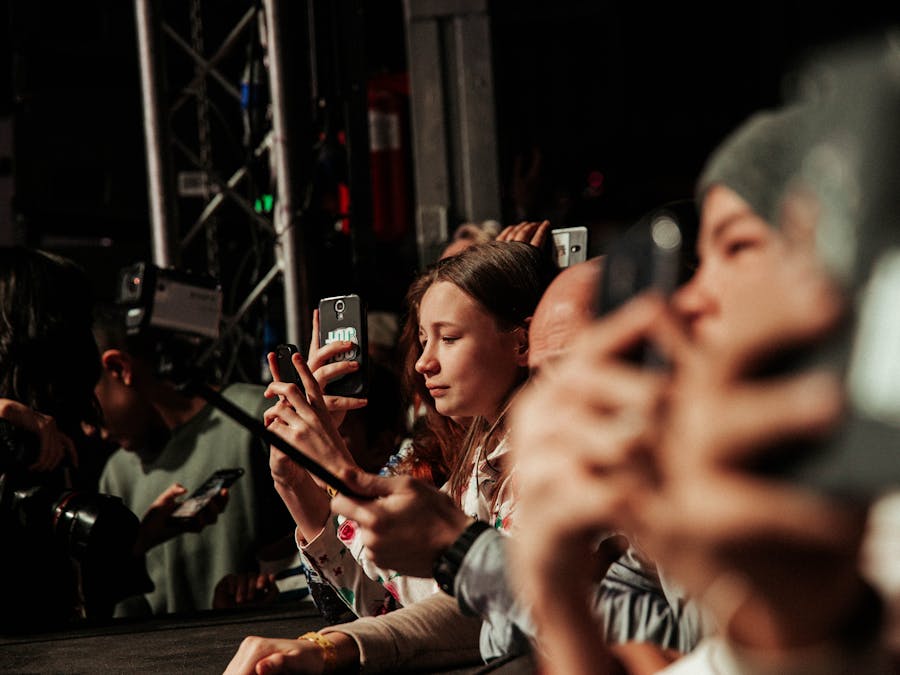
Consistent live streaming can be a powerful engine for audience growth. When done right, Instagram Live helps you attract new followers, deepen relationships with existing ones, and build a genuine community around your content.
The key to growth through live streaming is consistency. Going live once and never doing it again won’t move the needle. But showing up regularly, whether that’s weekly, bi-weekly, or monthly, trains your audience to expect and look forward to your broadcasts.
Each live session is an opportunity to showcase your personality and expertise. People follow accounts that provide value and make them feel something. When viewers connect with you during a live broadcast, they’re much more likely to hit that follow button and stick around.
Live streaming also helps with discoverability. Instagram often features live broadcasts in the Explore page, exposing you to people who don’t already follow you. The more engaging your broadcast, the more likely it is to be recommended to new potential followers.
If you’re looking for more ways to grow your Instagram followers organically, combining live streaming with other content strategies creates a well-rounded approach to building your audience.
Collaborations amplify your growth potential. When you go live with another creator, you’re introduced to their audience, and they’re introduced to yours. Choose collaboration partners whose audience aligns with yours but doesn’t completely overlap for maximum benefit.
Engage with your community between live sessions. Respond to comments on your posts, interact with your followers’ content, and maintain an active presence. This keeps you top of mind and ensures people are excited when your next live notification pops up.
Consider exploring organic Instagram growth strategies that complement your live streaming efforts. Building an authentic audience takes time, but the followers you gain through genuine engagement are far more valuable than those acquired through shortcuts.
Remember that growth isn’t just about numbers. A smaller, engaged audience is more valuable than a large, disinterested one. Focus on creating meaningful connections through your live broadcasts, and the follower count will follow.
Instagram Live is a skill that improves with practice. Your first few broadcasts might feel awkward, and that’s completely normal. The more you do it, the more comfortable you’ll become. Start small, learn from each session, and keep showing up. Your audience is waiting to connect with the real you.


