




If you run a local business or create content for a specific area, reaching people nearby is one of the most valuable things you can do on Instagram. The platform offers several built-in features that help you connect with local audiences, and there are also third-party solutions that can take your targeting even further.
Instagram location tools let you tag your posts with specific places, discover content from your area, and make it easier for nearby users to find you. Whether you own a coffee shop, manage a real estate agency, or simply want to grow your presence in a particular city, understanding how these tools work can make a real difference in your results.
This guide walks you through everything you need to know about Instagram location tools. You will learn how to use native features like location tags and hashtags, explore third-party options, and discover best practices for reaching local audiences effectively.
What Are Instagram Location Tools?
Instagram location tools are features and services that help you connect your content with specific geographic areas. At their core, these tools use geocoding technology to convert place names into coordinates and vice versa. This allows Instagram to understand where content was created and show it to users interested in that area.
The most common Instagram location tools include location tags, which you can add to posts and stories, and location-based hashtags that help categorize content by area. When you tag a location, your content becomes discoverable to anyone browsing that location page on Instagram.
Beyond the built-in features, there are also external tools that help businesses analyze location data, schedule location-tagged content, and manage campaigns across multiple areas. These range from simple scheduling apps to sophisticated analytics platforms.
For businesses, Instagram location tools serve several purposes. They help you appear in local searches, connect with customers in your service area, and build a presence in specific neighborhoods or cities. For creators, these tools make it easier to grow a following in your local community and attract partnerships with nearby brands.
Understanding how these tools work is the first step toward using them effectively. The technology behind location features continues to improve, making it easier than ever to reach the right people in the right places.
Why Local Targeting Matters on Instagram
Local targeting helps you focus your efforts on the people most likely to become customers or engaged followers. Instead of trying to reach everyone on Instagram, you can concentrate on users who actually live near your business or care about your area.
For brick-and-mortar businesses, this is especially important. A restaurant in Chicago does not benefit much from followers in London. By using location tools effectively, you can ensure your content reaches people who can actually walk through your door.
Local targeting also improves engagement rates. When people see content relevant to their area, they are more likely to interact with it. A post about a neighborhood event or a local landmark naturally resonates more with nearby users than generic content.
In the broader context of digital media, Instagram has become one of the most important platforms for local discovery. Many users turn to Instagram to find restaurants, shops, and services in their area. Being visible in local searches can drive real foot traffic to your business.
When evaluating Instagram ads effectiveness, location targeting plays a significant role. Ads shown to local audiences typically perform better because they reach people who can actually take action on what they see.
Local targeting also helps you build community. When you consistently show up in local feeds and location pages, people start to recognize your brand as part of their neighborhood. This familiarity builds trust over time.
Using Location Tags in Posts and Stories

Location tags are one of the simplest and most effective Instagram location tools available. Adding a location to your post or story takes just a few seconds, but it can significantly expand your reach to local audiences.
When you create a post, you will see an option to add a location before publishing. Tap this option and search for the place you want to tag. You can choose specific businesses, landmarks, neighborhoods, or cities. The more specific your tag, the more targeted your audience will be.
Stories work similarly. After creating your story, tap the sticker icon and select the location sticker. You can then search for and add your desired location. Stories with location stickers may appear on the location page, giving you additional exposure.
Choosing the right location matters. If you run a business, always tag your actual business location when relevant. This helps people find you when they browse that location page. For other content, consider tagging popular nearby locations that your target audience might explore.
You can track how well your location-tagged content performs by using Instagram Insights for better posts. The insights feature shows you how many people discovered your content through location pages, helping you understand which locations drive the most engagement.
Consistency matters with location tagging. Make it a habit to add relevant locations to all your posts and stories. Over time, this builds your presence on location pages and increases your visibility to local users.
Some creators also use location tags strategically by tagging popular spots in their city even when the content is not directly about that place. This can work, but be careful not to mislead your audience. The best approach is to tag locations that genuinely relate to your content.
Exploring Location-Based Hashtags
Location-based hashtags complement location tags by giving you another way to reach local audiences. These hashtags typically include city names, neighborhood names, or regional identifiers that help categorize content by area.
Common formats for location hashtags include the city name alone, the city name combined with a topic, or neighborhood-specific tags. For example, a bakery in Austin might use hashtags like #AustinFood, #AustinBakery, or #EastAustinEats.
Finding the right location hashtags requires some research. Start by searching for your city or neighborhood on Instagram and see which hashtags appear most frequently. Look at what successful local businesses and creators in your area are using.
The size of the hashtag matters. Very popular hashtags like #NewYork have so much content that your posts may get buried quickly. Smaller, more specific hashtags like #BrooklynCoffee might give you better visibility among a more targeted audience.
Mix different sizes of location hashtags in your posts. Include a few broad city-level hashtags, some neighborhood-specific ones, and some that combine your location with your niche or industry.
Location hashtags also help you discover content from your area. Following and engaging with these hashtags lets you connect with other local accounts and stay informed about what is happening in your community.
Once you create strong location-tagged content, you can repurpose Instagram photos into articles for your blog or website. This extends the reach of your local content beyond Instagram and helps with your overall online presence.
Keep a list of your best-performing location hashtags and update it regularly. Hashtag popularity changes over time, so what works today might not work as well in six months.
Third-Party Tools for Location Targeting
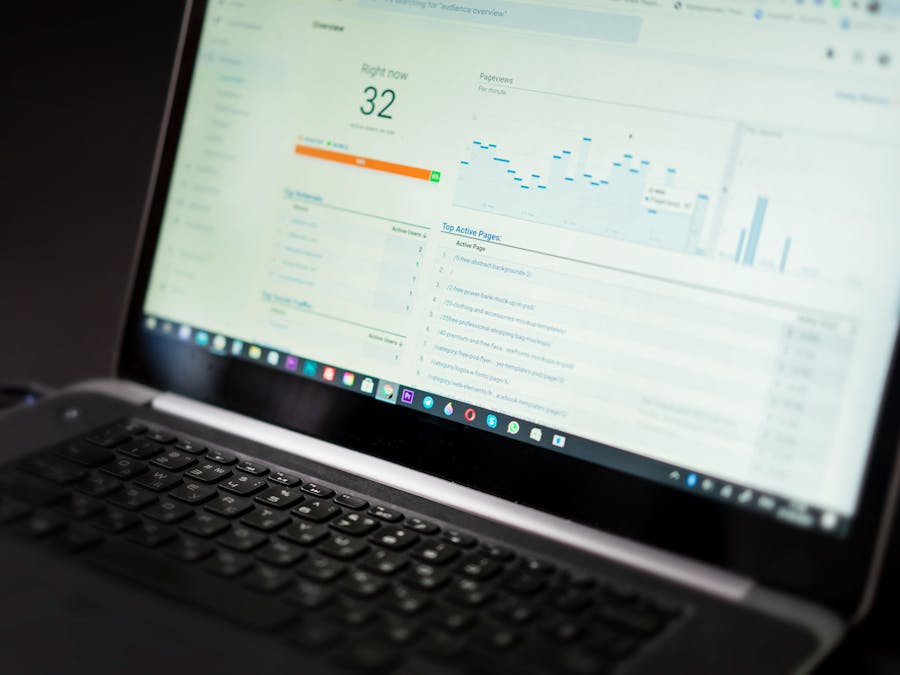
While Instagram’s built-in features are useful, third-party tools can help you take your location targeting to the next level. These tools offer features like advanced analytics, bulk scheduling, and competitor analysis that are not available natively.
Analytics tools help you understand how your location-tagged content performs compared to other posts. They can show you which locations drive the most engagement, what times local audiences are most active, and how your local reach changes over time.
Scheduling tools let you plan and automate your location-tagged posts in advance. This is especially useful if you manage multiple locations or want to maintain a consistent posting schedule without manual effort.
Some tools specialize in analyzing Instagram datasets for marketing insights. These platforms can help you identify patterns in location data, understand local audience behavior, and find opportunities you might otherwise miss.
When evaluating third-party tools, consider how they connect to Instagram. Many tools use official integrations, while others work through different methods. Reviewing the API documentation can help you understand how these connections work and what limitations might exist.
Popular categories of location-focused tools include social media management platforms with location features, local SEO tools that include Instagram data, and specialized Instagram analytics services.
Before committing to any tool, take advantage of free trials to see if it meets your needs. Pay attention to how easy it is to use, how accurate the data appears, and whether it integrates well with your existing workflow.
The right third-party tool depends on your specific situation. A small local business might only need basic scheduling, while a multi-location brand might require enterprise-level analytics and management features.
Building Custom Location Tools for Instagram

Some businesses have needs that off-the-shelf tools cannot meet. In these cases, building custom location tools might be the right approach. This is especially relevant for companies with unique workflows, multiple locations, or specific data requirements.
Custom tools can automate tasks specific to your business, integrate with your existing systems, and provide exactly the features you need without paying for extras you will never use.
If you decide to build custom tools, you will need development resources. Many businesses choose to hire app developers for Instagram tools rather than building in-house teams. This approach lets you access specialized expertise without long-term commitments.
Developers building Instagram tools need access to proper documentation. Pointing your team toward Instagram API documentation resources ensures they understand the platform’s capabilities and limitations from the start.
When planning custom tools, adopting a developer-first approach helps ensure the final product is well-built and maintainable. This mindset prioritizes clean code, good documentation, and scalable architecture.
Common custom tool features include automated location tagging based on content type, integration with inventory or booking systems, custom analytics dashboards, and multi-location management interfaces.
Building custom tools requires investment, so make sure the benefits justify the costs. For most small businesses, existing third-party tools will be sufficient. Custom development makes more sense for larger organizations with specific needs.
If you go the custom route, plan for ongoing maintenance. Instagram updates its platform regularly, and your tools will need updates to keep working properly.
Managing Location Tools at Scale
Businesses with multiple locations face unique challenges when using Instagram location tools. Managing content for dozens or hundreds of locations requires different strategies than handling a single account.
One approach is to maintain separate Instagram accounts for each location. This allows for highly localized content but requires significant resources to manage. Each account needs its own content calendar, engagement strategy, and performance tracking.
Another approach is to use a single brand account with location-specific content. This is easier to manage but may feel less personal to local audiences. Many businesses use a hybrid approach, with a main brand account and separate accounts for key locations.
Regardless of your structure, you need systems to coordinate content across locations. This might include shared content libraries, brand guidelines for location-specific posts, and approval workflows to maintain consistency.
As you scale your location efforts, infrastructure becomes important. Using dedicated servers for Instagram tools can help ensure reliable performance when managing high volumes of location-based content and data.
Reporting also becomes more complex at scale. You need ways to compare performance across locations, identify top performers, and spot locations that need attention. Building standardized reporting templates helps make this manageable.
Training is another consideration. If multiple team members or locations manage Instagram content, everyone needs to understand your location tagging standards and best practices. Creating documentation and training materials helps maintain consistency.
Start with systems that can grow with you. It is easier to scale up a well-organized approach than to fix a chaotic one later.
Privacy Considerations for Location Targeting

Using location tools responsibly means respecting privacy, both your own and your audience’s. Location data can be sensitive, and mishandling it can damage trust and potentially create legal issues.
When you tag locations, think about what information you are sharing. Tagging your home address, for example, is generally not a good idea. Be thoughtful about revealing patterns that could compromise your safety or security.
For businesses, be transparent about how you use location data. If you collect location information from customers or followers, make sure they understand what you are doing with it. Clear privacy policies build trust.
Users who want to protect their own location privacy while using Instagram should consider secure browsing for Instagram users practices. This includes being selective about location permissions and understanding what data Instagram collects.
When running location-targeted campaigns, avoid being overly specific in ways that might feel intrusive. Targeting a city or neighborhood is generally fine, but targeting someone’s exact street might feel uncomfortable.
Stay informed about privacy regulations in your area. Laws like GDPR in Europe and various state laws in the United States have specific requirements for handling location data. Make sure your practices comply with applicable rules.
If you use third-party location tools, understand how they handle data. Read their privacy policies and terms of service. You are responsible for the tools you use, so choose providers with strong privacy practices.
Building a reputation for respecting privacy can actually help your local targeting efforts. People are more likely to engage with brands they trust.
Tips for Getting the Most From Location Tools
After understanding the various Instagram location tools available, here are practical tips to maximize your results.
Be consistent with your location tagging. Add relevant locations to every post and story. This builds your presence on location pages over time and increases your chances of being discovered by local users.
Engage with other content on your target location pages. Like and comment on posts from other local accounts. This builds relationships and increases your visibility within the local community.
Create content specifically for local audiences. Posts about local events, landmarks, or community topics tend to resonate more than generic content. Show that you are genuinely part of the community.
Test different locations to see what works best. You might find that tagging a popular nearby landmark drives more engagement than tagging your exact address. Experiment and track your results.
Combine location tags with location hashtags for maximum reach. Using both gives you visibility on location pages and in hashtag feeds.
Pay attention to timing. Local audiences may be most active at certain times of day. Use your analytics to identify when your location-tagged posts perform best and schedule accordingly.
Collaborate with other local accounts. Cross-promotion with complementary businesses or creators can help you reach new local audiences. Look for partnership opportunities that benefit both parties.
Keep your location information accurate and up to date. If you move or open new locations, update your Instagram presence accordingly. Outdated location information frustrates potential customers.
Monitor your competitors’ location strategies. See which locations they tag, what hashtags they use, and how they engage with local content. You can learn from their successes and avoid their mistakes.
Finally, be patient. Building a strong local presence takes time. Consistent effort with location tools will pay off, but do not expect overnight results. Focus on providing value to your local audience, and the growth will follow.


