If you have a business or creator account on Instagram and want something simpler, you might be wondering how to switch to a personal account on Instagram. The good news is that the process is quick and easy. In just a few taps, you can change your account type and enjoy a more streamlined experience.
Whether you no longer need analytics, want more privacy, or simply prefer a cleaner interface, switching to a personal account makes sense for many users. This guide will walk you through everything you need to know, from understanding the differences between account types to the exact steps for making the switch. We will also cover what you lose, what you keep, and how to prepare before you make the change.
Understanding Instagram Account Types
Before you switch to a personal account on Instagram, it helps to understand what sets each account type apart. Instagram offers three main options: personal, business, and creator accounts. Each one comes with different features designed for different kinds of users.
A personal account is the default option when you first sign up. It gives you access to all the basic features like posting photos, stories, reels, and messaging. Personal accounts are great for everyday users who want to share moments with friends and family without extra tools or analytics.
Business accounts are designed for companies, brands, and shops. They include features like contact buttons, insights about your audience, and the ability to run ads. If you sell products or services, a business account gives you tools to reach more customers.
Creator accounts sit somewhere in between. They are built for influencers, content creators, and public figures. Creator accounts offer detailed analytics about follower growth and content performance, along with flexible profile options.
Many users on the Instagram platform have switched between these account types over time. Understanding the differences helps you decide which one fits your current needs. If you want a deeper comparison, check out this guide on the professional vs personal Instagram account to see what followers can view on each type.
Why Switch to a Personal Account on Instagram
There are plenty of reasons why someone might want to switch to a personal account on Instagram. Your needs change over time, and the account type that worked for you a year ago might not be the best fit today.
One common reason is privacy. Personal accounts let you set your profile to private, which means only approved followers can see your posts. Business and creator accounts must stay public, so anyone can view your content. If you want more control over who sees your photos and videos, a personal account gives you that option.
Another reason is simplicity. Business and creator accounts come with extra menus, insights dashboards, and promotional tools. If you do not use these features, they can feel cluttered and unnecessary. Switching to a personal account removes these extras and gives you a cleaner user experience that focuses on what matters most to you.
Some users also switch because they no longer run a business or create content professionally. If you started a side project that did not work out, or if you simply want to use Instagram for personal enjoyment, a personal account makes more sense.
Others prefer to build a personal brand on Instagram without relying on business tools. You can still grow your presence and connect with people using a personal account. The main difference is that you will not have access to detailed analytics or advertising features.
What You Lose When Switching to a Personal Account
Switching to a personal account on Instagram means giving up some features. Before you make the change, it is important to know exactly what you will lose so there are no surprises.
The biggest change is losing access to Instagram Insights. This is the analytics dashboard that shows you data about your followers, reach, impressions, and engagement. If you rely on these numbers to track your growth or plan your content, you will no longer have access to them after switching.
You will also lose contact buttons on your profile. Business and creator accounts can display buttons for email, phone, or directions. These make it easy for people to reach you directly from your profile. Personal accounts do not have these buttons, so you will need to share contact information in your bio or through direct messages instead.
Advertising features will disappear as well. You will not be able to run promotions or boost posts to reach a larger audience. If you have any active promotions running, you should delete Instagram promotions before switching to avoid any issues.
Category labels will also go away. Business and creator accounts can display a category under their name, like “Photographer” or “Restaurant.” Personal accounts do not show these labels.
Finally, you will lose access to the professional dashboard and any connected tools like scheduling apps that require a business or creator account. Make sure you are okay with these changes before you proceed.
What You Keep After Switching
The good news is that switching to a personal account on Instagram does not erase your profile. Many important things stay exactly the same, so you do not need to worry about losing your hard work.
Your followers will remain intact. Everyone who follows you now will still follow you after you switch. You will not lose a single follower just because you changed your account type.
All of your posts, stories highlights, reels, and saved content will stay on your profile. Nothing gets deleted during the switch. Your photos, videos, captions, and comments will all be there just like before.
Your direct messages will also remain. Any conversations you have had will still be accessible in your inbox. You can continue chatting with friends and followers without interruption.
Your username, bio, and profile picture will not change either. Everything about your profile appearance stays the same unless you decide to update it yourself.
It is also worth noting that Instagram follow limits remain the same regardless of account type. You can still follow up to the same number of accounts whether you have a personal, business, or creator profile.
How To Switch to a Personal Account on Instagram (Step-by-Step)
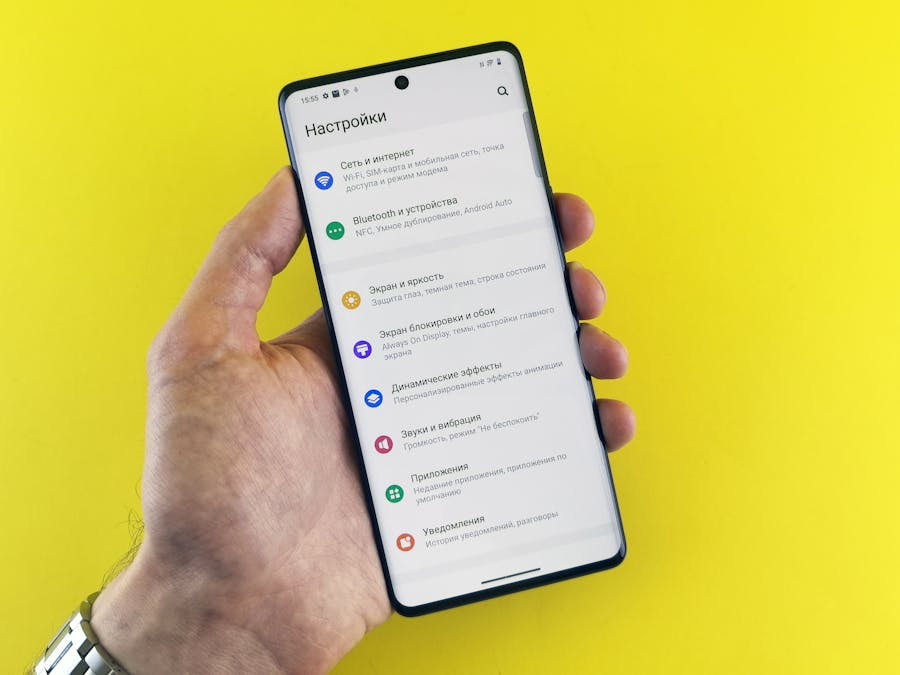
Now that you understand what changes and what stays the same, let us walk through the actual steps to switch to a personal account on Instagram. The process is straightforward and only takes a minute or two.
Switching on iPhone and Android
The steps are nearly identical whether you use an iPhone or an Android device. Here is how to do it:
- Open the Instagram app on your phone and go to your profile by tapping your profile picture in the bottom right corner.
- Tap the three horizontal lines in the top right corner to open the menu.
- Select Settings and privacy from the menu options.
- Scroll down and tap Account type and tools.
- Tap Switch to personal account.
- Instagram will show you a summary of what you will lose. Review this information and tap Switch to personal account again to confirm.
- Your account is now a personal account.
That is all there is to it. The change takes effect immediately, and you can start using your personal account right away.
Switching on Desktop or Web Browser
If you prefer using Instagram on a computer, you can also switch to a personal account on Instagram through your web browser. Here is how:
- Go to Instagram.com and log in to your account.
- Click on your profile picture in the top right corner and select Settings.
- In the left sidebar, click on Account type and tools.
- Click Switch to personal account.
- Review the information about what you will lose and click Switch to personal account to confirm.
The desktop process is just as quick as the mobile app. Once you confirm, your account type changes instantly.
Things to Do Before You Switch
Before you switch to a personal account on Instagram, take a few minutes to prepare. A little planning can help you avoid losing important information.
First, save your insights data if you want to keep it. Once you switch, you will no longer have access to your analytics. Take screenshots or export any data you might need for future reference. This is especially important if you have been tracking your growth or engagement over time.
Second, end any active promotions. If you are currently running ads or boosted posts, stop them before switching. This prevents any billing issues and ensures your campaigns end cleanly.
Third, update your contact information. If you have been using contact buttons on your profile, add your email or phone number to your bio instead. This way, people can still reach you after the buttons disappear.
Fourth, review any connected apps or tools. Some third-party scheduling apps and analytics tools require a business or creator account. Check if any tools you use will stop working after you switch.
Social media platforms often have different features for different account types, so backing up your data before making changes is always a wise move. Taking these steps ensures a smooth transition with no surprises.
Can You Switch Back to a Business or Creator Account Later
Yes, you can absolutely switch back to a business or creator account later if you change your mind. The switch is not permanent, and Instagram lets you change your account type as many times as you want.
To switch back, simply follow similar steps. Go to your settings, find the account type options, and choose either business or creator. You will need to reconnect to a Facebook page if you choose a business account, and you can select a category that describes what you do.
Keep in mind that your old insights data will not come back. When you switch to a personal account, your analytics history is erased. If you switch back to a professional account later, you will start fresh with new data from that point forward.
This flexibility is helpful if you are unsure about your decision. You can try a personal account for a while and switch back if you miss the professional features.
If you ever want a completely fresh start, you can also create an Instagram account from scratch. This gives you a brand new profile without any history from your previous account.
Troubleshooting Common Issues When Switching
Most people switch to a personal account on Instagram without any problems. However, some users run into issues along the way. Here are some common problems and how to fix them.
The switch option does not appear: If you cannot find the option to switch account types, make sure your app is updated to the latest version. Older versions of Instagram may not show all settings correctly. Try updating the app and checking again.
You get an error message: Sometimes Instagram shows an error when you try to switch. This can happen if there is a temporary glitch with the app or servers. Wait a few minutes and try again. If the problem continues, try logging out and logging back in.
You have trouble accessing your account: If you cannot log in to your account at all, you may need to reactivate your Instagram account first. This can happen if your account was temporarily disabled or if there are security issues.
Active promotions are blocking the switch: Instagram may prevent you from switching if you have active ads running. End all promotions before trying to switch again.
Connected Facebook page issues: If your business account is linked to a Facebook page, disconnecting it first can sometimes help resolve switching problems. You can reconnect it later if you switch back to a business account.
Tips for Managing Your Personal Instagram Account
Once you switch to a personal account on Instagram, there are a few things you can do to make the most of your new setup.
Adjust your privacy settings: One of the biggest benefits of a personal account is the ability to go private. If you want only approved followers to see your content, go to your settings and turn on the private account option. Keep in mind that if your profile is public, anyone can view Instagram without an account and see your posts.
Update your bio: Since you no longer have contact buttons, add any important information to your bio. Include your email, website, or other ways people can reach you.
Focus on engagement: Without analytics, you will not see detailed numbers about your posts. Instead, pay attention to comments, likes, and direct messages to understand how your content is performing. Genuine engagement matters more than metrics anyway.
Keep your profile organized: Use story highlights to showcase important content. Organize your posts in a way that reflects your personality or interests. A clean, well-organized profile makes a good impression on visitors.
Post consistently: Even without business tools, staying active helps you stay connected with your followers. Share content regularly to keep your audience engaged and interested in what you are doing.
Enjoy the simplicity: Without the pressure of analytics and promotions, you can focus on sharing content you genuinely enjoy. Many people find that a personal account feels more relaxed and fun.
Frequently Asked Questions
Will I lose my followers if I switch to a personal account?
No, your followers will stay exactly the same. Switching account types does not affect your follower count or who follows you.
Can I make my personal account private?
Yes, personal accounts can be set to private. This means only people you approve can see your posts and stories. Business and creator accounts cannot be private.
How long does it take to switch?
The switch happens instantly. As soon as you confirm the change, your account becomes a personal account.
Will my posts be deleted?
No, all of your posts, reels, stories highlights, and saved content will remain on your profile. Nothing gets deleted when you switch.
Can I switch back to a business account later?
Yes, you can switch back to a business or creator account anytime. However, your old insights data will not be restored.
What if I want to leave Instagram entirely?
If you decide you no longer want to use Instagram at all, you can delete your Instagram account permanently. This removes your profile and all your content from the platform.
Do I need a Facebook page for a personal account?
No, personal accounts do not require a connected Facebook page. Only business accounts need to be linked to a Facebook page.
Switching to a personal account on Instagram is a simple process that gives you more privacy and a cleaner experience. Whether you are stepping back from business features or just want a simpler way to use the app, the change is easy to make and easy to reverse if you ever change your mind.