




Managing social media can feel like a full-time job. Between creating content, responding to comments, and keeping up with multiple platforms, it’s easy to fall behind. That’s where social media scheduling tools come in. These helpful platforms let you plan and automate your posts ahead of time, so you can stay consistent without being glued to your phone or computer all day.
Whether you’re running a small business, managing a brand’s online presence, or growing your personal following, scheduling tools can make your life much easier. They help you post at the right times, maintain a steady flow of content, and free up your time for other important tasks. In this guide, we’ll walk you through everything you need to know about social media scheduling tools and how to use them effectively.
What Are Social Media Scheduling Tools?
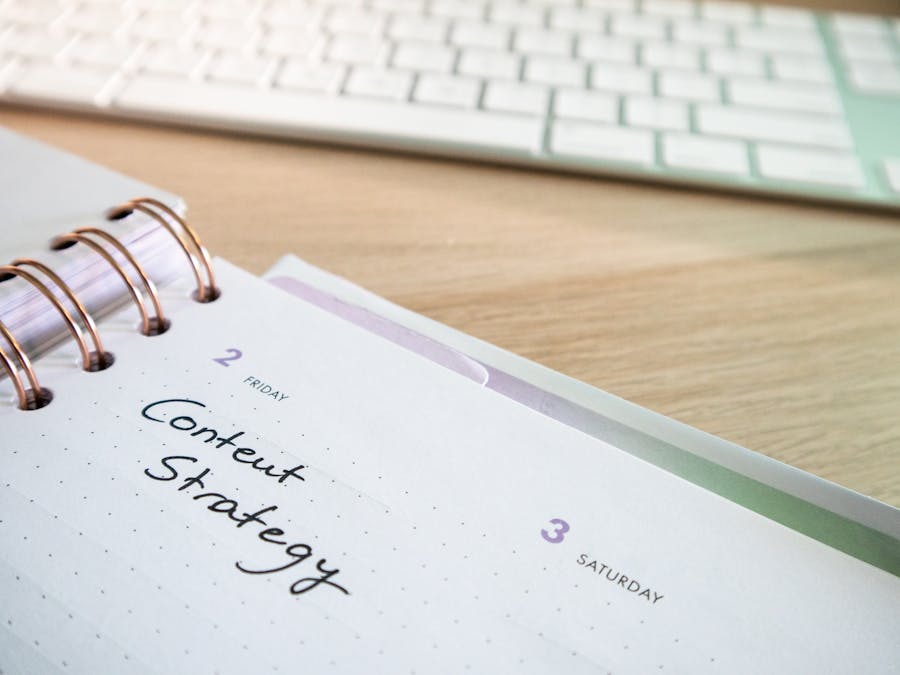
Social media scheduling tools are software platforms that let you plan, create, and automatically publish content across your social media accounts. Instead of logging into each platform separately and posting in real time, you can prepare your content in advance and set it to go live whenever you choose.
Think of it like setting a timer on your coffee maker. You do the work ahead of time, and the tool handles the rest while you focus on other things. A social media management tool typically lets you connect multiple accounts from different platforms, view all your scheduled posts in one place, and make changes easily.
Most scheduling tools offer a calendar view where you can see your upcoming posts laid out by day, week, or month. This visual approach makes it simple to spot gaps in your content plan or notice when you’ve scheduled too many posts for one day. You can drag and drop posts to different time slots, edit captions, and preview how your content will look before it goes live.
These tools work with popular platforms like Instagram, Facebook, Twitter, LinkedIn, Pinterest, and TikTok. Some even support newer platforms or niche networks. The basic idea is always the same: you create your content, pick a date and time, and the tool publishes it for you automatically.
Beyond simple scheduling, many tools offer additional features like analytics, team collaboration, content libraries, and hashtag suggestions. This makes them valuable not just for posting, but for improving your overall social media performance.
Why You Should Use a Scheduling Tool
Using a scheduling tool offers several practical benefits that can transform how you approach social media. Let’s look at the main reasons why these tools are worth your time.
First, scheduling saves you hours every week. Instead of stopping what you’re doing multiple times a day to post content, you can batch your work. Spend an hour or two creating and scheduling a week’s worth of posts, then move on with your life. This approach is far more efficient than constantly switching between tasks.
Consistency is another major advantage. Posting regularly helps you stay visible to your audience and builds trust over time. When people know they can count on you for fresh content, they’re more likely to engage and stick around. This consistency is essential for building a loyal social media community that supports your goals.
Scheduling tools also help you post at optimal times. Most people have busy schedules, and your audience might be most active when you’re asleep, at work, or otherwise unavailable. With scheduling, you can reach people when they’re actually online, even if that’s 6 AM on a Saturday or 10 PM on a Tuesday.
Planning ahead gives you a clearer view of your content mix. When you can see your posts laid out on a calendar, it’s easier to balance different types of content. You might notice you’ve been posting too many promotional messages and not enough helpful tips, or that you’ve forgotten to share user-generated content lately.
Finally, scheduling supports your broader social media strategy by giving you more control. Instead of reacting to each day as it comes, you can plan campaigns, coordinate posts across platforms, and align your social content with your business goals.
Key Features to Look For
Not all scheduling tools are created equal. When choosing one for your needs, keep an eye out for these essential features.
Multi-Platform Support
The best tools let you manage multiple social networks from one dashboard. Look for support for all the platforms you use, whether that’s Instagram, Facebook, LinkedIn, Twitter, Pinterest, or others. This saves you from juggling multiple tools and keeps everything organized in one place.
Calendar View
A visual calendar is incredibly helpful for planning. You should be able to see your scheduled posts by day, week, or month. Drag-and-drop functionality makes rearranging posts quick and easy. Some tools also color-code posts by platform or content type, which helps you spot patterns at a glance.
Analytics and Reporting
Understanding what works is crucial for improving your results. Good scheduling tools include analytics that show you engagement rates, best posting times, follower growth, and other useful metrics. Some offer detailed reports you can share with clients or team members.
Team Collaboration
If you work with others, look for features that support teamwork. This might include user roles and permissions, approval workflows, shared content libraries, and the ability to assign tasks. These features help teams stay coordinated without stepping on each other’s toes.
Content Library
A content library lets you store images, videos, and text snippets for easy reuse. This is especially handy for evergreen content you want to share regularly or brand assets you use across multiple posts.
When evaluating options, consider how each tool fits into your broader workflow. The essential tools for social media managers often include scheduling alongside design tools, analytics platforms, and engagement trackers.
How to Set Up Your Scheduling Workflow

Getting started with a scheduling tool is straightforward once you know the steps. Here’s how to set up a workflow that works for you.
Connect Your Accounts
Start by linking your social media accounts to your scheduling tool. This usually involves logging into each platform and granting the tool permission to post on your behalf. Most tools walk you through this process step by step.
When connecting accounts, take a moment to keep your business accounts safe by using strong passwords and enabling two-factor authentication where possible. Third-party tools require access to your accounts, so security matters.
Create a Content Calendar
Before you start scheduling, map out your content plan. Decide how often you want to post on each platform and what types of content you’ll share. A simple spreadsheet works for this, or you can use the calendar feature in your scheduling tool.
Think about themes or categories for your content. For example, you might share educational tips on Mondays, behind-the-scenes content on Wednesdays, and promotional posts on Fridays. Having a structure makes planning easier and ensures variety.
Batch Your Content Creation
Instead of creating posts one at a time, set aside dedicated time to create content in batches. You might spend a few hours writing captions, selecting images, and preparing posts for the entire week or month ahead. Carve out specific time periods to develop social media content; maybe one afternoon a week or month. In these sessions, compose several posts, make or collect pictures, and plan everything at the same time. This is much more effective than producing content on a day-to-day basis.
When batching, pay attention to your visual identity to keep your brand looking consistent across all posts. Use similar colors, fonts, and styles so your content is instantly recognizable.
Schedule and Review
Once your content is ready, add it to your scheduling tool. Set the date and time for each post, double-check your captions for errors, and preview how everything will look. Most tools show you a mock-up of your post as it will appear on each platform.
Before you hit schedule, review your calendar to make sure everything flows well. Look for any awkward gaps or days with too many posts. Adjust as needed until you’re happy with the plan.
Best Practices for Scheduling Content
Scheduling tools are powerful, but using them well requires some thought. Here are practical tips to get the best results.
Post at the Right Times
Pay attention to when your audience is most active. Most scheduling tools include analytics that show you peak engagement times. Use this data to schedule posts when people are actually online and ready to engage.
Mix Up Your Content
Variety keeps your feed interesting. Alternate between different content types like photos, videos, carousels, stories, and text posts. Mix educational content with entertaining posts and occasional promotions. This balance keeps your audience engaged without overwhelming them with sales messages.
Don’t Over-Automate
While scheduling saves time, don’t set it and forget it completely. Social media is meant to be social, which means you still need to show up, respond to comments, and engage with your community. Automation handles the posting, but the human connection is up to you.
Stay Flexible
Sometimes real-world events make scheduled content inappropriate or irrelevant. Keep an eye on the news and be ready to pause or adjust your scheduled posts if needed. Most tools make it easy to quickly edit or delete upcoming posts.
Strategic scheduling can also help you generate leads on social media by ensuring your promotional content reaches people at the right moments. Plan your calls to action carefully and track which posts drive the most results.
Who Benefits Most From Scheduling Tools

Social media scheduling tools are valuable for many different types of users. Here’s who stands to gain the most.
Small Business Owners
Running a small business means wearing many hats. Scheduling tools let you maintain a professional social media presence without spending all day online. You can plan your content around your busy schedule and focus on serving customers while your posts go out automatically.
Content Creators
Anyone working as a content creator knows how demanding it can be to stay consistent across multiple platforms. Scheduling tools help creators maintain their posting rhythm even when they’re busy filming, editing, or working on other projects. This consistency is key for growing an audience.
Creators who want to monetize your social media presence especially benefit from scheduling. Regular posting keeps your audience engaged and makes you more attractive to brands looking for partnership opportunities.
Marketing Teams
For teams managing social media for multiple clients or brands, scheduling tools are essential. They provide a central hub where everyone can see what’s planned, collaborate on content, and maintain consistency across accounts. Approval workflows ensure nothing goes live without proper review.
Agencies
Social media agencies juggle many accounts at once. Scheduling tools with robust team features help agencies stay organized, meet client deadlines, and deliver consistent results. The ability to generate reports also makes it easier to show clients the value of your work.
Freelancers
Freelance social media managers often work with multiple clients simultaneously. Scheduling tools help them stay on top of different posting schedules, maintain each client’s unique voice, and deliver professional results without burning out.
Integrating Scheduling Tools With Other Platforms

Modern scheduling tools don’t exist in isolation. They often connect with other software to create a seamless workflow.
Design Tools
Many scheduling platforms integrate with design tools like Canva, allowing you to create graphics and schedule them without switching between apps. This streamlines your workflow and keeps everything in one place.
Analytics Platforms
Some scheduling tools connect with advanced analytics platforms for deeper insights. This helps you understand your performance beyond basic metrics and make data-driven decisions about your content strategy.
Advertising Platforms
Your organic social media efforts often work alongside paid advertising. Understanding how to integrate ads with your social strategy can amplify your results. Some scheduling tools offer features that help coordinate organic and paid content.
Business Software
Scheduling tools can also connect with other business software you use daily. For example, you might integrate booking software with social media to promote appointments or services directly from your posts.
If you sell products online, look for scheduling tools that work with e-commerce platforms to make it easier to share product posts and track sales from social media.
CRM Systems
Some advanced scheduling tools integrate with customer relationship management systems. This helps you track how social media interactions connect to your broader customer journey and identify opportunities for follow-up.
Common Mistakes to Avoid
Even with great tools, it’s easy to make mistakes. Here are pitfalls to watch out for.
Ignoring Engagement
Scheduling posts is only half the job. If you schedule content and then disappear, you miss the chance to respond to comments, answer questions, and build relationships. Set aside time each day to check in and engage with your audience.
Posting Without Reviewing
Always preview your posts before scheduling them. Check for typos, broken links, and formatting issues. Make sure images look good and captions make sense. A quick review can save you from embarrassing mistakes.
Not Adjusting for Real-Time Events
The world doesn’t stop for your content calendar. Major news events, holidays, or unexpected situations can make scheduled posts seem tone-deaf or inappropriate. Stay aware of what’s happening and be ready to pause or adjust your schedule.
Over-Scheduling
More posts don’t always mean better results. Posting too frequently can overwhelm your audience and lead to unfollows. Find a sustainable rhythm that keeps you visible without becoming annoying.
Using the Same Content Everywhere
Each platform has its own culture and best practices. What works on LinkedIn might fall flat on TikTok. Take time to adapt your content for each platform rather than posting identical content everywhere.
Mastering scheduling tools is a valuable social media manager skills that employers and clients look for. Taking the time to learn these tools well can boost your career prospects and help you deliver better results.
Social media scheduling tools are game-changers for anyone serious about their online presence. They save time, improve consistency, and give you more control over your content strategy. By choosing the right tool, setting up a solid workflow, and following best practices, you can make social media management much more manageable. Start small, experiment with different approaches, and refine your process over time. Before long, you’ll wonder how you ever managed without scheduling tools in your toolkit.


